NTWind News
This is a news blog about software published on NTWind website. You can subscribe to the NTWind News by email or RSS to stay up-to-date with our products and services.
NTWind Software - Looking Back At 2009
Time goes by so fast - 2010 is coming very soon! As the year draws to a close, let me take a look back at 2009 and recap the most important releases of the year.
February 2009 - WinSnap 3.0: Ultimate Screen Capture
WinSnap 3 has introduced a new interface, reflection image effect, ability to clear Aero background under Vista and much more.
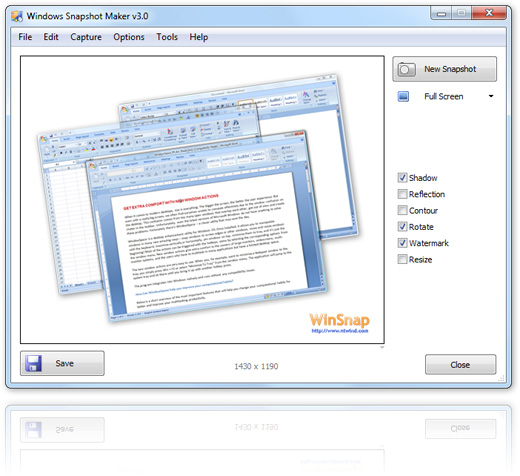
WinSnap Screenshots & Feature Highlights →
April 2009 - WindowSpace 2.0: Windows 7 Like Actions for XP and Vista
WindowSpace 2.0 has allowed users to manage windows in a much more convenient way. Its Snap-To-Side feature is similar to the new Aero Snap feature in Windows 7.
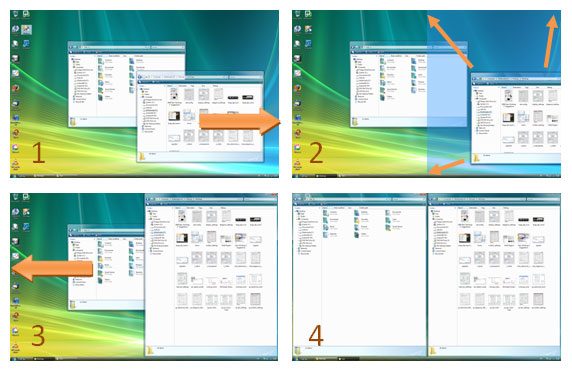
Snap-To-Corners feature:
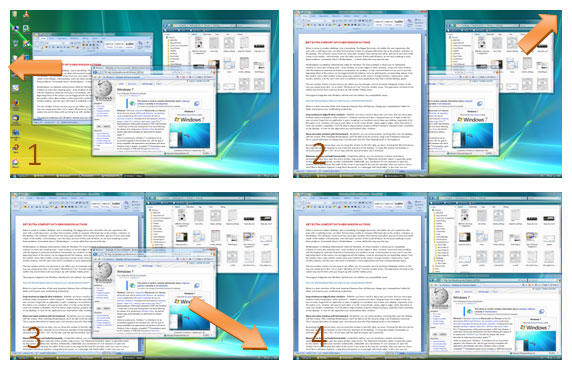
What's New In WindowSpace 2.0 →
June 2009 - WinSnap 3.1: Support for Windows 7 and New Taskbar
WinSnap 3.1 has added support for Windows 7 and its new Taskbar/Superbar:

|

|
| Rounded corners in Windows 7 | Rounded corners in Windows Vista |
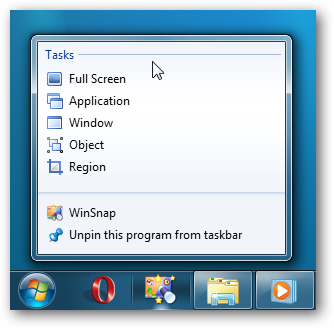
WinSnap - Screen Capture For Windows 7 →
July 2009 - Hidden Start 3.0: Start Non-Elevated Apps From Elevated
Hstart 3.0 has provided an easy and native way to start non-elevated applications from a command line or a batch file, even if the command line process is elevated (runs under admin).
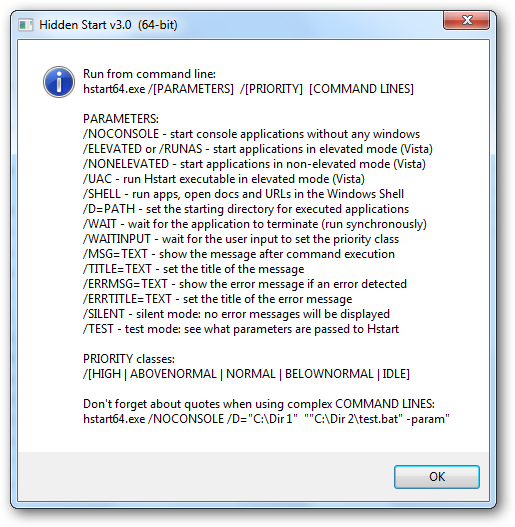
Hidden Start Homepage & Examples →
September 2009 - VistaSwitcher 1.0: Brand New Alt-Tab for XP, Vista, 7
TaskSwitchXP was good, but it looks a bit outdated now. VistaSwitcher has inherited the best features of its predecessor, provided a new look and support for Vista and 7.
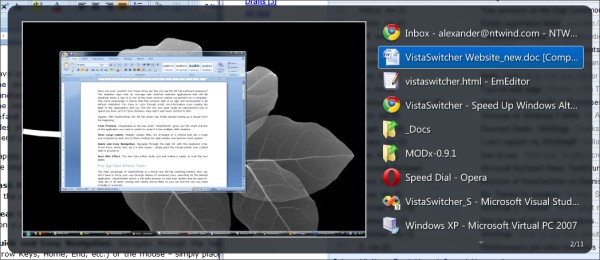
VistaSwitcher - Brand New Alt-Tab Task Switcher →
More releases are coming in 2010. I wish everyone a Happy New Year!!!
Posted by Alexander Avdonin on 31-Dec-09 16:13
VistaSwitcher 1.1.1 - Several Minor Enhancements
The final 2009 release of VistaSwitcher includes 18 language files. If you want to translate VistaSwitcher into a new language or improve the existing translation, please see the Language Files forum threads.
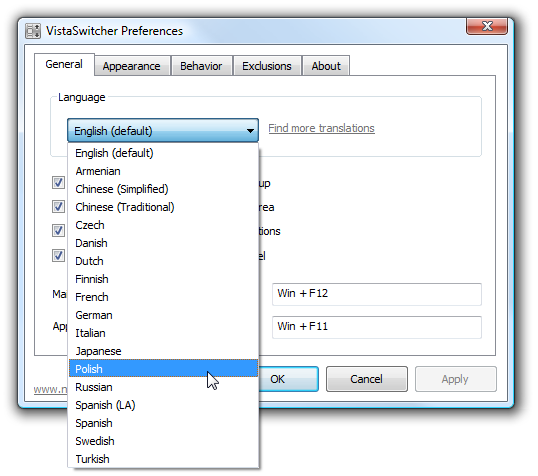
Changelog for VistaSwitcher 1.1.1:
- New translations: Armenian, Danish, Polish, Swedish (18 languages now!)
- Revised Ctrl+Alt+Tab when "Show tasks only from the active monitor" is enabled
- Fixed link to the Language Files thread - http://www.ntwind.com/forum/
- Several other minor improvements and bug fixes
Download VistaSwitcher 1.1.1 (32-bit and 64-bit)
Posted by Alexander Avdonin on 29-Dec-09 22:54
WindowSpace 2.0.9 - Compatible With Windows 7 Now
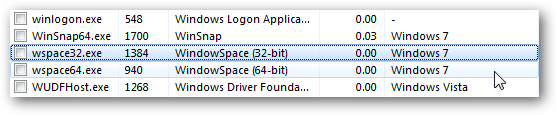
I'm very glad to inform you that WindowSpace officially supports Windows 7 now. On the first run, the setup program ensures that WindowSpace settings won't conflict with or overshoot the system settings.
Resource Monitor recognizes WindowSpace as Windows 7 compatible application:
WindowSpace hotkeys do not conflict with the new Windows 7 keyboard shortcuts:
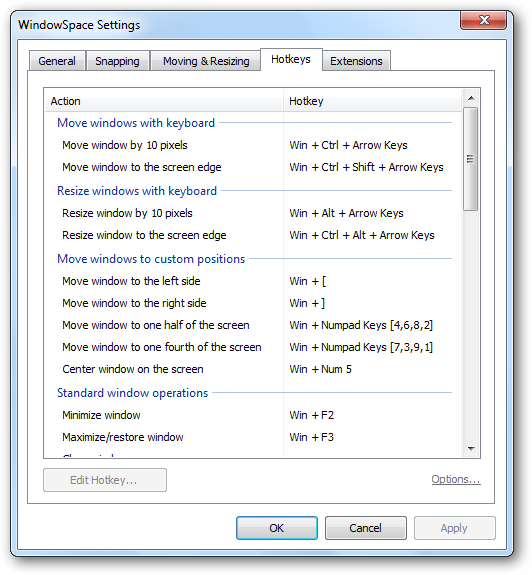
Changelog for WindowSpace 2.0.9:
- New translations: Chinese Simplified and Traditional, Czech, Korean
- Default settings are compatible with Windows 7 now
- Added a compatibility section to the EXE/DLL manifests
- Fixed default font of the Settings dialog on Windows Vista/7
- Fixed position of the hotkey error dialog when Apply button is clicked
- Some minor improvements on the 64-bit installer
- Several other improvements and bug fixes
Download WindowSpace 2.0.9 (32-bit and 64-bit)
Posted by Alexander Avdonin on 29-Dec-09 13:22
VistaSwitcher 1.1.0 - Now In 14 World Languages
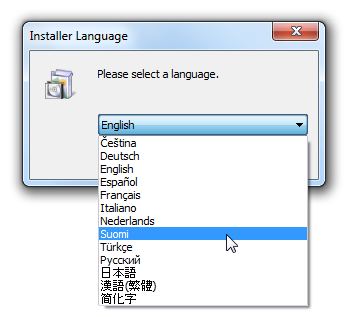
I would like to thank everyone who took the time to translate VistaSwitcher and submit the translation on the forum. Now, if you are installing VistaSwitcher the first time, you'll be prompted to choose the installer language:
Interested in helping? How to translate VistaSwitcher →
Changelog for VistaSwitcher 1.1.0:
- Multilingual User Interface: 14 world languages (German, Spanish, French and more)
- Added a compatibility mode for Right-Click + Mouse Wheel (via registry, see forum)
- Several improvements on the window enumeration algorithm
- Language files: maximum string length extended to 384 characters
- Fixed an issue with window-style previews of several applications under XP
- Fixed an issue with enumerating MyPhoneExplorer windows and dialogs
- Various other stability and performance improvements
Download VistaSwitcher 1.1.0 (32-bit and 64-bit)
Posted by Alexander Avdonin on 14-Dec-09 17:02
VistaSwitcher 1.0 Final - New Logo, MUI and More
I'm very glad to inform you that VistaSwitcher is out of the beta phase and is now a live product. I put much effort into the development to make VistaSwitcher as fast and reliable as it is. I really hope you enjoy it and find it useful!
New Logo & Application Icon
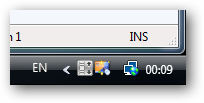
Finally, VistaSwitcher gets a new redesigned logo, desktop and tray icons:
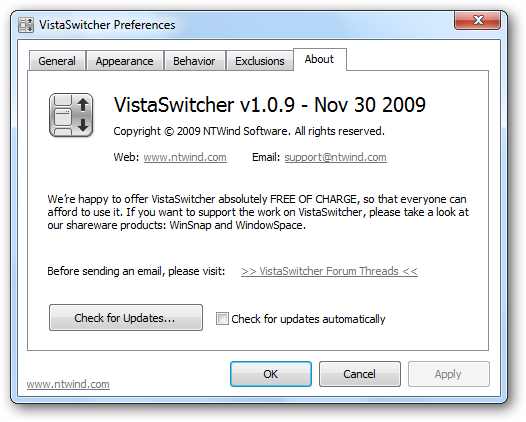
New application icon:
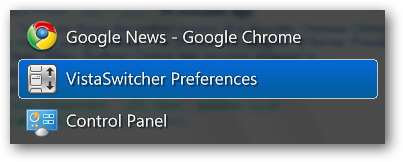
New tray icon:
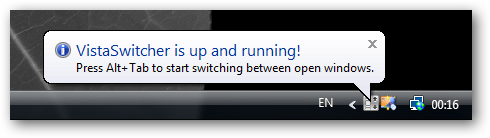
Welcome Message
Right after installing VistaSwitcher, you'll see the following message in the system tray:
Multilingual User Interface
This is the first version of VistaSwitcher that supports third-party translations:
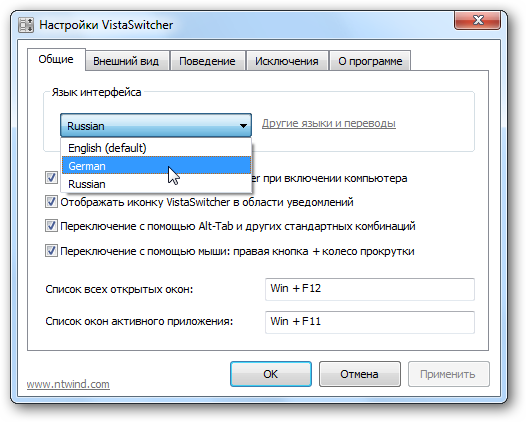
If you want to translate VistaSwitcher into your native language, please see the dedicated forum thread - Language Files for VistaSwitcher.
Changelog for VistaSwitcher 1.0.9:
- New VistaSwitcher logo, redesigned desktop and tray icons
- Added support of language files (see forum and 'lang' directory)
- Added welcome message (balloon tip) when running VS the first time
- Improved Alt+` behavior for European keyboard layouts (see forum)
- Fixed an issue with preview when application has multiple child windows
- Various other stability and performance improvements
Download VistaSwitcher 1.0.9 (32-bit and 64-bit)
Posted by Alexander Avdonin on 30-Nov-09 23:28
WinSnap v3.1.4 - Improved Screen Capture
This maintenance release of WinSnap further improves its screen capture capabilities and addresses a few minor issues, as usual. This is likely the last release before I start working on WinSnap 4.0.
I've slightly improved the "Window" selection algorithm to eliminate accidental Taskbar and Desktop captures (f.e. when you click the Taskbar for some reason and then switch to WinSnap without activating a window).
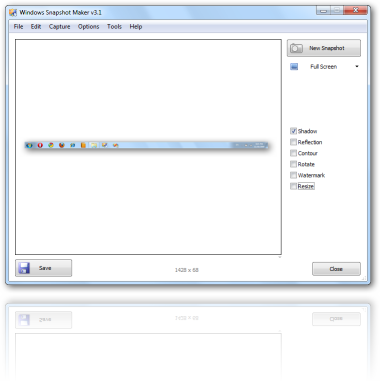
Changelog for WinSnap v3.1.4:
- Improved the behavior of "Window" captures when the Taskbar is active
- Improved the "Clear Aero background under Vista and Windows 7" feature
- Fixed an issue with capturing desktop using the "Application" mode
Download WinSnap v3.1.4 (32-bit, 64-bit, portable)
Posted by Alexander Avdonin on 18-Nov-09 19:58
VistaSwitcher Website + Online Documentation
I always get a lot of questions and support requests regarding my freeware projects. People often ask about features that are already present in the software. So, complete and good documentation is a great time saver for me.
Please take a look at the following articles about VistaSwitcher and its vast capabilities.
Updated articles:
- VistaSwitcher - The Brand New Alt-Tab Task Switcher
- Switch Between Windows Of The Same Application
- Manage Windows With VistaSwitcher
- Alt-Tab For Multiple Monitors
General product pages:
- VistaSwitcher Homepage + Screenshots
- Keyboard Shortcuts
- Frequently Asked Questions
- How To Contribute
The Final Release is coming very soon. Be prepared!
Posted by Alexander Avdonin on 17-Nov-09 12:53
VistaSwitcher 1.0.8 Beta - Bugfix Release
I'm fixing the last critical bugs (at least I hope so), changelog:
- Fixed an issue with losing focus when switching between MSN/WLM windows
- Several improvements on the window switching algorithm
- Some other minor bugfixes and improvements
Download VistaSwitcher 1.0.8 (32-bit and 64-bit)
Posted by Alexander Avdonin on 16-Nov-09 11:22
VistaSwitcher 1.0.7 Beta - International Keyboard Layouts
This release brings a number of bugfixes and goodies for people with non-English keyboard layouts. Now VistaSwitcher always replaces Alt + [the key right above the Tab] for switching between windows of the same application - no matter what the key is above the Tab on your keyboard layout.
Example 1 - Italian keyboard layout:
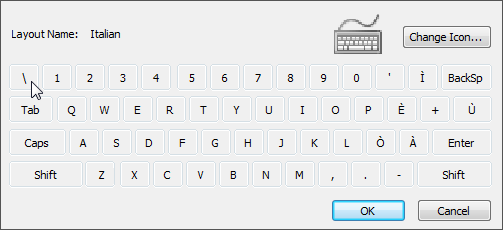
Use Alt + \ to switch between windows of a single application.
Example 2 - Swiss German keyboard layout:
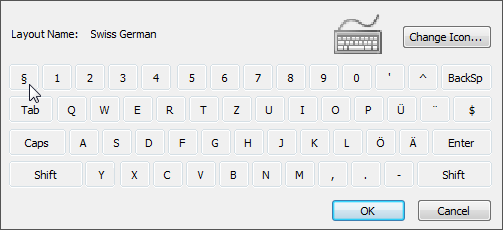
Use Alt + § to switch between windows of a single application.
Learn more: Switch Windows Of The Same Application
Changelog for VistaSwitcher 1.0.7 Beta:
- Added support of non-English keyboard layouts (for Alt+Backtick and other)
- Several improvements on the Alt-Tab replacement routine
- Improved the drawing speed and overall performance
- Some other minor bugfixes and improvements
Download VistaSwitcher 1.0.7 (32-bit and 64-bit)
Posted by Alexander Avdonin on 08-Nov-09 16:52
VistaSwitcher 1.0.6 Beta - Bugfix Release
I would like to thank everyone who tried out VistaSwitcher, sent feedback and reported bugs and issues. Your contribution really helps to deliver a better product!
Changelog for VistaSwitcher 1.0.6 Beta:
- Fixed an issue with switching tasks when preview isn't fully rendered (XP)
- Fixed an issue with switching between MSN Live Messenger windows (Win7)
- Several improvements on the window enumeration algorithm
- Various stability and performance improvements
Download VistaSwitcher 1.0.6 (32-bit and 64-bit)
Posted by Alexander Avdonin on 03-Nov-09 12:12
Showing 321 - 330 of 385 Articles | Page 33 of 39
Home • News