Power Remote - Sleep, Wake, Lock, or Shut Down your PC or Mac from your Phone
Power Remote turns your phone, tablet, or another computer into a secure power remote for the Windows PCs and Macs you own. Pair your trusted devices once, then send everyday power commands over your local network or
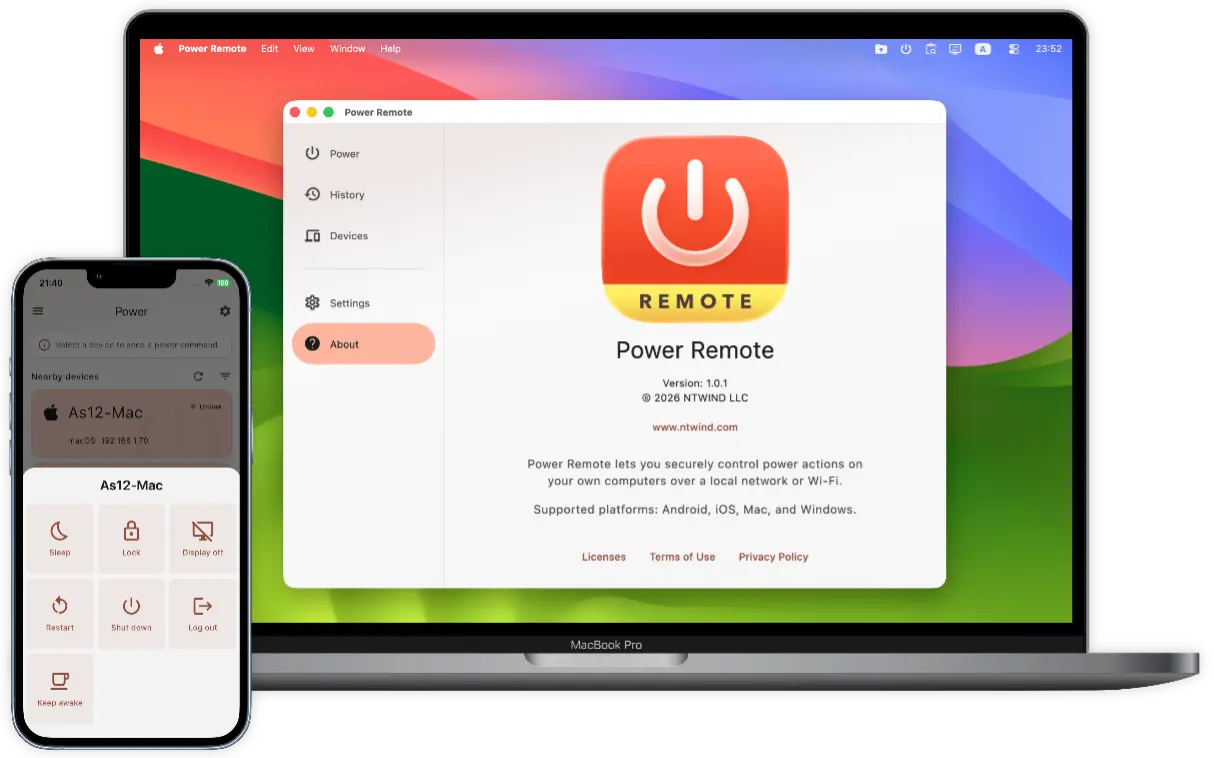
Power Remote is useful whenever your computer is not within reach: finishing work from the couch, waking a desktop before you sit down, locking a shared workstation, shutting down a media PC, or keeping a download, backup, call, transfer, render, or presentation active just long enough to complete.




To start using Power Remote, install it on two or more devices. Only Mac and Windows computers can receive power commands. Use a phone, tablet, or another computer as the remote. Version 1.0.3 was released on 07-Sep-2026, see what's new →


Languages: Arabic, Czech, German, Greek, English, Spanish, Finnish, French, Indonesian, Italian, Japanese, Korean, Dutch, Polish, Portuguese, Romanian, Russian, Swedish, Turkish, Ukrainian, Chinese Simplified, Chinese Traditional
ENJOY OUR FREE SOFTWARE - No ads, no subscriptions, completely free!
Key Features
- Power Actions in One Tap: Send Sleep, Wake, Lock, Restart, Shut Down, Log Out, Display Off, Display On, and Keep Awake commands from a trusted device on your own network.
- Wake-on-LAN Support: Wake a sleeping computer with the standard Wake-on-LAN magic packet when the computer, network adapter, and router support it. Power Remote remembers the paired computer's MAC address and sends the wake signal locally.
- Timed Keep Awake: Keep a computer awake for a chosen number of minutes or hours, then let it return to normal automatically. It is ideal for downloads, backups, file transfers, video calls, presentations, renders, and remote sessions.
- Secure Local Pairing: Devices must be paired before they can send commands. Pair only devices you own and trust, then choose which power actions each paired device is allowed to use.
- No Cloud Account Required: Power Remote is designed for local control. Discovery and commands work over your LAN or
Wi-Fi , without a required internet account or cloud relay. - Encrypted Requests: Commands are transferred between your paired devices with end-to-end encryption, helping keep power control private inside your trusted network.
- Nearby Device Discovery: Power Remote finds supported Windows PCs and Macs on your network automatically. If discovery is not available, you can add a device manually by IP address.
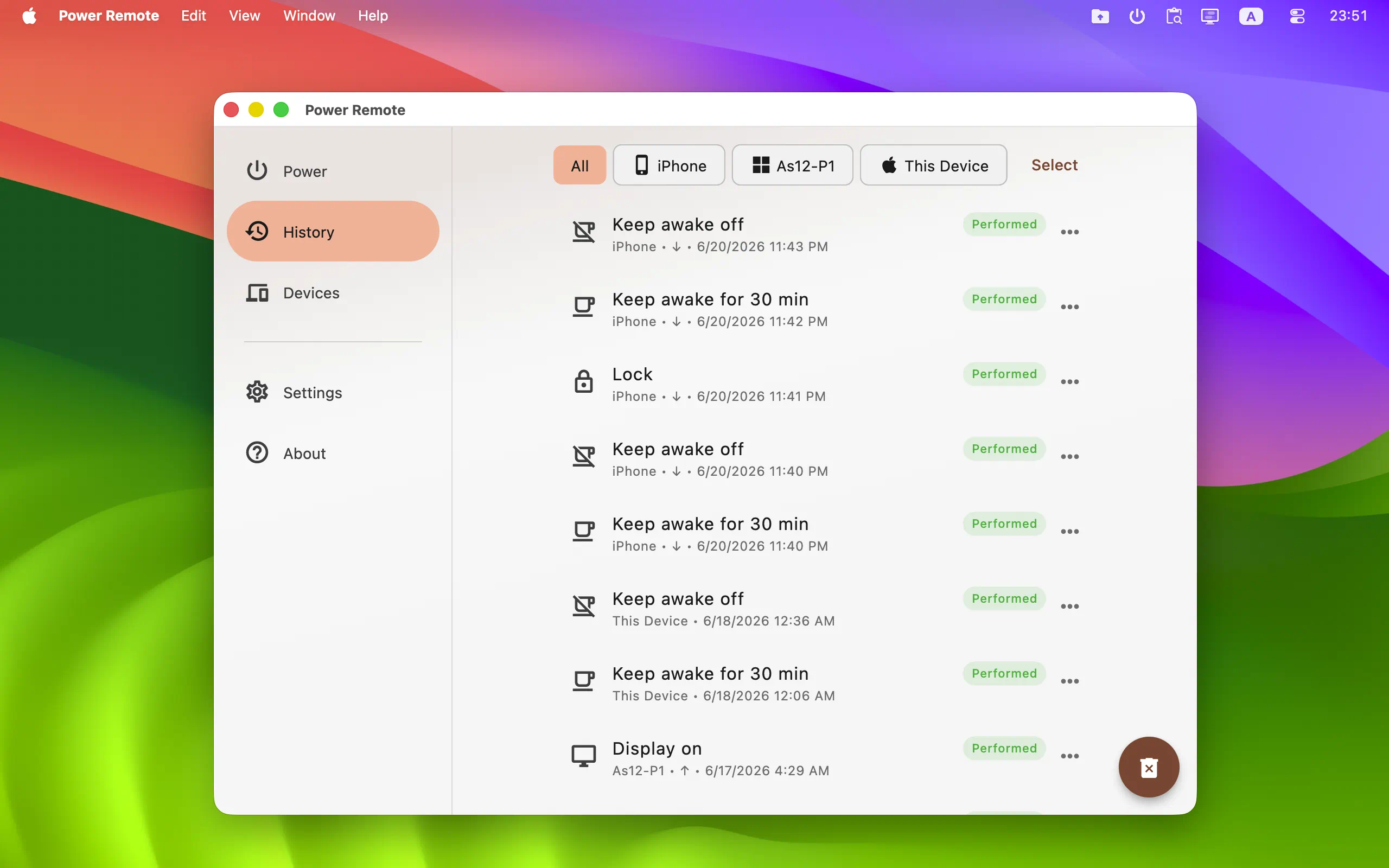
- Command History: Review recent commands, see whether they were performed, ignored, or failed, and repeat useful actions when needed.
- Cross-Platform Remote: Use Android, iPhone, iPad, Mac, or Windows as the remote. Power control targets are Windows PCs and Macs running Power Remote on the same local network.
- Comfortable Interface: Light and dark themes, accent color options, device filters, hidden devices, background tray behavior, and autostart options help Power Remote fit naturally into everyday use.


👆 Screenshots on Mobile — Click to Enlarge
User Interface Design
The UI of Power Remote is organized into three main tabs, each focused on a clear everyday task:
- Power Tab: This is the main control center. It shows nearby and paired Windows or Mac devices. Tap a device, choose an available action, and confirm sensitive commands such as restart, shut down, or log out if confirmations are enabled.
- History Tab: This tab keeps a simple record of sent and received power commands, including the action, device, time, result, and failure reason when something could not be completed. You can repeat previous commands or clear the list.
- Devices Tab: This section helps you manage trusted devices. Reorder devices, rename them, edit permissions, hide devices you do not want on the Power tab, remove old pairings, or add a device by IP address.
Power Remote stands out as a focused local power manager for people who want practical control without cloud dependency. Whether you use it at home, in a small office, with a media computer, or across a desk full of machines, it keeps important power actions close at hand while keeping control on your own devices and your own network.
Getting Started | Wake-on-LAN | What's New | Privacy Policy | Terms of Use
Home • Remote Tools • Power Remote