Remote Tools
Our cross-platform remote control apps are designed to connect your desktop and mobile devices, bringing you a completely new experience for work and entertainment.
Clipboard Remote
Copy text and images on one device and paste them on another using your local network or
Screenshot Remote
Capture screenshots on a paired Windows PC or Mac from your phone, tablet, or another computer.
Upload Remote
Send files directly between desktop and mobile devices and keep incoming items organized in a local inbox.
Media Remote
Control media playback on a paired computer and open YouTube links, videos, and other media from your phone.
Power Remote
Wake, sleep, restart, shut down, lock, keep awake for a time interval, or turn off the display on a paired Windows PC or Mac.
Gallery Remote
Present and control photo slideshows on nearby phones, tablets, PCs, and Macs without using the cloud.
Files Remote
Browse shared folders on a paired Windows PC or Mac and access your files directly over your local network.
Webcam Remote
Stream live webcam video, capture photos, and record clips from cameras connected to a paired PC or Mac.
Presentation Remote
Present PDFs, photos, and documents on a paired Windows PC or Mac and control the slides directly from your phone.
Desktop Remote
View the desktop, control the pointer and keyboard, and record the screen on a paired Windows PC or Mac.
Desktop Remote - Control PC or Mac with Your Phone
Desktop Remote turns your phone or tablet into a local screen viewer and recorder for a paired Windows PC or Mac. Connect both devices to the same Wi-Fi or LAN, approve pairing, and watch the computer screen without standing beside it.

Desktop Remote for Windows, Mac, iOS and Android →
Presentation Remote - Present with Your Phone or Tablet
Presentation Remote lets you present on a Windows PC or Mac using your phone or tablet as the remote. Put PDFs, photos, and supported documents on a screen your audience can see, and guide every slide from your phone.

Presentation Remote for Windows, Mac, iOS and Android →
Webcam Remote - Control Camera on PC or Mac
Webcam Remote lets you preview and control a webcam on your Mac or Windows computer from the phone or tablet already in your hand. Check the live picture, tap to take a photo, or start a video recording remotely.

Webcam Remote for Windows, Mac, iOS and Android →
Files Remote - Browse Shared Folders on PC & Mac
Files Remote turns a nearby Mac or Windows computer into a private folder source for your phone, tablet, or another computer. Pick the exact folders to share, approve a trusted device, and open them over your local Wi-Fi.

Files Remote for Windows, Mac, iOS and Android →
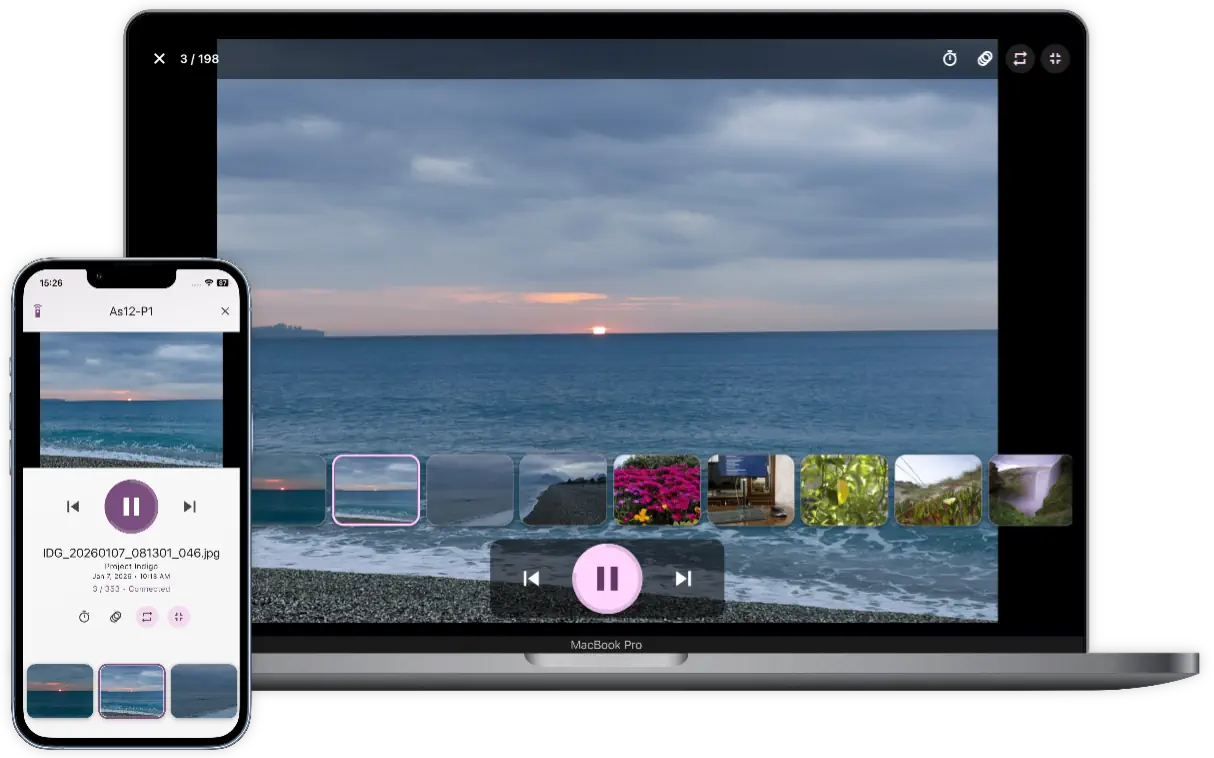
Gallery Remote - Present Your Photos over Wi-Fi
Gallery Remote streams your photo slideshows directly to nearby computers or mobile devices over your local network, without ever uploading them. It can be useful for portfolio displays, family picture shows, classroom visuals, event galleries, photography reviews, and home photo screens.
Gallery Remote for Windows, Mac, iOS and Android →
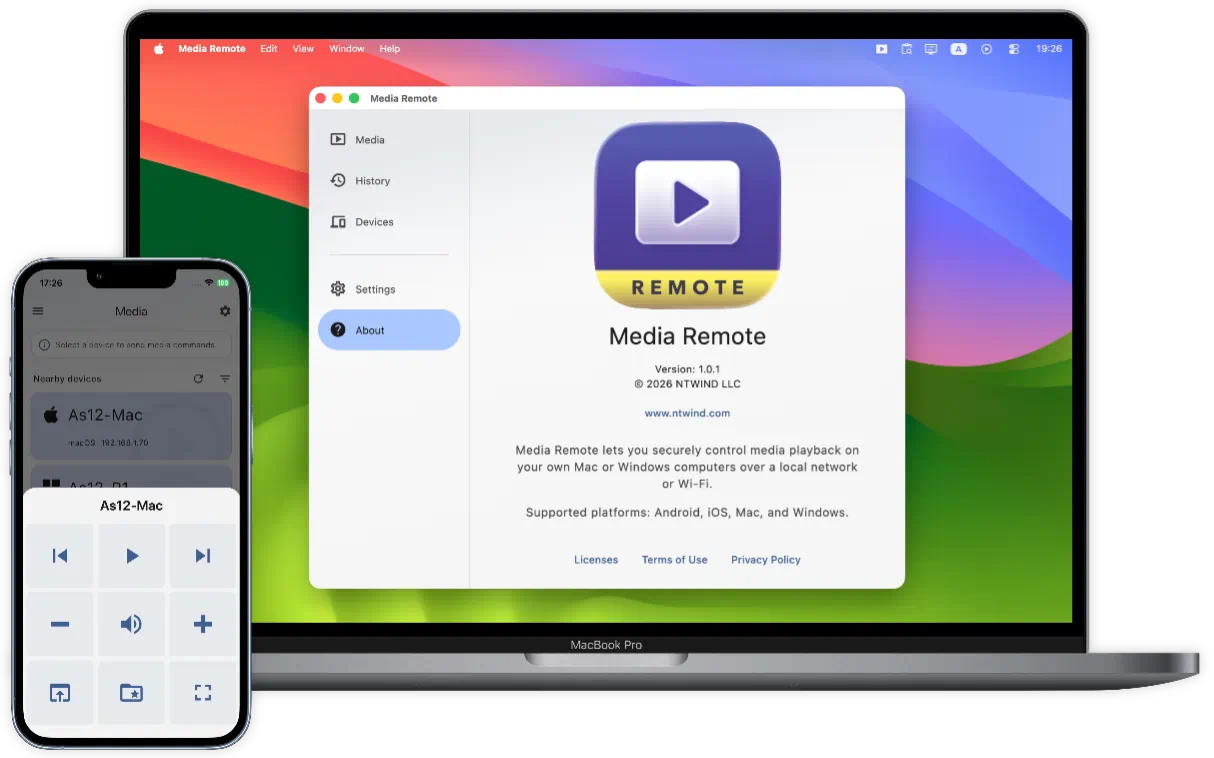
Media Remote - Control Playback with Your Phone
Media Remote lets you control the media computer from the device already in your hand. Watching YouTube on a TV connected to your PC? Paste the link and open it there. Want to pause while someone walks into the room? Tap Play / Pause.
Media Remote for Windows, Mac, iOS and Android →
Power Remote - Sleep, Wake, Lock your PC or Mac
Power Remote gives you fast control of your computer's power actions from your phone, tablet, or another computer. It pairs trusted devices, encrypts local requests, and can send Wake-on-LAN signals for waking sleeping computers on the same network.
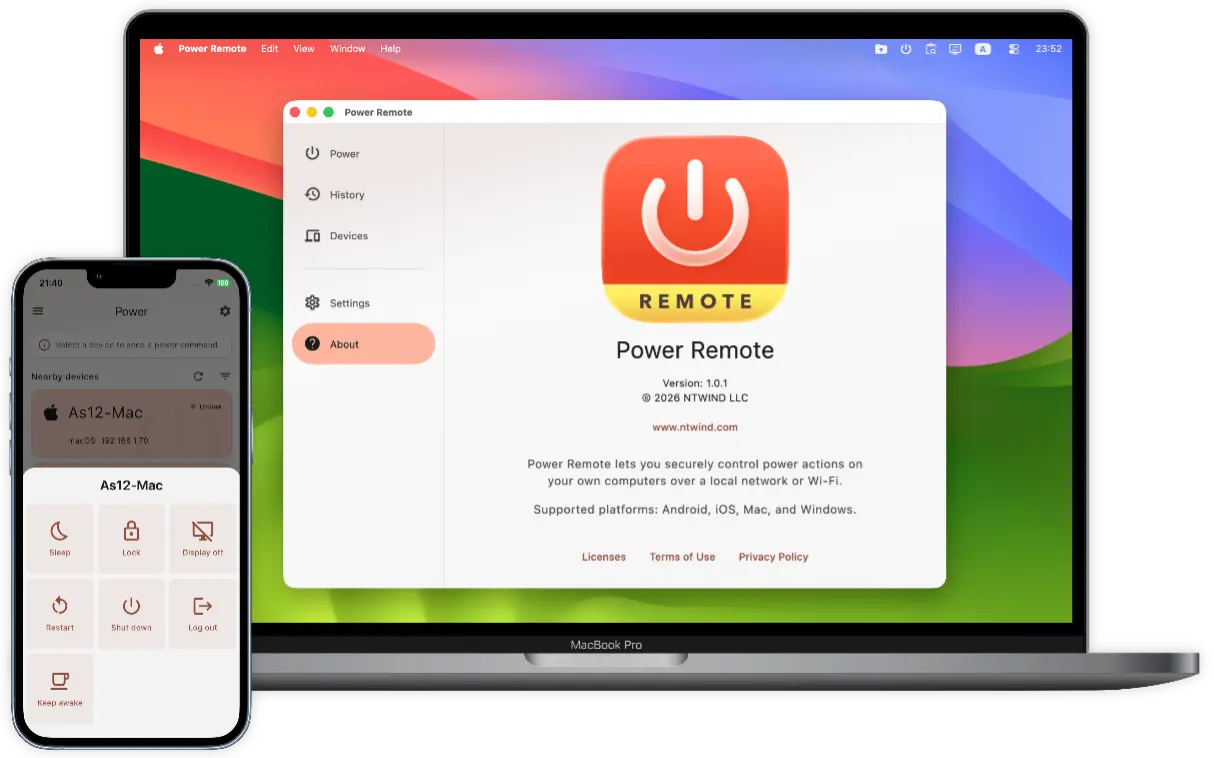
Power Remote for Windows, Mac, iOS and Android →
Upload Remote - Send Files Directly to Any Device
Upload Remote enables fast and secure file transfers over a local network or
Upload Remote for Windows, Mac, iOS and Android →
Clipboard Remote - Copy & Paste between PCs or Mobiles
Clipboard Remote is the simplest way to send URLs between devices or transfer photos from your phone directly to your computer's clipboard for immediate use. It provides smooth, secure clipboard sharing between PCs, Macs and mobile devices.
Clipboard Remote for Windows, Mac, iOS and Android →
Screenshot Remote - Screen Capture over Wi-Fi or LAN
Screenshot Remote is a cross-platform application available for Android, iOS, Mac and Windows which allows you to capture screenshots on remote computers using your phone, tablet or another computer.
Screenshot Remote for Windows, Mac, iOS and Android →
Home • Remote Tools