Gallery Remote - Present Photo Slideshows on Nearby PCs, Macs, Phones or Tablets
Gallery Remote helps you build an ordered photo selection once, then present it on a paired Android, iPhone, iPad, Mac, or Windows device over your local network or
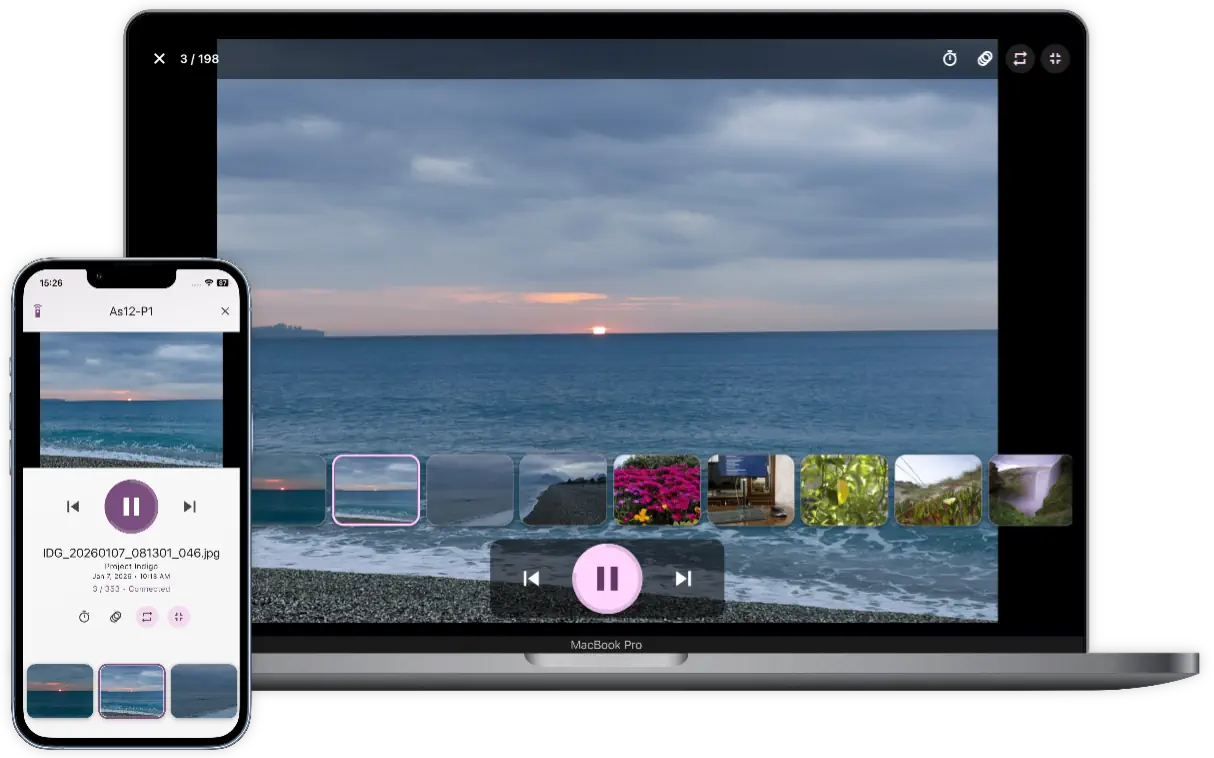
With Gallery Remote, you can show vacation memories on a laptop, present a portfolio on a tablet, review images with a client, fill a classroom screen, or run a family slideshow from your sofa. Gallery Remote is made for private photo sharing when uploaded photos are immediately removed from another device when slideshow is ended.
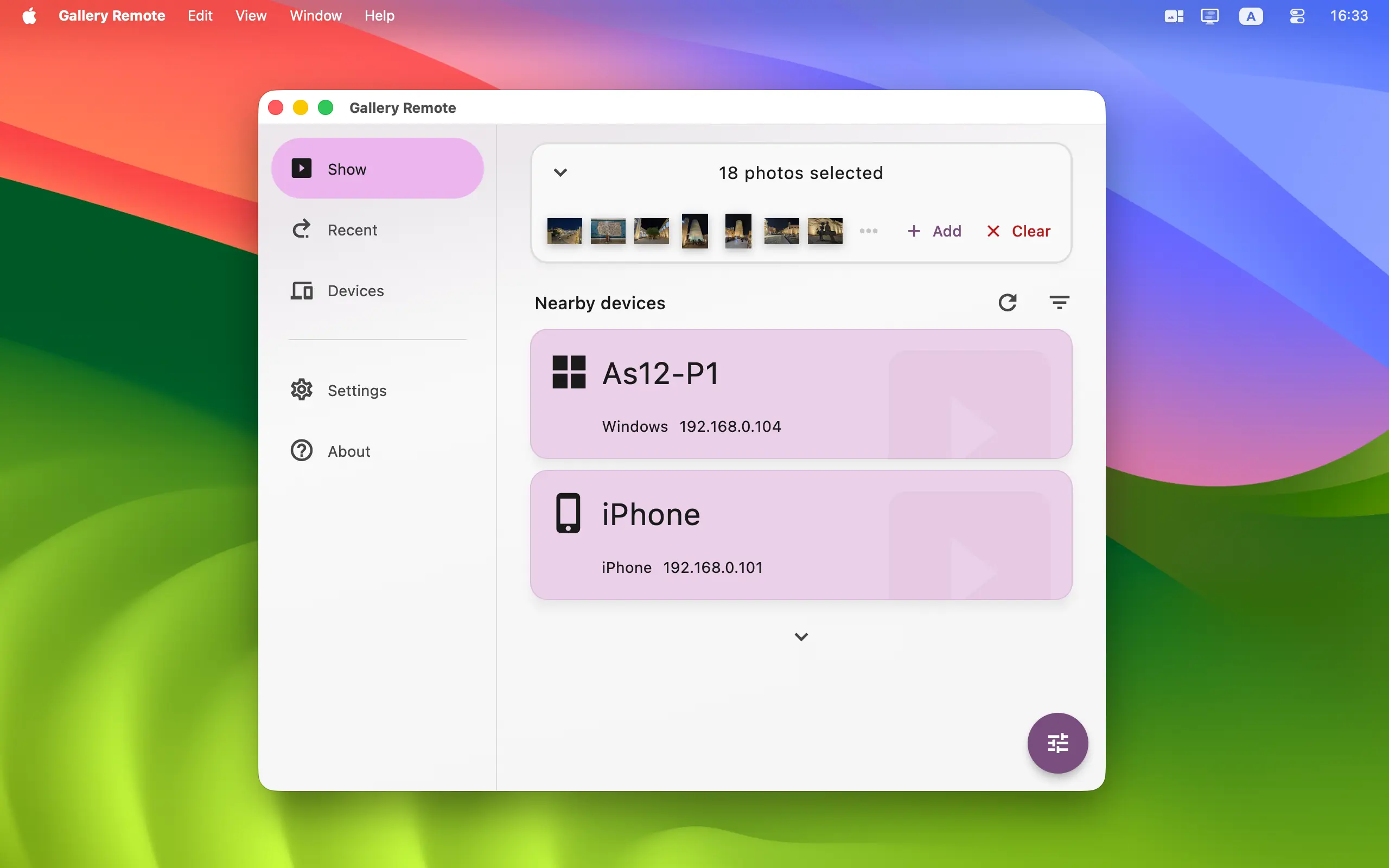


To start using Gallery Remote, install it on one device for local shows or on two or more devices for remote presentations. Android, iPhone, iPad, Mac, and Windows can all build, receive, and control slideshows. Version 1.0.3 was released on 05-Oct-2026, see what's new →


Languages: Arabic, Czech, German, Greek, English, Spanish, Finnish, French, Indonesian, Italian, Japanese, Korean, Dutch, Polish, Portuguese, Romanian, Russian, Swedish, Turkish, Ukrainian, Chinese Simplified, Chinese Traditional
ENJOY OUR FREE SOFTWARE - No ads, no subscriptions, completely free!
Key Features
- Present on Any Supported Device: Build and display photo slideshows on Android, iPhone, iPad, Mac, and Windows. Start the show locally or choose a paired device on the same network.
- Build a Curated Photo Sequence: On mobile, add complete local photo albums or select individual pictures from the system library. On desktop, choose JPEG, PNG, WebP, BMP, or GIF files.
- Your Order, Your Story: Reorder pictures with drag and drop, remove individual items, clear the selection, and switch between list and grid layouts while preparing the presentation.
- Complete Slideshow Controls: Go to the previous or next photo, jump directly to a thumbnail, play or pause, choose a 3–60 second interval, enable loop, and use desktop full screen.
- Five Transition Choices: Match the mood of your presentation with Slide, Fade, Zoom, Wipe, or no transition.
- Synchronized Remote Control: The receiving device owns the live slideshow state, while an allowed source device mirrors it and can control the presentation remotely.
- Reusable Albums: Successful outgoing selections can be stored automatically in Recent. Restore, rename, pin, combine, filter, delete, or remove unavailable photos from saved entries.
- Direct Local-Network Streaming: Gallery Remote sends image renditions directly between your devices. Your slideshow is not uploaded to a Gallery Remote cloud service, and no account is required.
- Secure Pairing and Sessions: Pairing must be approved before a device can start a remote show. Encrypted requests, opaque asset IDs, and random temporary session authorization protect each active presentation.
- Receiver-Local Permissions: Each receiving device decides whether a paired device may start shows and whether it may control an active slideshow. Those permissions remain local to the receiver.
- Nearby Device Discovery: Gallery Remote finds supported devices on your LAN automatically. If discovery is unavailable, add a device manually using its local IP address.
- Comfortable Everyday UI: Light and dark themes, accent colors, device filters, hidden devices, slideshow defaults, desktop autostart, and background tray behavior help the app fit your setup.


👆 Screenshots on Mobile — Click to Enlarge
User Interface Design
The UI of Gallery Remote is organized into three main tabs, each focused on one part of your presentation workflow:
- Show Tab: Build the current ordered selection, switch between list and grid views, choose a destination, and start a local or remote slideshow.
- Recent Tab: Reuse successful photo selections. Filter by presentation device, rename or pin favorites, combine several saved albums, remove missing sources, or load a sequence back into Show.
- Devices Tab: Manage trusted devices, rename or reorder them, change Start shows and Remote control permissions, hide devices, remove old pairings, or look up a device by local IP address.
Gallery Remote is a practical photo-presentation companion for family gatherings, travel recaps, portfolios, classroom visuals, client reviews, events, and any moment when your pictures deserve the best nearby screen. It provides flexible slideshow controls without requiring a cloud gallery, special account, or proprietary display hardware.
Getting Started | What's New | Privacy Policy | Terms of Use
Home • Remote Tools • Gallery Remote