NTWind News
This is a news blog about software published on NTWind website. You can subscribe to the NTWind News by email or RSS to stay up-to-date with our products and services.
VistaSwitcher 1.0.5 Beta - Aero Blur Effect
New version of VistaSwitcher has been released today. This release addresses a critical issue that caused crashes when working with some applications and adds support of the Aero blur effect on Windows Vista and Windows 7.
Aero Blur Effect
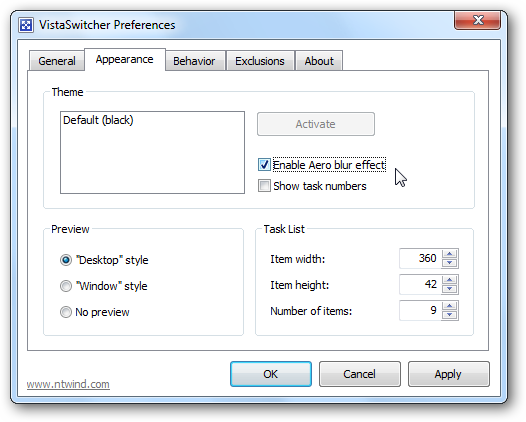
Open VistaSwitcher Preferences, Appearance tab, check "Enable Aero blur effect":
Here is the result:
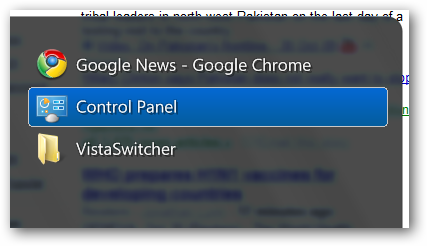
The Aero blur effect looks cool and makes it easier to read the text labels. If you perform a fresh install of VistaSwitcher, this option is enabled by default.
Changelog for VistaSwitcher v1.0.5:
- Added option "Enable Aero blur effect" (Appearance tab)
- Removed option "Fade out animation" (Appearance tab)
- Added ability to remap or even disable the Backtick key (see forum)
- Fixed a critical issue that caused crashes when working with some apps
- Various stability and performance improvements
Download VistaSwitcher 1.0.5 (32-bit and 64-bit)
Posted by Alexander Avdonin on 30-Oct-09 15:19
VistaSwitcher 1.0.4 Beta - Improved Keyboard Control
New version of VistaSwitcher has been released today. This is probably the latest beta before version 1.0 goes gold. VistaSwitcher 1.0 Final should be released within 2 weeks.
Updated Keyboard Shortcuts
To start using VistaSwitcher, remember the two main keyboard shortcuts:
| Alt + Tab | Switch between open windows |
| Alt + ` (Backtick) | Switch between open windows of the active application (for example, MS Word documents) |
Use Alt + ` (Backtick) to switch between windows of the same application. This is easy to remember if you notice that the Backtick is the key right above the Tab.
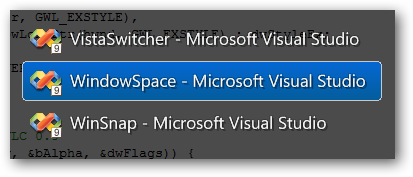
So, to switch between ALL open windows, use Alt + Tab. To switch between windows of the same application, use the key right above, Alt + ` (Backtick).
See other keyboard shortcuts →
Hotkey Error Dialog
The Hotkey Error Dialog now provides more details on what the problem is:
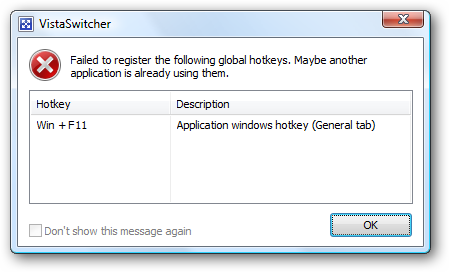
Changelog for VistaSwitcher v1.0.4:
- Alt + ` (Bactick) switches between windows of the active application
- Ctrl+Alt+Tab switches between windows on the current monitor
- Added ability to substitute the low-level keyboard hook (see forum)
- Improved the Alt-Tab replacement routine (possible conflicts with other apps)
- Shortcut key "A" - select all, second press - deselect all
- Hotkey Error dialog now provides more details on what the problem is
- Improved the window enumeration routine for New Exclusion dialog
- Improved scaling of multi-monitor wallpapers (UltraMon, DisplayFusion, etc)
- Several other improvements and bug fixes
Download VistaSwitcher 1.0.4 (32-bit and 64-bit)
Posted by Alexander Avdonin on 26-Oct-09 13:01
WinSnap v3.1.3 - Minor Tweaks and Enhancements
New version of WinSnap has been released today. This is a new stable maintenance release which contains a few minor enhancements, as well as some bugfixes.
|
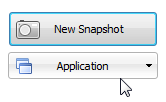
Now pressing the number key (1...5) twice changes the active capture mode and starts a new capture immediatelly, example: |
This could be very useful for notebooks (especially if you are working without a mouse).
Changelog for WinSnap v3.1.3:
- Pressing the number key twice starts a new capture
- Fixed an issue with the digital signature in the previous version
- Portable Edition: the trial counter works correctly now
- Portable Edition: several performance improvements for I/O
Download WinSnap v3.1.3 (32-bit, 64-bit, portable)
Posted by Alexander Avdonin on 20-Oct-09 05:24
VistaSwitcher 1.0.3 Beta - Support Of Multiple Monitors
New beta version of VistaSwitcher has been released today. This version adds support of multiple monitors and includes many other improvements (based on the user feedback).
Changelog for VistaSwitcher v1.0.3:
- Desktop and window previews now work on multi-monitor systems
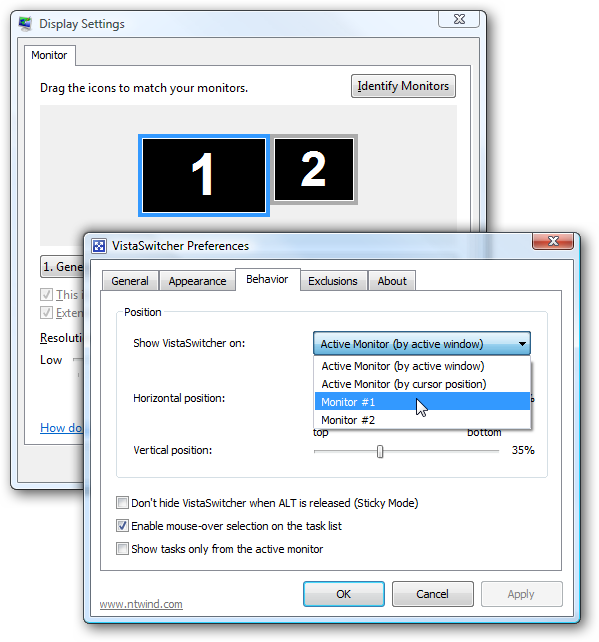
- Added ability to show VistaSwitcher on the active monitor (Behavior tab)
- Added option "Show tasks only from the active monitor" (Behavior tab)
- Added option "Show VistaSwitcher icon in notification area" (General tab)
- Option "Check for updates automatically" moved to the About page
- Added "Preferences" item to the main right-click menu
- Added a workaround to enable previews on Vista Home Basic
- Added application compatibility section to the EXE manifest
- Fixed an issue with IME windows on some machines
- Several other improvements and bug fixes
Quick links:
Posted by Alexander Avdonin on 14-Oct-09 01:22
Hidden Start 3.1 - Windows 7 Compatibility
This minor update to Hstart adds support of the upcoming Windows 7 operating system:
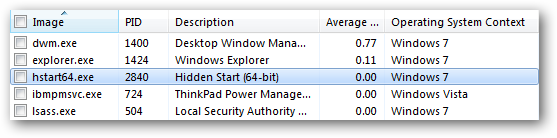
Hstart can start non-elevated applications from elevated and handle UAC prompts on Windows 7 as well as on Windows Vista.
Download Hstart 3.1 (32-bit and 64-bit)
Posted by Alexander Avdonin on 06-Oct-09 14:20
WinSnap v3.1.2 - Recommended Update
New version of WinSnap has been released today. This is a recommended update that resolves various issues and contains many improvements to the core algorithms.
Changelog for WinSnap v3.1.2:
- Fixed and improved "Clear Aero background under Vista/7" feature
- Fixed and improved rendering of custom controls on slow computers
- Fixed an issue with multiple presses of the PrintScreen key in the Region mode
- Fixed an issue with applying Advanced Capture Settings on the first run
- Several improvements to the WinSnap setup process
- Fixed a PCA warning on Windows 7 (caused from time to time)
- Added compatibility section to the EXE manifest for Windows 7
Download WinSnap v3.1.2 (32-bit, 64-bit, portable)
Posted by Alexander Avdonin on 23-Sep-09 14:48
VistaSwitcher 1.0.2 Beta Released
New beta version of VistaSwitcher has been released today. I invite everyone to test VistaSwitcher 1.0 Beta on as wide variety of system configurations as possible.
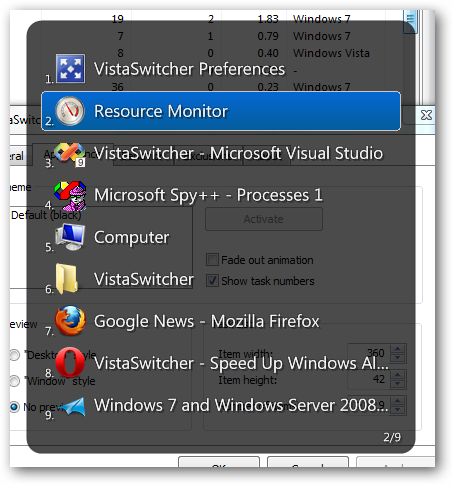
Added "Show task numbers" option and more:
Changelog for VistaSwitcher v1.0.2:
- Added support of new wallpaper styles of Windows 7
- Fixed "Tile" and "Center" wallpaper styles on Vista and XP
- Added "Show task numbers" option (Appearance tab)
- Added "Check for new versions of VistaSwitcher online" option
- Pressing the number key twice switches to the selected task
- Improved performance and memory usage
- Some other bugfixes and improvements
Quick links:
Posted by Alexander Avdonin on 20-Sep-09 11:49
WindowSpace v2.0.8 released
New version of WindowSpace has been released today, changelog:
- Several improvements on Snap-to-Side and Snap-to-Corner features
- Fixed a minor issue with restoring window size
- Fixed possible BSOD while working with hung app windows on Vista x64 (see forum)
- Added ability to run WindowSpace after installation on Vista (using Hstart)
- Added -exit command line switch for wspace.exe / wspace64.exe
Download WindowSpace v2.0.8 (32-bit and 64-bit)
Posted by Alexander Avdonin on 14-Sep-09 14:39
VistaSwitcher 1.0 Beta/Preview Version
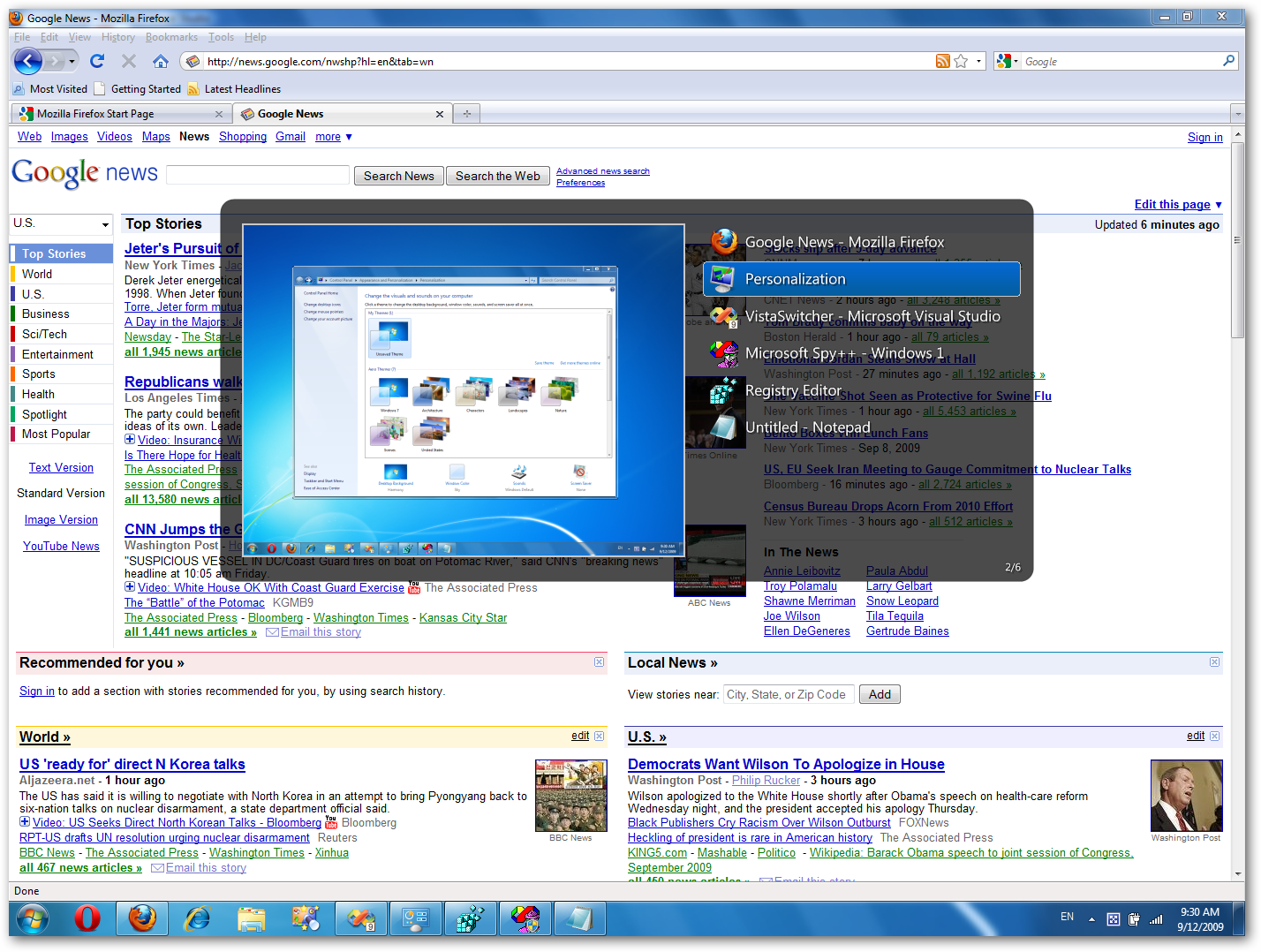
VistaSwitcher is an elegant and powerful task management utility for Windows OS. Once installed, it replaces the default Windows Alt-Tab dialog with a nice box that shows a list of all running tasks with their names and preview snapshots and enables the user to take actions on them using the mouse and keyboard shortcuts. With just one click, you can switch to a task, minimize, maximize, restore the main window or close the process.
|
| (click here for a larger screenshot) |
Main features of VistaSwitcher:
- Outstanding UI, semi-transparent backgrounds and antialiased fonts
- Live window and desktop previews under Windows Vista and 7
- Task list with mouse-over selection
- Multiple task selection, tile windows vertically or horizontally
- Minimize, maximize, restore, close windows and groups of windows
- Compatible with UAC, works with elevated applications
- Small and fast, native 64-bit version available
- Multilingual user interface (Unicode based)
Supported OS: Windows XP\Vista\7
Download VistaSwitcher 1.0.1 (32-bit and 64-bit)
Posted by Alexander Avdonin on 12-Sep-09 09:46
WinSnap v3.1.1 - Drag-n-Drop Support And More
New version of WinSnap has been released yesterday, changelog:
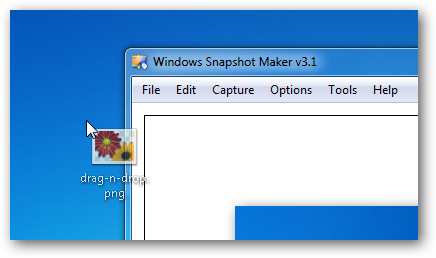
- Drag-n-Drop support: Drag an image from the Windows Explorer and drop onto the WinSnap window to open it.
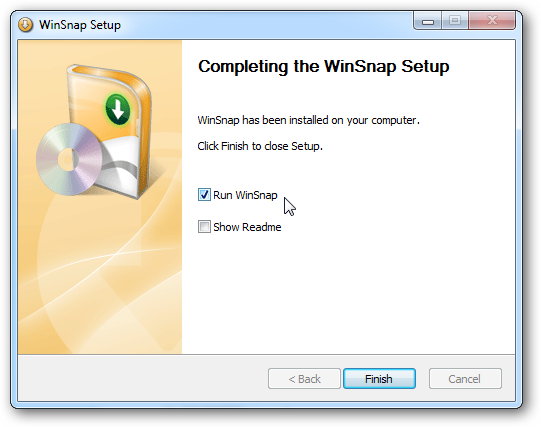
- Run WinSnap after installation: Finally, the problem with the installer and Vista UAC has been solved (using Hstart with /NONELEVATED switch) and the "run" option is now available on Windows Vista and 7.
+ some improvements on WinSnap Portable Edition and bugfixes.
Download WinSnap v3.1.1 (32-bit, 64-bit, portable)
Posted by Alexander Avdonin on 20-Aug-09 00:28
Showing 331 - 340 of 385 Articles | Page 34 of 39
Home • News