NTWind News
This is a news blog about software published on NTWind website. You can subscribe to the NTWind News by email or RSS to stay up-to-date with our products and services.
Hidden Start 3.0 - Start Non-Elevated Apps From Elevated
On Windows Vista, programs started from an elevated application or script would also run in elevated mode with full administrative rights. Hstart 3.0 gives an easy and native way to start a non-elevated program from the command line or a batch file, even if the command line proces is elevated. (see examples and learn more)
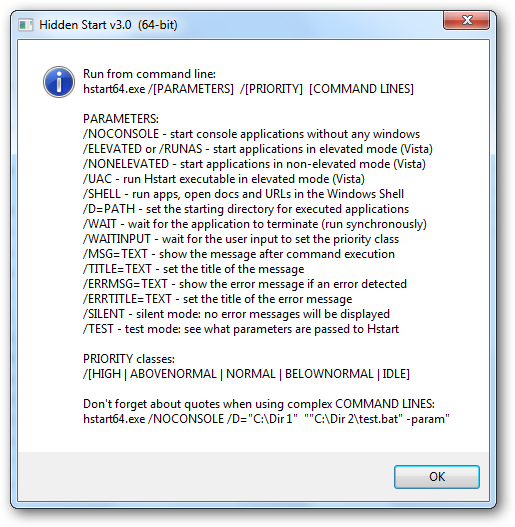
Installers that always run with full administrative rights on Vista computers can benefit from using Hstart with the /NONELEVATED switch and run other programs or scripts with the rights of the currently logged on user.
Hstart is very small (~40 Kb), but it allows you to:
- start multiple applications in the specified order synchronously;
- start console applications without any windows in the background;
- start non-elevated applications from elevated scripts and batch files (new in v3.0);
- handle UAC privilege elevation under Windows Vista and above;
- set the working directory and priority class of the created processes;
- show success and error messages after command execution.
Download Hstart 3.0 (32-bit and 64-bit)
Posted by Alexander Avdonin on 25-Jul-09 04:46
WinSnap v3.1.0 - Screen Capture For Windows 7
I'm glad to inform you that WinSnap v3.1.0 is available for download now. This version adds support of the new Windows 7 Taskbar features and contains several improvements to the Object capture mode.
- Windows 7 Taskbar (Superbar): There is no quick launch in Windows 7 by default, but you can drag WinSnap shortcut to the taskbar and get advantage of the new Superbar features.
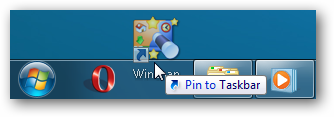
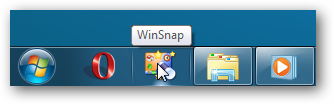
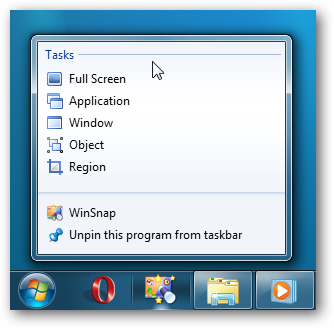
Right-click the taskbar icon and get instant access to the main screen capture tasks:
For more information, see WinSnap - Screen Capture For Windows 7.
- Object / Multi-Object capture mode: Fixed a few minor issues + added ability to capture fly-out menus of Office 2007 applications (Word, Excel, Powerpoint and other)
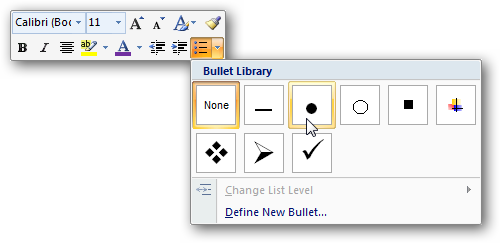
Hold down the CTRL key or use the middle mouse button to select multiple menus and objects:
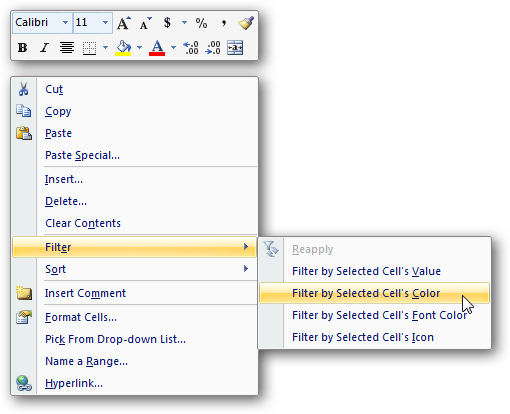
Changelog for WinSnap v3.1.0:
- WinSnap now officially supports the upcoming Windows 7 (32-bit and 64-bit)
- Windows 7: Added task list (jump list) to the WinSnap icon on the taskbar
- Added ability to capture complex menus of Office 2007 applications (Object mode)
- Several improvements to the WinSnap installer (graphics, icons, etc)
- Fixed an issue with keyboard shortcuts (Esc and other) in the Object mode
- Some other minor improvements and bug fixes
Download WinSnap v3.1.0 (32-bit, 64-bit, portable)
Posted by Alexander Avdonin on 21-Jul-09 00:12
WindowSpace v2.0.7 released
This bugfix release of WindowSpace addresses the following issues:
- Fixed an issue with moving maximized windows between monitors
- Fixed an issue with restoring window size when it's snapped to to the top/bottom side
- Some other minor improvements and bugfixes
Download WindowSpace v2.0.7 (32-bit and 64-bit)
Posted by Alexander Avdonin on 01-Jul-09 00:01
WinSnap v3.0.9 - more than 27 languages now!
I'm glad to inform you that WinSnap v3.0 is translated into more than 27 languages by great people around the world. Thanks everyone for their contribution and help!
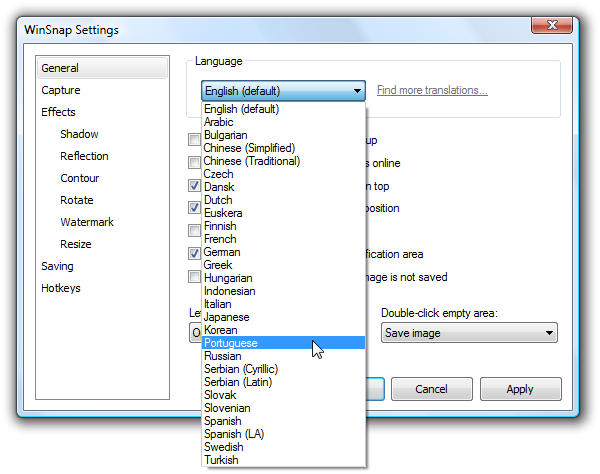
Changelog for WinSnap v3.0.9:
- New translations: Czech, Indonesian (27+ languages now)
- "Auto-Save" and "Auto-Copy" work when changing effects now
- New command line switches: /FIXED-SIZE, /FIXED-POS (see forum for details)
- Improved compatibility with Windows 2000 (fixed a few issues with icons)
- Some other minor improvements and bug fixes
Download WinSnap v3.0.9 (32-bit, 64-bit, portable)
Posted by Alexander Avdonin on 18-Jun-09 13:06
WindowSpace v2.0.6 released
A new version of WindowSpace has been released today, changelog:
- Installer: Language selection dialog is now displayed on the first launch
- Exclusions now work for multiple applications (see forum for details)
- Fixed an issue with "Move window to the previous monitor" shortcut
- Fixed an issue with "Resize window to the screen edge" shortcut
- Some other minor improvements and bugfixes
Download WindowSpace v2.0.6 (32-bit and 64-bit)
Posted by Alexander Avdonin on 15-Jun-09 17:32
WindowSpace v2.0.5 released
A new version of WindowSpace has been released today, changelog:
- New translations (updated for v2.0): Finnish, Italian, Russian, Spanish
- Rolled-up windows are now restored on minimize/maximize/restore
- Fixed moving/resizing for rolled-up window in the maximized state
- Fixed "move to the previous monitor" keyboard shortcut
- Fixed an issue with keyboard shortcuts on Vista x64
- Various stability and performance improvements
Download WindowSpace v2.0.5 (32-bit and 64-bit)
Posted by Alexander Avdonin on 01-Jun-09 15:04
WindowSpace v2.0.4 - Final Release
At last, I'd like to announce that WindowSpace 2.0 is out of Beta phase. If you haven't tried the previous beta releases, see what's new in this major version.
Changelog for WindowSpace v2.0.4:
- WindowSpace 2.0 is out of Beta phase!
- Added support of third-party translations (see "lang" directory)
- Added option to disable keyboard shortcuts (Hotkeys tab, Options)
- Added ability to exclude certain applications via registry key (see forum)
- Improved compatibility with applications that use their own snapping hooks
- Fixed an issue when "Show window contents while dragging" is turned off
- Fixed a minor issue with default keyboard shortcuts
- Fixed a minor issue with "maximize to desktop" hotkey on Vista x64
- Some default settings were changed
Download WindowSpace v2.0.4 (32-bit and 64-bit)
Posted by Alexander Avdonin on 21-May-09 03:09
WinSnap v3.0.8 - supports Windows 7 RC and Beta
I'm happy to announce that WinSnap v3.0.8 is available for download now. This is the first version of WinSnap that officially supports the upcoming Windows 7.
- Rounded corners on Windows 7 are different from Windows Vista:
|
|
| Rounded corners on Windows 7 | Rounded corners on Windows Vista |
WinSnap v3.0.8 supports both styles. If you are using WinSnap Portable Edition, it will automatically switch between them on Vista and Windows 7.
- "Clear window background" now works for maximized windows too:
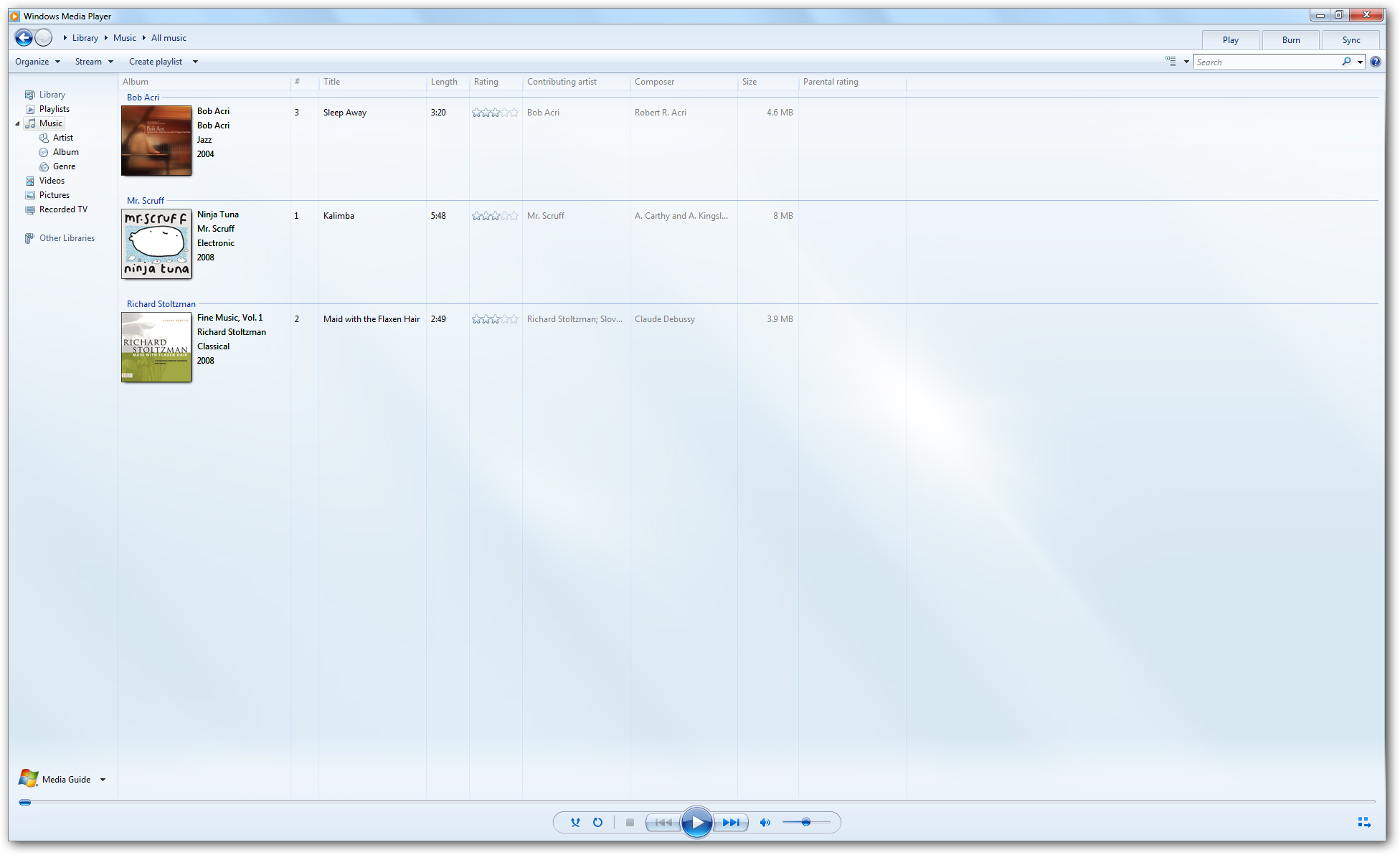
Changelog for WinSnap v3.0.8:
- New translations: Dutch, Korean, Basque (Euskera)
- Greatly improved "Clear window background under Vista" feature
- Capture Explorer windows and dialogs using the Application mode
- Active monitor is determined by mouse position now (Full Screen)
- Fixed some minor issues with capturing elevated (UAC) applications
- Improved compatibility with Windows 7 RC and Beta
- Portable Edition: increased performance when running from slow USB drives
Download WinSnap v3.0.8 (32-bit, 64-bit, portable)
Posted by Alexander Avdonin on 12-May-09 14:40
WindowSpace v2.0.3 Beta - now UAC compatible
This beta is the first WindowSpace 2.x release that runs with "UI Access" integrity level on Windows Vista. Now the most popular WindowSpace features (snapping, snap-to-side, menu extensions, etc) must work for all applications including those that are always running with administrative privileges. Registry Editor (regedit.exe) is one of them.

Changelog for v2.0.3:
- Now WS runs with "UI Access" integrity level under Vista (UAC compatible)
- "Roll Up" command added to Right-Click and Middle-Click mouse actions
- Several improvements on Snap-To-Side and Snap-To-Corner animation
- Fixed an issue with Snap-To-Side feauture for "topmost" windows
- Some other minor improvements and bugfixes
Download WindowSpace v2.0.3 beta (32-bit and 64-bit)
Posted by Alexander Avdonin on 28-Apr-09 19:21
WindowSpace v2.0.2 Beta - 64-bit + new features
This beta introduces some significant core improvements which should increase the work stability and system reliability. I invite everyone to test WindowSpace v2.0 Beta on as wide variety of system configurations as possible.
- Snap-To-Corners (currently it is called "Move window to one fourth of the screen when touching the edge corners", Settings -> Moving & Resizing page)
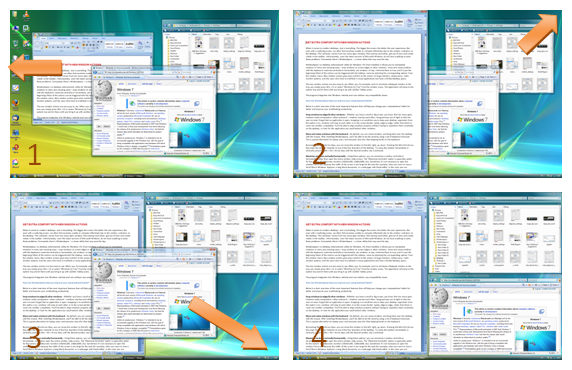
As for "Snap-To-Side" and "Maximize Vertically", unsnapping window from the edge restores its original size.
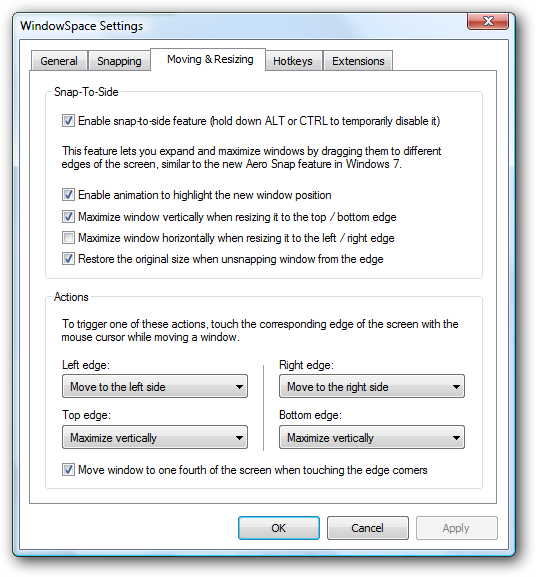
Changelog for v2.0.2:
- First native 64-bit version of WindowSpace 2.0 for Vista x64 and XP x64
- Several improvements on Snap-To-Side feature (AeroSnap in Win7)
- Move window to one fourth of the screen when touching the edge corners
- Various stability and performance improvements
Download WindowSpace v2.0.2 beta (32-bit and 64-bit)
Posted by Alexander Avdonin on 22-Apr-09 19:23
Showing 341 - 350 of 385 Articles | Page 35 of 39
Home • News