NTWind News
This is a news blog about software published on NTWind website. You can subscribe to the NTWind News by email or RSS to stay up-to-date with our products and services.
Hidden Start v3.2 - Delay Before Executing Command
The new version of Hidden Start allows you to set the startup delay (in seconds) before executing a batch file, command or sequence of commands.
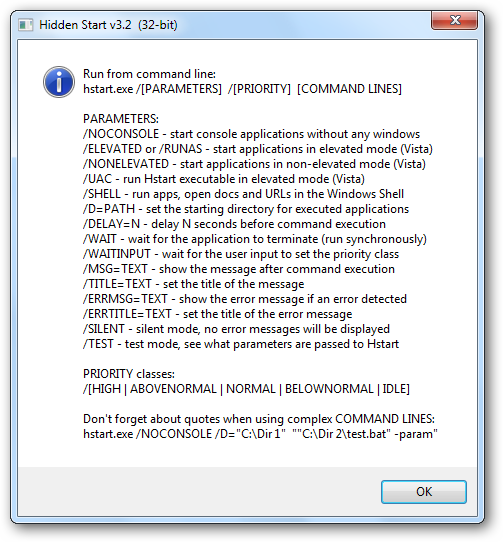
You could use it as follows:
Download Hidden Start (32-bit and 64-bit)
Posted by Alexander Avdonin on 07-Jul-10 15:01
Sticky Previews v1.2 - Pan/Scroll Around Preview
The new version of Sticky Previews adds the ability to pan/scroll around inside the preview window. Hold down the CTRL key, click the preview and drag the mouse left-right or up-down.
You can also use the Arrow Keys if you prefer the keyboard over the mouse.
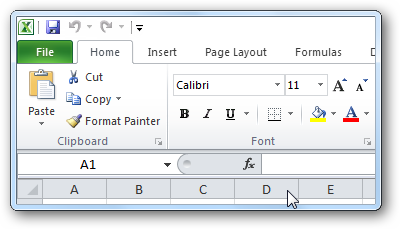
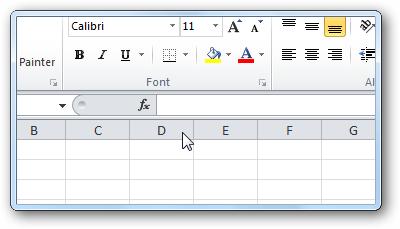
Changelog for Sticky Previews v1.2:
- Pan/scroll around the preview window using Ctrl + mouse drag
- New keyboard shortcuts: Arrow Keys (same as Ctrl + mouse drag)
- Some minor bug fixes and improvements
Download Sticky Previews (32-bit and 64-bit)
Posted by Alexander Avdonin on 16-Jun-10 07:20
VistaSwitcher 1.1.3 - Maintenance Release
New version of VistaSwitcher has been released today, changelog:
- New translations: Brazilian Portuguese, Bulgarian, Korean (23+ languages now!)
- Compatibility mode for "RMB + Mouse Wheel" is enabled by default now (see forum)
- Fixed a strange issue with non-English keyboard locales
- Some other minor improvements and bug fixes
Download VistaSwitcher 1.1.3 (32-bit and 64-bit)
Posted by Alexander Avdonin on 11-May-10 09:42
Sticky Previews v1.1 - Stability & Performance Improvements
The second release of Sticky Previews is mainly intended to fix bugs of the previous version and provide some stability and performance enhancements.
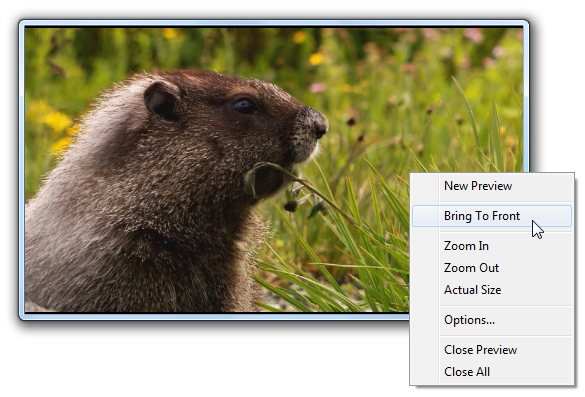
Changelog for Sticky Previews v1.1:
- Zoom In / Zoom Out previews using +/- keyboard shortcuts
- Added support for multiple monitors when the primary monitor is on the right
- Message about the Aero theme is displayed only if there are active previews now
- Fixed an issue with previews of Windows Media Player on Windows 7
- Fixed an issue with zooming out small-sized previews
- Several stability and performance improvements
Quick links:
Posted by Alexander Avdonin on 09-May-10 09:19
WinSnap v3.5 Beta 1 - Options Toolbar & Delayed Capture
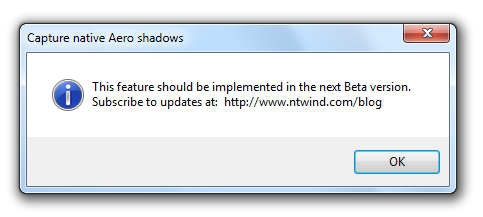
The main new feature of WinSnap 3.5 should be the ability to capture native Aero shadows and transparencies. I have almost implemented this feature, but I need more time to test it before releasing to the public (it affects many of the core algorithms).
The first Beta doesn't include the ability to capture native Aero shadows, but there are a number of other features you may want to check out.
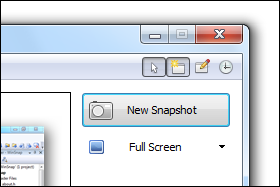
New Options Toolbar
Now you can quickly enable/disable the capture preferences: "Include mouse cursor", "Clear window background on Vista/7" and other.
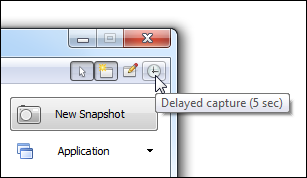
Delayed Capture
You may want to enable a 5-second delay before taking snapshots of applications with pulldown menus (for example).
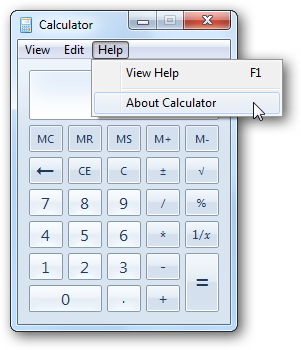
Here is a quick example (taken using the Application capture mode):
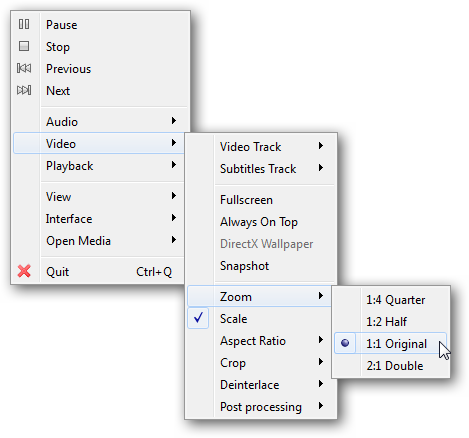
Popup Menus Of QT Applications
Here is a popup menu of VLC Media Player captured with WinSnap v3.5:
Updated Settings Dialog
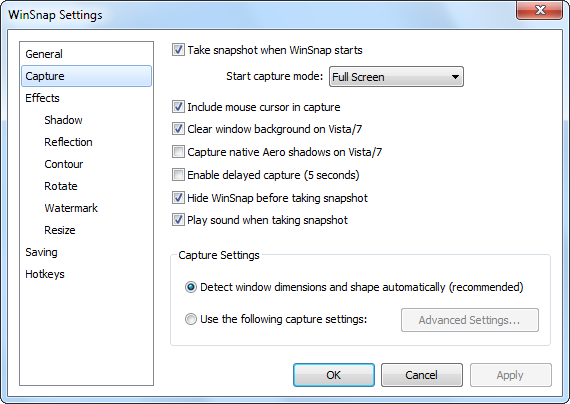
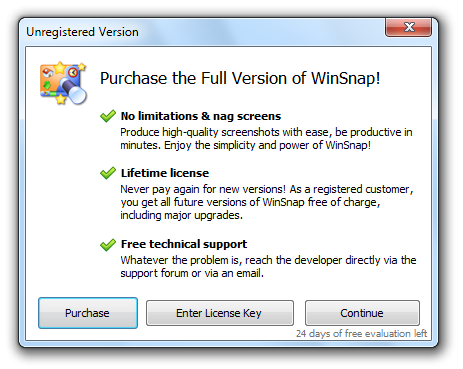
Trial Reminder Dialog
In The Next Beta
Coming soon to Windows 7 PC's... ;)
Changelog for WinSnap v3.5.1 Beta:
- New options toolbar for quick access to capture preferences
- New feature: delayed capture (5 seconds before taking snapshot)
- Updated trial reminder and enter license key dialogs
- Added ability to capture popup menus of QT applications (Object mode)
- Several fixes and improvements on the region selection mode
- Region selection is now 2 pixels wide
- Some other minor improvements and bug fixes
Download WinSnap v3.5.1 (32-bit, 64-bit, portable)
Posted by Alexander Avdonin on 06-May-10 08:07
New NTWind Product - Sticky Previews
I'm very proud to annouce the first release of my new enhancement utility for Windows 7 which I called "Sticky Previews". Here are its logo and a short description:

Sticky Previews is a lightweight productivity tool that lets you create live previews of any window or a screen region of your choice. It keeps previews above all other applications like a sticky-note thus allowing you to monitor any background window in real time no matter which application you’re working with.
In its behavior Sticky Previews is very similar to picture-in-picture TV technology, but for desktop applications.
Personally, I use it mainly to watch YouTube videos in the background when I'm doing everyday things.
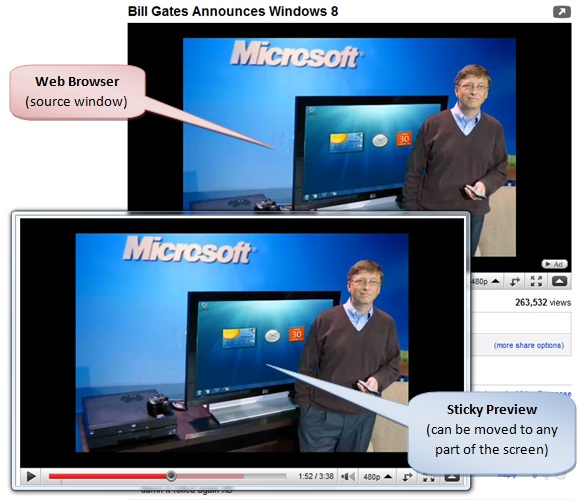
You can quickly make the active preview larger or smaller just by using the mouse wheel or Plus/Minus keyboard shortcuts.
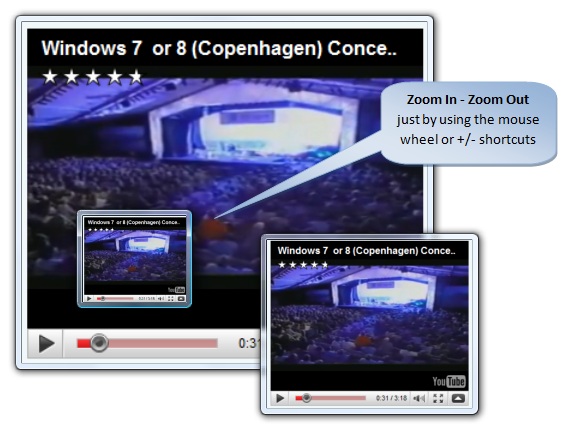
The small yet convenient trick here is to not close the preview window when the video stops playing. Instead, double-click it to open the parent application (a browser in this case) and run another video - it will play in the same preview window.
I would love to give it away, but I do have bills to pay. So, it is priced at $9.95 per user.
Quick links:
Posted by Alexander Avdonin on 26-Apr-10 18:23
Close All Windows 1.3 - Exclusions on XP
There was an issue with Close All exclusions on Windows XP, pointed out to me by many people. Thanks to everyone who sent me an email about this. Now, exclusions should work correctly on XP too.
Download CloseAll.zip (32-bit and 64-bit) - 36 KB
Posted by Alexander Avdonin on 19-Feb-10 07:47
Close All Windows 1.2 - Exclusions & 64-Bit Version
If you want to prevent certain applications from being to be closed by Close All, you can add a simple exclusion list to the CloseAll.exe command line.
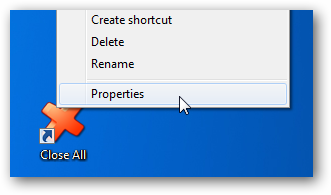
- Right-click the shortcut and choose Properties from the context menu:
- Go to the Shortcut tab, Target and add -x="app-to-exclude.exe":
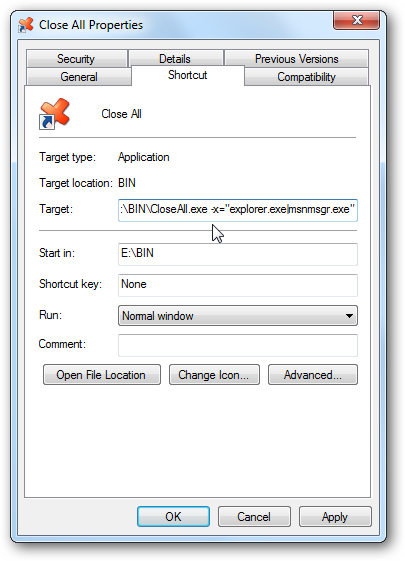
You can separate multiple values with “|” (pipe), example:
Remember, you'd better test it before using it!
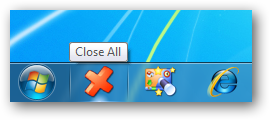
Close All works great on Windows 7, Vista and XP.
Download CloseAll.zip (32-bit and 64-bit) - 36 KB
Posted by Alexander Avdonin on 14-Feb-10 21:07
VistaSwitcher 1.1.2 - Desktop & Taskbar Shortcuts
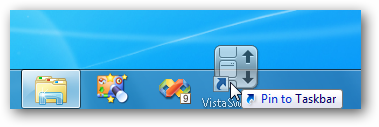
New version of VistaSwitcher has been released today. I've revised the default VistaSwitcher shortcut behavior (thanks to the user's feedback!) to open the task switcher window.
This is a very minor enhancement but it allows you to quickly open the task list using a Desktop, Quick Launch or Windows 7 Taskbar shortcut.
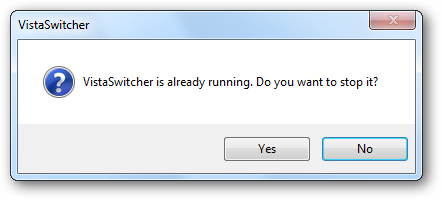
The following message is not shown any more:
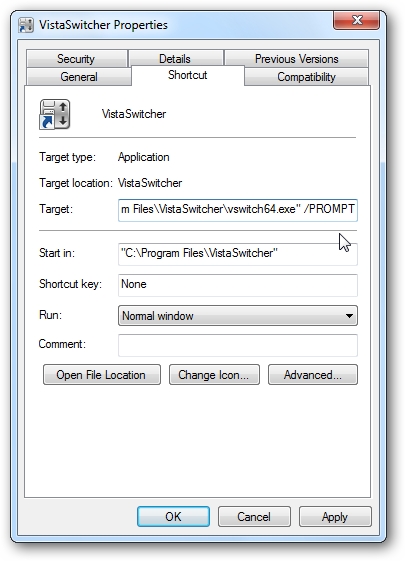
If you want it back, add the /PROMPT switch to the VistaSwitcher shortcut:
Changelog for VistaSwitcher 1.1.2:
- New translations: Norwegian. Romanian (20+ languages now!)
- Double-click the desktop/taskbar shortcut to open the task switcher window
- Overall performance was slightly improved
Download VistaSwitcher 1.1.2 (32-bit and 64-bit)
Posted by Alexander Avdonin on 25-Jan-10 06:44
WinSnap v3.1.5 - Recommended Update
This is the first release of WinSnap in 2010. It supposedly addresses many issues of the previous versions, so I highly recommend to upgrade to this version as soon as possible.
New Translations - 32 Languages Now!
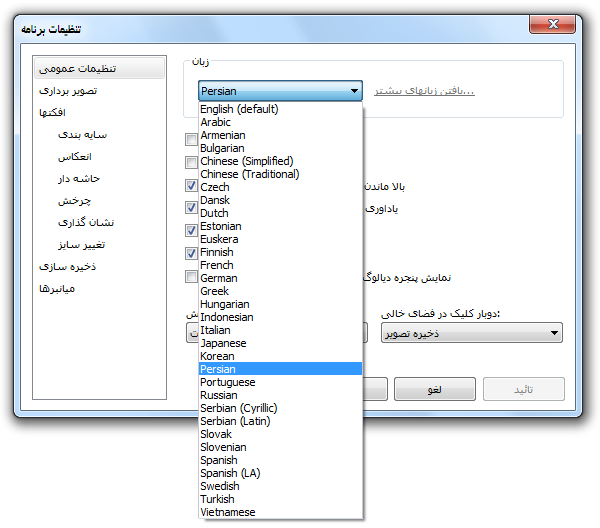
I'm very proud to let you know that WinSnap is translated into more than 32 world languages now. This version adds support for Armenian, Estonian, Persian and Vietnamese languages out of the box.
High DPI Mode - Fixes and Improvements
Before (old versions):
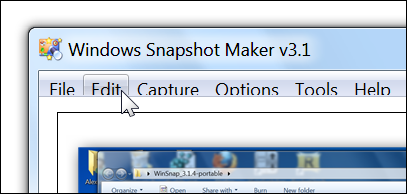
After (version 3.1.5):
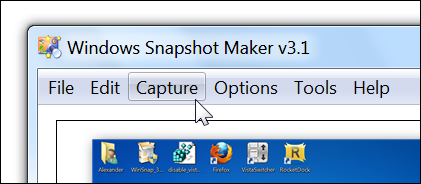
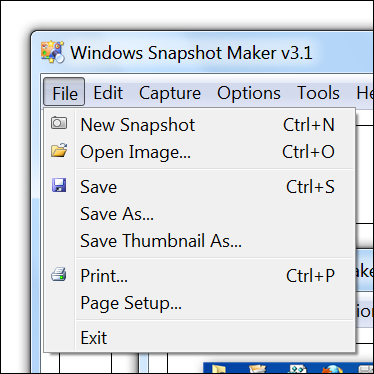
Plus, there were a few issues with the settings dialogs - they are also fixed.
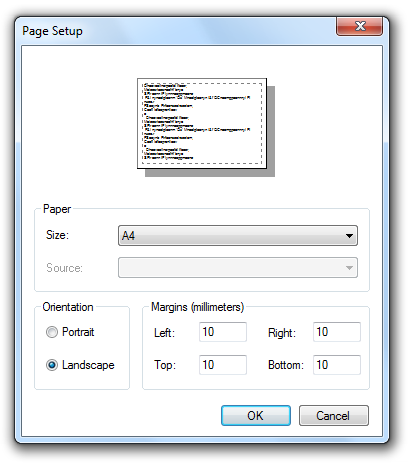
Print Images - Landscape Mode
Finally, WinSnap remembers the Page Orientation settings:
Automatic File Names - Reserved Characters
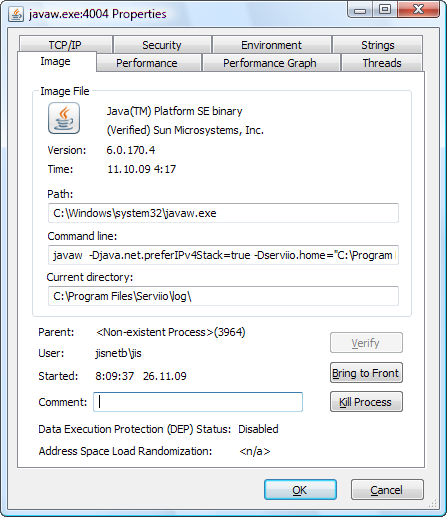
WinSnap now removes reserved characters (< > : " / \ | ? *) from filenames when using %TITLE% and %CLASS% variables. For example, the title below will be translated into "jawa.exe_4004 Properties.png":
Region Selection & Multiple Monitors
I have greatly improved the performance of the Region selection mode for multi-monitor systems - especially for 3 or more monitors.
Changelog for WinSnap v3.1.5:
- New translations: Armenian, Estonian, Persian, Vietnamese (32+ languages)
- Improved performance of the Region selection mode for multi-monitor systems
- Added a check of illegal characters in filenames when using %TITLE%, %CLASS%
- WinSnap now remembers the page orientation correctly when printing images
- Fixed capturing of maximized windows on XP (Window & Application mode)
- Fixed height of the menu bar in High-DPI mode on Vista and Windows 7
- Revised sizes of the Settings dialogs, buttons and controls
- Various other stability and performance improvements
Download WinSnap v3.1.5 (32-bit, 64-bit, portable)
Posted by Alexander Avdonin on 04-Jan-10 11:39
Showing 311 - 320 of 385 Articles | Page 32 of 39
Home • News