NTWind News
This is a news blog about software published on NTWind website. You can subscribe to the NTWind News by email or RSS to stay up-to-date with our products and services.
WinSnap v3.5.5 - 32-Bit + 64-Bit Unified Installer
New version of WinSnap was released recently, changelog:
- Updated languages: Chinese, Danish, Turkish, Ukrainian
- Unified installer for 32-bit and 64-bit editions of WinSnap
- "Check for Updates" was greatly improved (2 mouse clicks now)
- Shorter screen capture delay on Windows 7 and Vista
- Fixed close button bug in Image Options dialog
- Several other minor improvements and bug fixes
Download WinSnap v3.5.5 (32-bit, 64-bit, portable)
Posted by Alexander Avdonin on 07-Mar-11 07:19
WindowSpace v2.5.3 - German & Dutch Translations
This maintenance release of WindowSpace contains a few updated language files and several minor improvements. Version information and "Check for Updates" link are now shown in the Settings dialog.
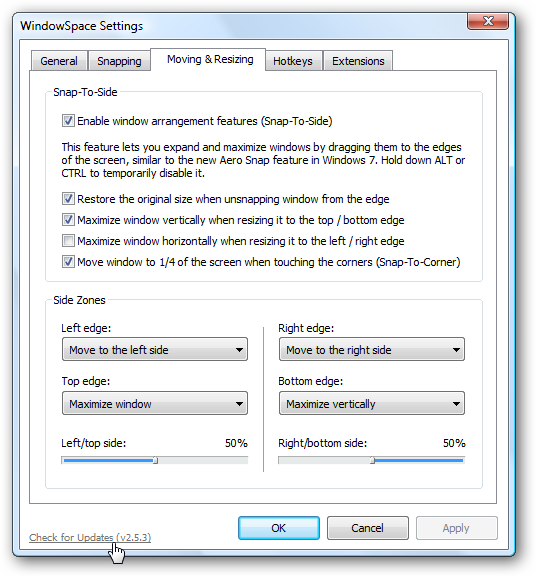
Changelog for WindowSpace v2.5.3:
- New translations: German and Dutch (12+ languages now)
- Added version info and "check updates" link into the settings dialog
- Some default settings were changed (snap to side - 50%)
Download WindowSpace (32-bit and 64-bit)
Posted by Alexander Avdonin on 13-Feb-11 08:12
Sticky Previews v1.3 - Maximize/Restore Previews
The new version of Sticky Previews adds the ability to maximize/restore previews to the current monitor. It also improves the way you select the preview regions (single mousedown/mouseup operation).
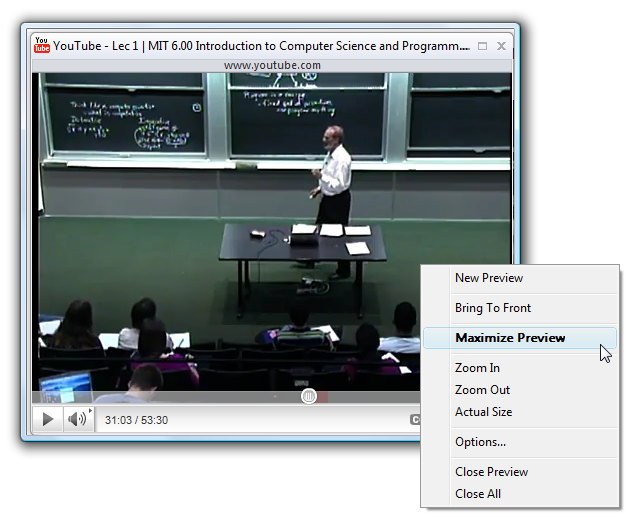
Changelog for Sticky Previews v1.3:
- Single-click selection of the preview region (mousedown/mouseup)
- Added ability to maximize preview to the current monitor
- Double-click now maximizes/restores preview
Download Sticky Previews (32-bit and 64-bit)
Posted by Alexander Avdonin on 12-Feb-11 07:23
VistaSwitcher v1.1.4 - Fixed Compatibility Issue With IE9
New version of VistaSwitcher has been released today. This version mainly addresses a compatibility issue with IE9 Beta and Preview versions (see How to Fix VistaSwitcher Showing Blank Windows in the List for details).
Changelog for VistaSwitcher v1.1.4:
- Fixed an issue with Internet Explorer hidden window (IE9 Beta)
- Several stability and performance improvements
Download VistaSwitcher v1.1.4 (32-bit and 64-bit)
Posted by Alexander Avdonin on 24-Nov-10 14:26
WinSnap v3.5.4 - Translated Into More Than 34 Languages
This maintenance release of WinSnap contains a few updated language files and a minor bug fix. Thanks to all friends and contributors - WinSnap is translated into 34+ languages now!
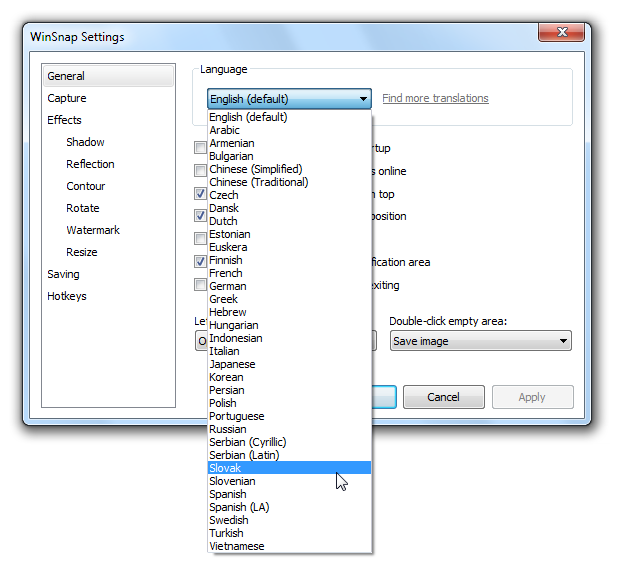
Visit the Language Files forum to download or submit updated translations for WinSnap.
Changelog for WinSnap v3.5.4:
- New languages: Polish, Slovenian, Hebrew (34+ languages now!)
- Updated languages: German, Czech, Chinese, Armenian, Serbian
- Fixed an issue with tooltips on toolbar buttons when changing language
Download WinSnap v3.5.4 (32-bit, 64-bit, portable)
Posted by Alexander Avdonin on 24-Nov-10 00:20
WindowSpace v2.5.2 Final - Stability and Performance
This is the first stable release of WindowSpace 2.5. It contains several performance and stability improvements, as well as many bug fixes. Also I've updated the English language template file. WindowSpace 2.5 is now ready for translation!
Changelog for WindowSpace v2.5.2:
- Improved performance and stability of Snap-To-Side feature
- Fixed several issues with dragging/restoring maximized windows
- Fixed an issue with dragging/restoring Word 2007/2010 windows
- Fixed an issue with incorrect Snap-To-Side settings on Windows XP
- Added option "Disable global hotkeys" (Hotkeys, Advanced Options)
- Revised English language template file (see Translation.txt)
- Updated Russian translation for version 2.5
- Several other improvements and bug fixes
Download WindowSpace (32-bit and 64-bit)
Posted by Alexander Avdonin on 26-Oct-10 09:05
WinSnap v3.5.3 - Updated For Translation
I've revised the English language template file to add new text strings and option titles for version 3.5. Also this release contains a few minor improvements and bug fixes.
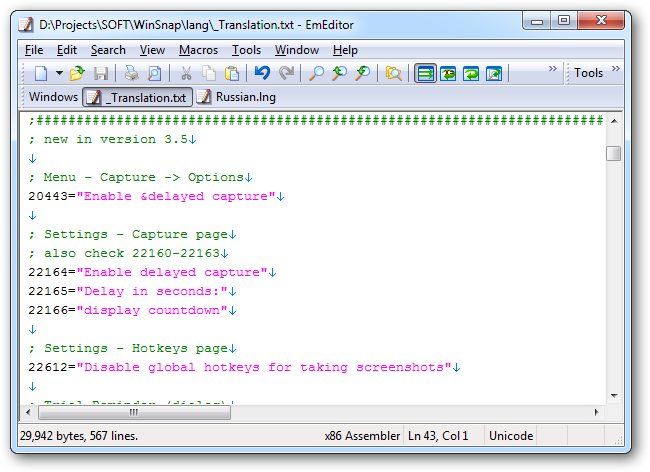
Updated Russian translation:
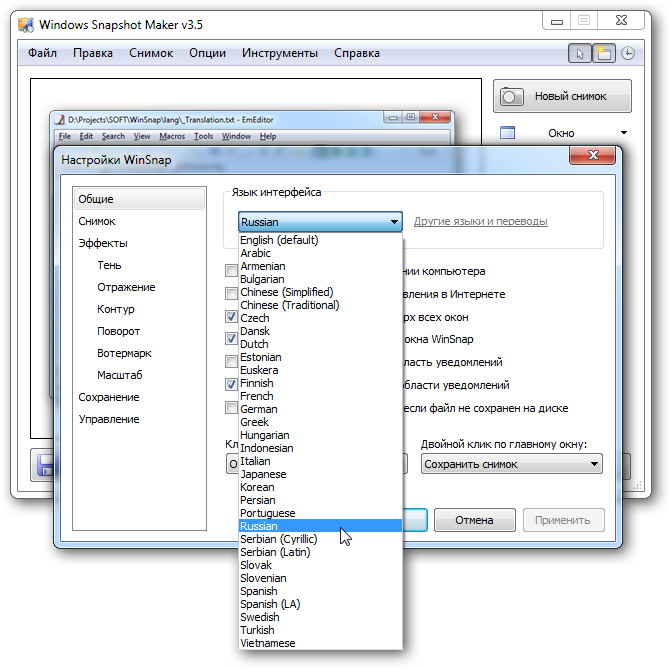
Visit the Language Files forum to download or submit updated translations for WinSnap.
Changelog for WinSnap v3.5.3:
- Added option "Disable global hotkeys for taking screenshots"
- Revised English language template file (see Translation.txt)
- Updated Russian translation for version 3.5
- Some minor improvements and bug fixes
Download WinSnap v3.5.3 (32-bit, 64-bit, portable)
Posted by Alexander Avdonin on 19-Oct-10 18:20
WindowSpace v2.5.1 Beta - Improved Snap-To-Side
This beta is the first version 2.5.x release of WindowSpace. It introduces a better support for Windows 7 and several major improvements on Snap-To-Side feature.
Seamless Integration with Windows 7
If Snap-To-Side feature is enabled, WindowSpace now turns off the built-in Windows 7's Aero Snap feature with no actions required from the user. You can check it by the following steps:
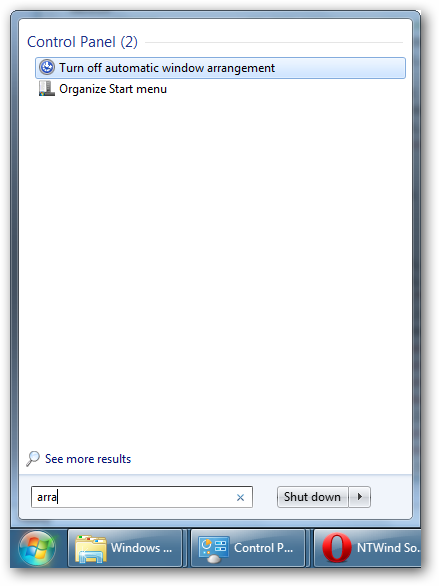
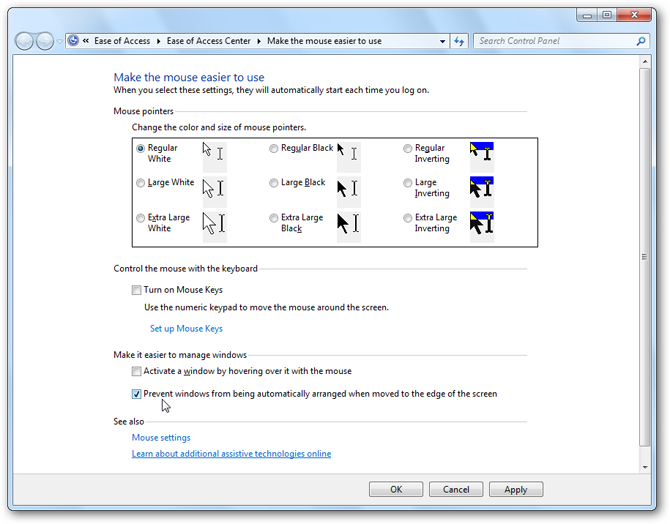
Improved Snap-To-Side
There are 2 major enhancements on the Snap-To-Side feature:
- added options to customize the width of the docked window
- dragging a maximized window away from the top of the screen restores its orginal size (similar to the Windows 7's Snap feature)
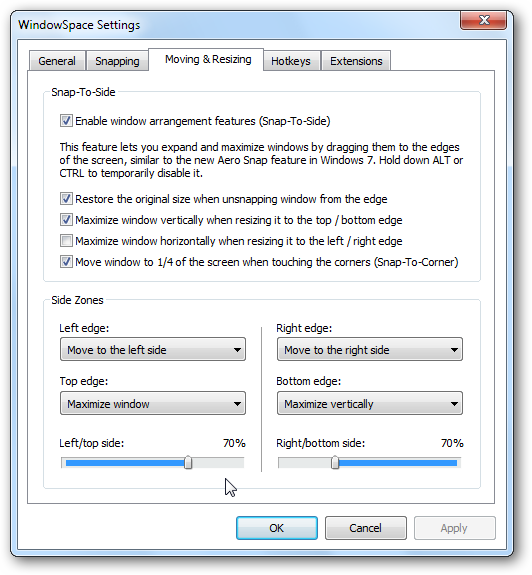
Other Minor Improvements
I've changed some default settings, polished UI and option names. Also there is a new trial reminder dialog and some other minor improvements I didn't mention.
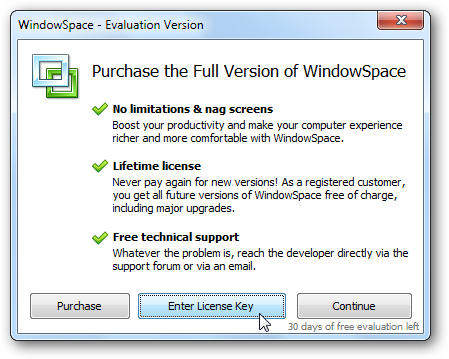
Changelog for WindowSpace v2.5.1 Beta:
- Seamless integration with Windows 7 (Snap-To-Side replaces Aero Snap)
- Added ability to set the width of the docked windows (Snap-To-Side)
- Drag maximized window away from the top to restore its original size
- Improved support for complex multi-monitor setups
- Some other improvements and bug fixes
Download WindowSpace (32-bit and 64-bit)
Posted by Alexander Avdonin on 13-Oct-10 19:40
WinSnap v3.5.2 - Delayed Capture & Countdown Timer
Finally, after a long delay, I've released a new version of WinSnap. This release contains several new features that will allow you to take even better screenshots.
Improved Delayed Capture
I've totally reworked the delayed capture feature after receiving the users feedback on the previous version of WinSnap. There are 2 main improvements:
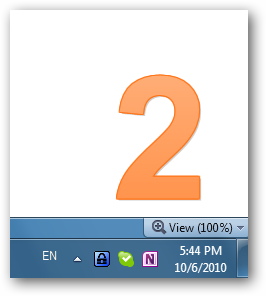
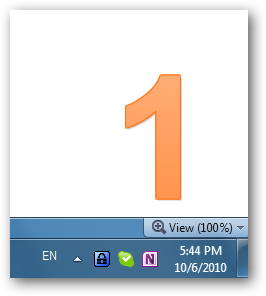
- added a simple countdown timer (you can turn it on/off)
- added ability to customize the delay (Settings, Capture tab)
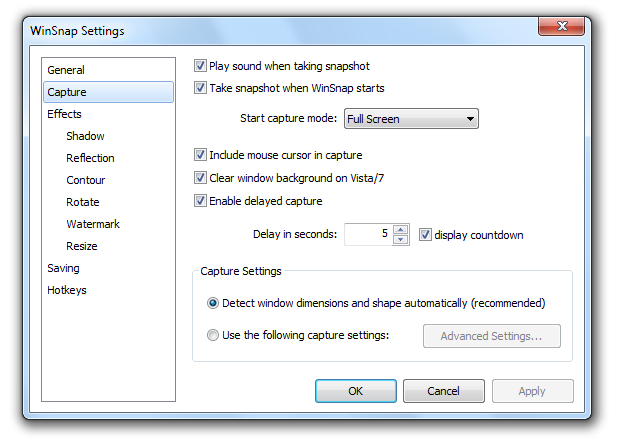
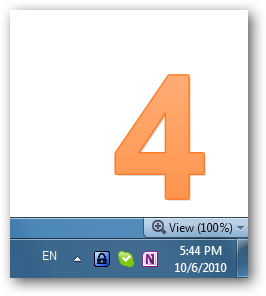
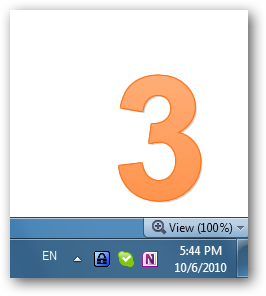
Here is how the countdown looks like:
|
|
|
|
Large Icon for Windows Vista/7
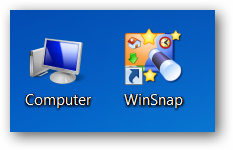
WinSnap now contains a 256x256 icon for better compatibility with Windows 7 and Vista:
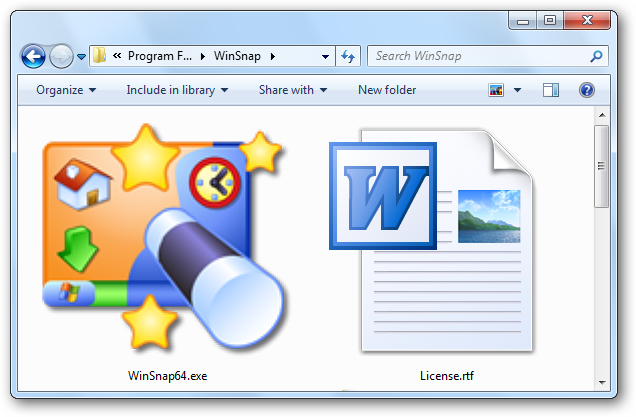
I don't even think that anyone uses the "large icon" view in Windows Explorer. From the practical side, 256x256 icons are used by the system to generate smaller icons in high DPI mode. Just compare the two screenshots below.
|
|
| Old versions in high DPI mode | WinSnap v3.5.2 in high DPI mode |
Capture Native Aero Shadows - Removed
This feature has been removed from version 3.x because it requires some significant changes in the UI. It should be introduced in WinSnap 4.0 by the end of this year. I'll share a detailed roadmap for WinSnap 4.0 soon!
Changelog for WinSnap v3.5.2:
- Delayed capture feature was greatly improved
- Added ability to adjust timeout for delayed capture (Settings, Capture tab)
- Added a countdown timer feature for delayed capture (Settings, Capture tab)
- Added 256x256 icon for Windows Vista/7 to the EXE resources
- Some options in the Settings dialog were renamed/rearranged
- Various stability and performance improvements
Download WinSnap v3.5.2 (32-bit, 64-bit, portable)
Posted by Alexander Avdonin on 06-Oct-10 14:07
WinSnap - New Articles and Tutorials
Take a look at these how-to articles and tutorials:
- How to Take Screenshots with WinSnap
- What is the Right Image Format to Use for Publishing Screenshots on the Web
- Beginners Guide to Image Transparency (Part 1): Posting Screenshots on the Web
- Beginners Guide to Image Transparency (Part 2): Putting Screenshots into PowerPoint
- Taking Screenshots of UAC Prompts with WinSnap
- Upload your Screenshots to Flickr Image Hosting Directly from WinSnap
- How to Capture a Popup Menu with WinSnap
Offtopic:
I'm sorry if I haven't answered to your email or forum post. I was quite "busy" with my personal health problems for the last few months. Luckily, I'm back on top of things now!
New versions of WinSnap and other software releases are coming soon. Stay in touch!
Posted by Alexander Avdonin on 20-Sep-10 10:24
Showing 301 - 310 of 385 Articles | Page 31 of 39
Home • News