NTWind News
This is a news blog about software published on NTWind website. You can subscribe to the NTWind News by email or RSS to stay up-to-date with our products and services.
WinSnap v4.5.8 - New Translations
This is a maintenance release which contains several minor bug fixes and new translations.
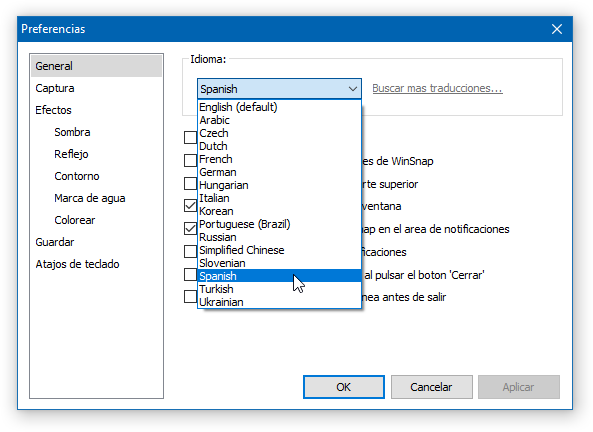
Changelog for WinSnap v4.5.8 (April 4, 2017):
- New translations: Arabic, Spanish, Turkish
- Fixed an issue with dwmapi.dll on Windows XP
Download WinSnap (32-bit and 64-bit)
Posted by Alexander Avdonin on 04-Apr-17 12:53
Sticky Previews v1.8 - High DPI
New version of Sticky Previews adds support for Windows 10 and per-monitor DPI scaling. The setup program was also updated to support high DPI.
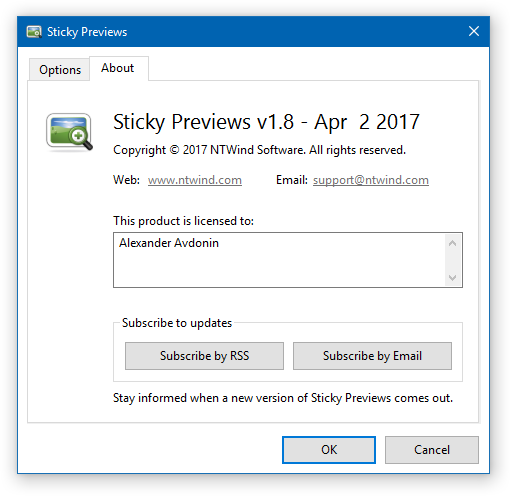
Changelog for Sticky Previews v1.8 (April 2, 2017):
- Support for Windows 10 and per-monitor scaling
- Installer is DPI aware now and looks much better with scaling
Download Sticky Previews (32-bit and 64-bit)
Posted by Alexander Avdonin on 04-Apr-17 12:44
WinSnap v4.5.7 - High DPI Scaling
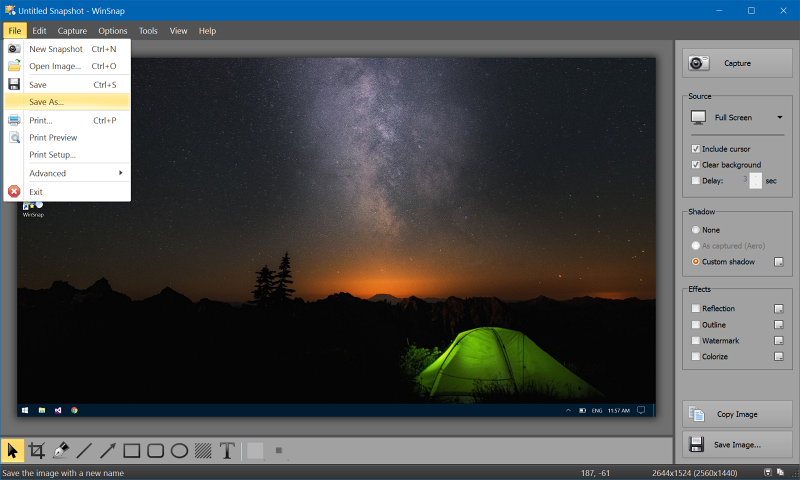
New version of WinSnap comes with a significantly improved high DPI support. It's an essential upgrade for high resolution displays! Here is how the new version looks like on Windows 10, DPI set to 175%:
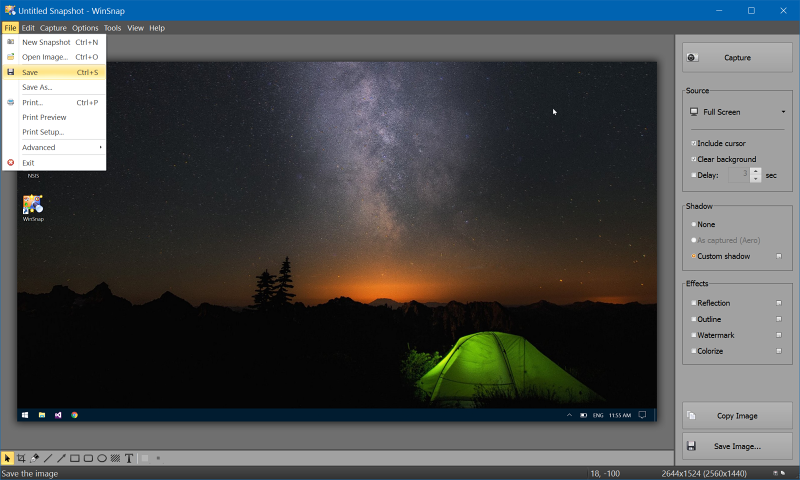
Compare with the older versions, same DPI:
Other products will be updated for high DPI as well.
Changelog for WinSnap v4.5.7 (February 18, 2017):
- Added higher resolution images and icons for high DPI
- Toolbars and UI elements look much better now on high DPI
- New translations: Czech, Italian, Hungarian, Slovenian
- Installer is DPI aware now and looks much better with scaling
- Latest compilers - better code optimization for new CPUs
- Several fixes for Windows 10 compatibility
Download WinSnap (32-bit and 64-bit)
Posted by Alexander Avdonin on 18-Feb-17 13:22
Hidden Start v4.3 - Install/Uninstall and more
New version of Hidden Start was released today. Now it comes with a handy setup program, provides an improved GUI tool, supports Windows 10 and more.
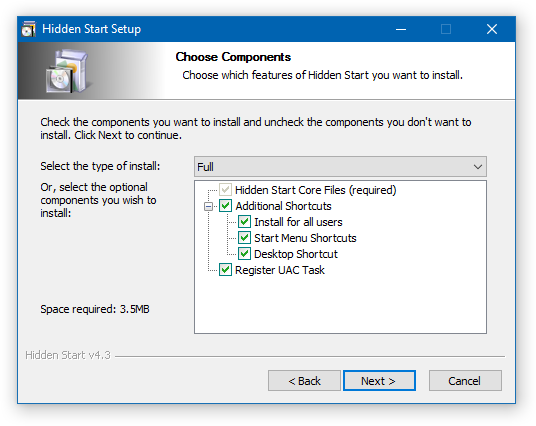
Hstart GUI Tool:
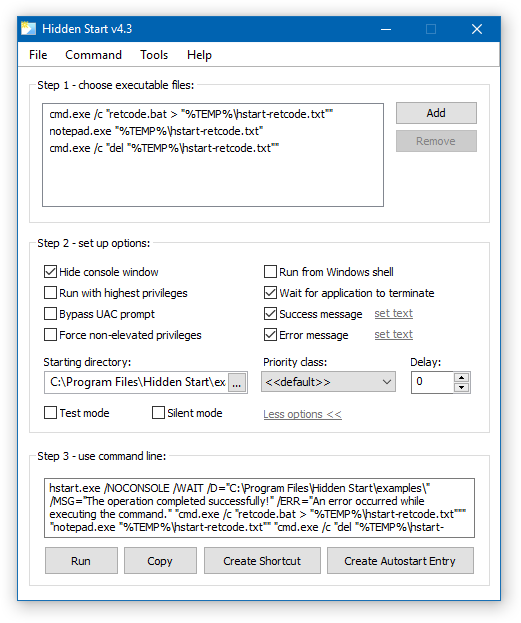
Changelog for Hidden Start v4.3:
- New installer and uninstaller for easier setup
- New application and GUI tool icons
- Improved support for high DPI on Windows 8 and above
- Various compatibility fixes for Windows 10
- Some other minor improvements and bug fixes
Download Hidden Start (32-bit and 64-bit)
Posted by Alexander Avdonin on 12-Feb-17 20:53
WindowSpace v2.6.0 - Support for Windows 10
This release of WindowSpace adds full support for Windows 10, 32-bit and 64-bit. No more issues with hotkey combinations and incorrect window placement!
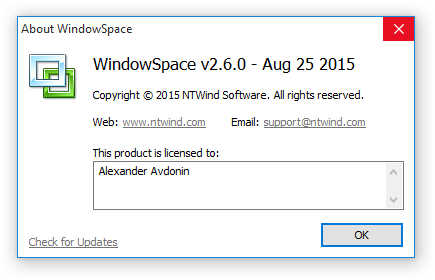
Changelog for WindowSpace v2.6.0 (August 25, 2015):
- Added full support for Windows 10 (32-bit and 64-bit)
- Some default hotkey combinations were changed
- Fixed an issue with storing Win+[...]+Arrow Keys hotkeys
Download WindowSpace (32-bit and 64-bit)
Posted by Alexander Avdonin on 25-Aug-15 13:12
WinSnap v4.5.6 - Support for Windows 10
WinSnap now supports Windows 10 which means that it can automatically capture Windows 10 Aero and clear semi-transparent window backgrounds. Also this build contains 4 new languages.
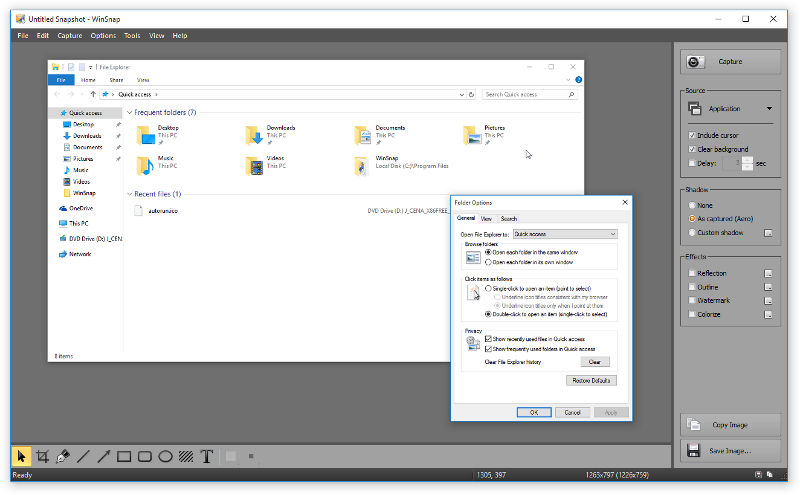
If you want to translate WinSnap into your native language, feel free to contact me by email [email protected] and ask any questions you might have.
Changelog for WinSnap v4.5.6 (August 5, 2015):
- Support for Windows 10 (32- and 64-bit, Win10 Aero shadows, etc)
- New translations: Dutch, French, Simplified Chinese, Ukrainian
- Some other minor improvements and bug fixes
Download WinSnap (32-bit and 64-bit)
Posted by Alexander Avdonin on 05-Aug-15 15:20
WinSnap v4.5.4 and v4.5.5 - Finally Multilingual!!!
I'm glad to announce that WinSnap is multilingual again. New language files are in XML format. You can not only translate UI but also resize some controls and dialogs if there is not enough space for translated option names.
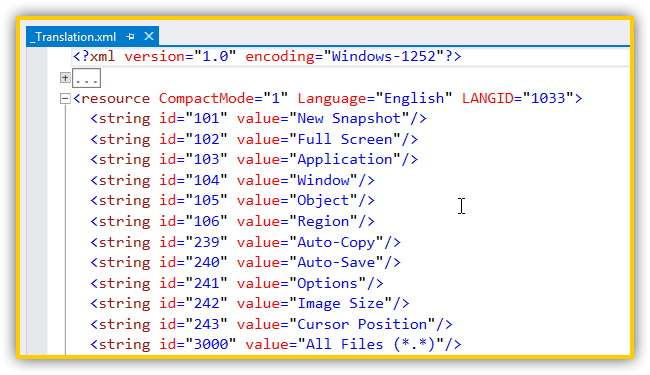
Version 4.5.5 contains 3 languages: German, Korean and Russian. If you want to translate WinSnap into your native language, feel free to contact me by email [email protected] and ask any questions you might have.
Changelog for WinSnap v4.5.5 (April 22, 2015):
- New translations: German, Korean, Russian
- Fixed an issue with closing WinSnap when the hotkey error dialog is active
- Fixed several minor issues with translated dialogs and controls
Changelog for WinSnap v4.5.4 (April 21, 2015):
- Multilingual User Interface (MUI) based on XML (ready for translation!)
- Added %IMGFILE% variable for custom tools
- Fixed an issue with auto-copying screenshots into clipboard
- Some minor UI improvements, changes to dialogs and controls
Download WinSnap (32-bit and 64-bit)
Posted by Alexander Avdonin on 22-Apr-15 21:01
Sticky Previews v1.7 - Support for Windows 8.1 and 10
The new version of Sticky Previews adds support for Windows 8.1 and Windows 10 Technical Preview. It also fixes several issues with high-DPI settings and blank desktop previews on Windows 8.
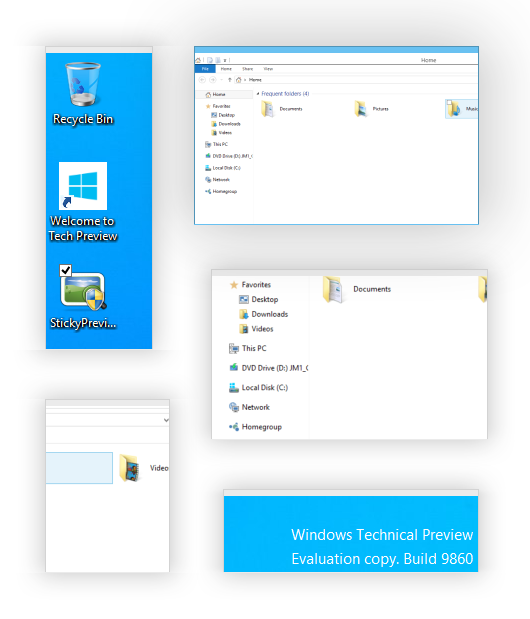
Changelog for Sticky Previews v1.7:
- Added support for Windows 8.1 and Windows 10 TP
- Fixed several issues with per-monitor DPI settings
- Fixed an issue with blank desktop previews on Windows 8
- Some other minor bug fixes and improvements
Download Sticky Previews (32-bit and 64-bit)
Posted by Alexander Avdonin on 22-Oct-14 13:55
WinSnap v4.5.3 - Improved Auto-Copy
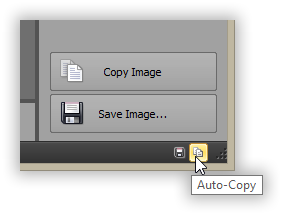
A new version of WinSnap was released today. It contains an improved Auto-Copy feature and addresses several issues. From now, WinSnap will always copy the up-to-date version of your screenshot when you draw something on it and switch to another application window.
Changelog for WinSnap v4.5.3 (June 30, 2014):
- Auto-Copy works more precisely now (when annotations change)
- Fixed issues with the Save As dialog and weird extensions (.com, .exe, etc)
- Fixed an issue that caused random crashes on checking updates
- Some other minor improvements and bug fixes
Download WinSnap (32-bit and 64-bit)
Posted by Alexander Avdonin on 30-Jun-14 16:13
WinSnap v4.5.2 – New Highlight Tool
A new version of WinSnap has been released today. It adds the Highlight tool and contains several other minor tweaks, enhancements and performance optimizations.
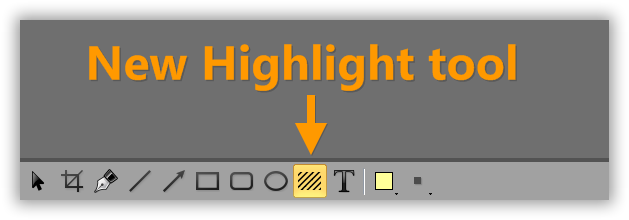
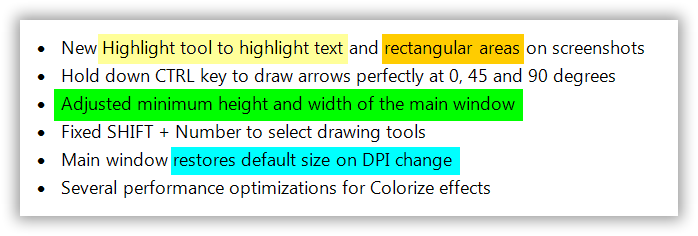
Now you can easily highlight text and rectangular areas on your screenshots:
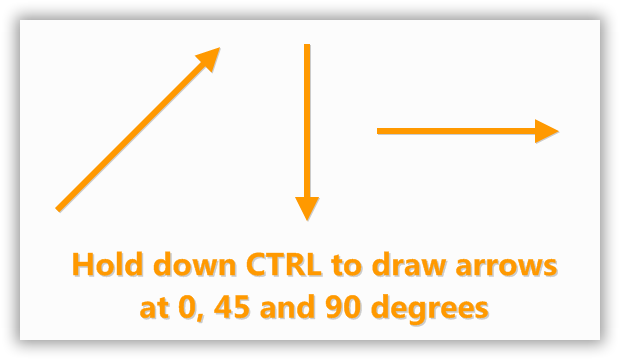
Small enhancements to Arrow and Pen tools:
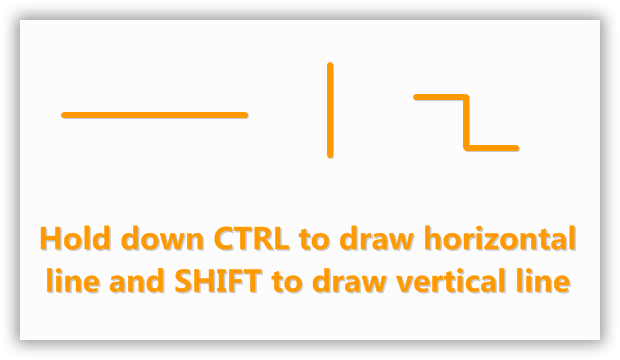
For Pen, hold down CTRL or SHIFT:
Changelog for WinSnap v4.5.2 (April 1, 2014):
- New Highlight tool to highlight text and rectangular areas on screenshots
- Hold down CTRL key to draw arrows perfectly at 0, 45 and 90 degrees
- Adjusted minimum height and width of the main window
- Fixed SHIFT + Number to select drawing tools
- Main window restores default size on DPI change
- Several performance optimizations for Colorize effects
Download WinSnap (32-bit and 64-bit)
Posted by Alexander Avdonin on 01-Apr-14 09:39
Showing 271 - 280 of 385 Articles | Page 28 of 39
Home • News