NTWind News
This is a news blog about software published on NTWind website. You can subscribe to the NTWind News by email or RSS to stay up-to-date with our products and services.
WinSnap v4.6.3 - Maintenance Release
Changelog for WinSnap v4.6.3 (March 28, 2018):
- Fixed behavior of "Open with" shell command
- Updated language files: Danish
- Some other minor improvements and bug fixes
Download WinSnap (32-bit and 64-bit)
Posted by Alexander Avdonin on 28-Mar-18 12:30
WinSnap v4.6.2 - Improved Annotations
Changelog for WinSnap v4.6.2 (March 14, 2018):
- Updated style of the selected drawing and text objects
- Drawing objects and font size are scaled now under high DPI
- Fixed an issue with multiple instances of the settings dialog
- Fixed an issue with switching UI style from Classic theme
- Updated language files: Chinese Traditional, Farsi
Download WinSnap (32-bit and 64-bit)
Posted by Alexander Avdonin on 14-Mar-18 12:01
WindowSpace v2.6.1 - Metro Apps Support
An updated version of WindowSpace was released today.
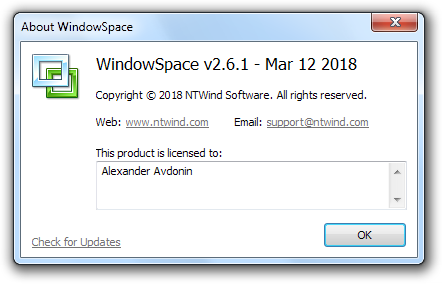
Changelog for WindowSpace v2.6.1 (March 12, 2018):
- Fixed snapping for windowed Metro apps
- Fixed issue with clicking and moving taskbar
- Updated installer to support newest OS and languages
- Some other minor improvements and bugfixes
Download WindowSpace (32-bit and 64-bit)
Posted by Alexander Avdonin on 12-Mar-18 15:24
WinSnap and WinCam Maintenance Releases
WinSnap v4.6.1 (March 8, 2018):
- Fixed a few issues with UI scaling under high DPI
- Fixed an issue with message bar in the registered version
- Updated language files: Korean, Slovenian, Japanese
WinCam v1.3 (March 8, 2018):
- New languages: Chinese Traditional
- Fixed issue with right-click on the main menu
- Some other minor bugfixes and improvements
Download WinSnap (32-bit and 64-bit)
Download WinCam (32-bit and 64-bit)
Posted by Alexander Avdonin on 08-Mar-18 12:50
WinCam v1.2 - Czech, Dutch, Portuguese BR, Russian
Changelog for WinCam v1.2 (January 15, 2018):
- New languages: Czech, Dutch, Portuguese BR, Russian
- Fixed issue with recording when there is no microphone attached
- Fixed issue with non-translated tray menu
Download WinCam (32-bit and 64-bit)
Posted by Alexander Avdonin on 15-Jan-18 10:34
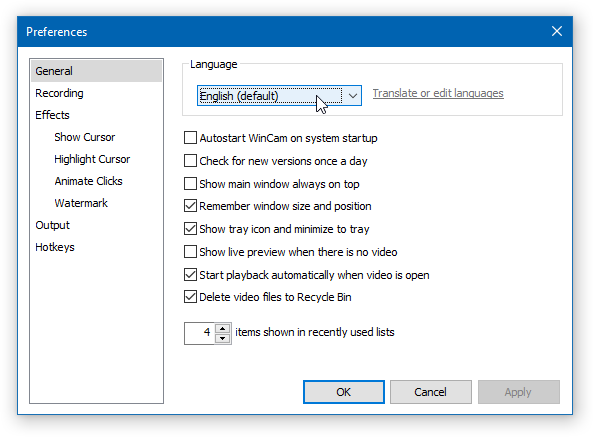
WinCam v1.1 – Language Files and More
I’m glad to announce that WinCam – our newest screen recording and video editing app - supports XML language files now.
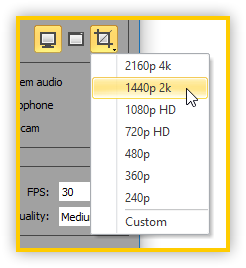
4k and 2k region options on high resolution displays:
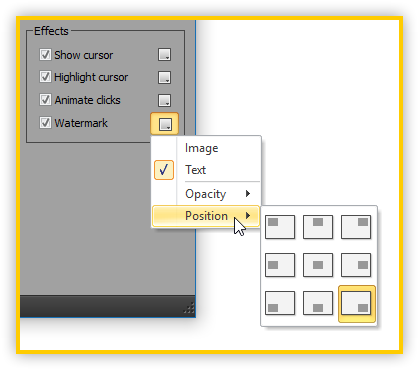
Watermark position menu:
Changelog for WinCam v1.1 (January 11, 2018):
- Added support for language files (see lang\_Translation.txt)
- Added 4k and 2k region options on high resolution displays
- Added ability to change watermark position through menu
- Much better icon scaling on buttons under high DPI
- Fixed issue with storing microphone and loopback device
- Some other minor bugfixes and improvements
Download WinCam (32-bit and 64-bit)
Posted by Alexander Avdonin on 11-Jan-18 13:14
WinSnap v4.6.0 - Maintenance Release
Changelog for WinSnap v4.6.0 (November 22, 2017):
- Improved button icon scaling under high DPI
- Fixed issue with restoring of the font size when changing tools
- Fixed issue with capturing UWP windows in Object mode
- Trial reminder dialog superseded with a less annoying message bar
- Updated language files: Chinese (Traditional), Slovenian, Turkish
Download WinSnap (32-bit and 64-bit)
Posted by Alexander Avdonin on 22-Nov-17 10:31
WinCam v1.0 - New Product Release
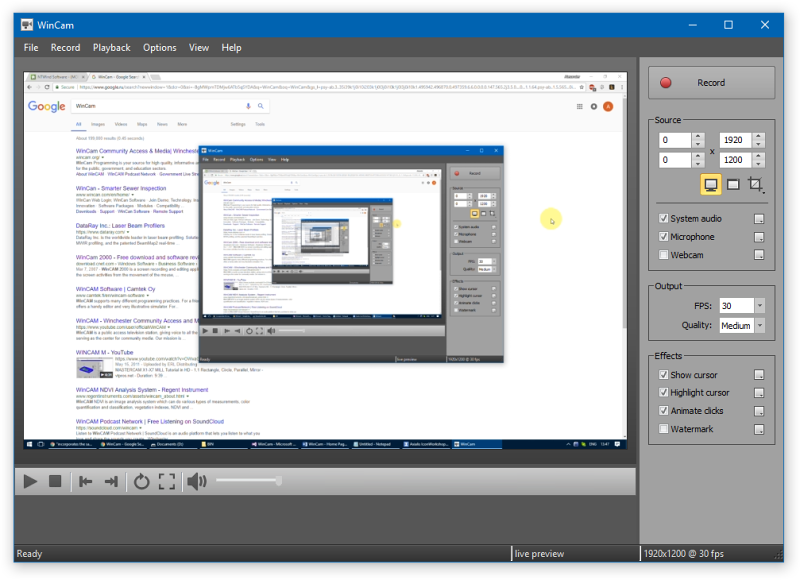
WinCam is a powerful and extremely easy-to-use screen recorder with live previews, post-processing effects and basic video editing capabilities. It incorporates the same design philosophy as WinSnap (screenshot tool) and might be useful when a screenshot is not enough to explain what you want.
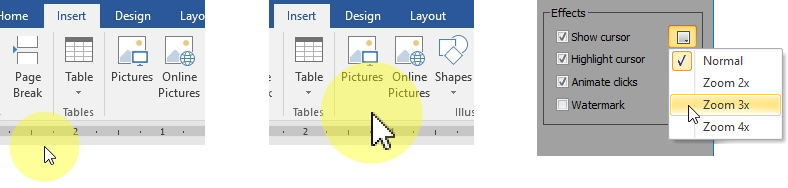
Creating a tutorial, you can make your cursor pop by adjusting its size, adding the highlight effect and mouse click animations. Alternatively, when recording a live-stream video, you might want to hide the disturbing cursor at all. In WinCam, it’s a quick option you can adjust in a few clicks.
Almost every screen recording contains unnecessary parts when you are setting up the environment or switch to WinCam to stop recording. Double-click the timeline or use the corresponding toolbar buttons to set the start and end times of the video.

I’ve been sitting with this idea for a couple of years, but I didn’t have a good implementation of core algorithms. Now it is time for the first public release. I hope you’ll enjoy using WinCam!
Download WinCam (32-bit and 64-bit)
Posted by Alexander Avdonin on 15-Nov-17 13:39
WinSnap v4.5.9 - Traditional Chinese
An updated version of WinSnap was released today.
Changelog for WinSnap v4.5.9 (June 2, 2017):
- New translation: Chinese (Traditional)
- Fixed save-restore of the last used drawing tool
- Some other minor bug fixes and improvements
Download WinSnap (32-bit and 64-bit)
Posted by Alexander Avdonin on 02-Jun-17 07:54
CloseAll v2.1 - Metro Apps and High DPI
An updated version of freeware app to close all desktop windows:
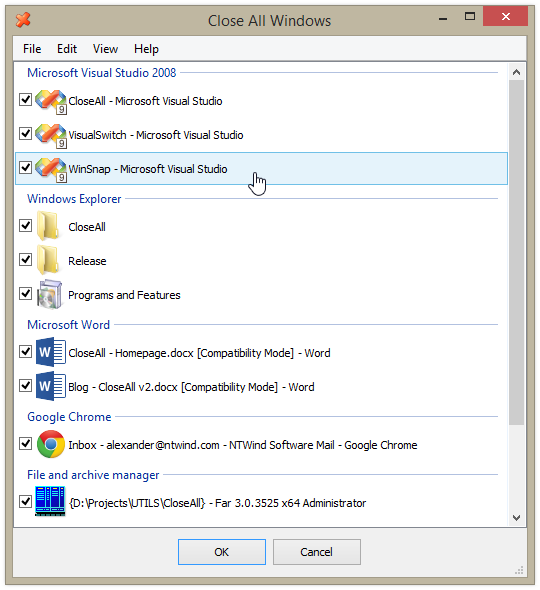
Changelog for CloseAll v2.1 (June 1, 2017):
- Support for Windows 10 32-bit and 64-bit
- Now CloseAll can enumerate and close Metro applications
- Installer is DPI aware now and looks much better with scaling
Download CloseAll (32-bit and 64-bit)
Posted by Alexander Avdonin on 01-Jun-17 11:54
Showing 261 - 270 of 385 Articles | Page 27 of 39
Home • News