NTWind News
This is a news blog about software published on NTWind website. You can subscribe to the NTWind News by email or RSS to stay up-to-date with our products and services.
CloseAll v2.0 – Fresh Idea and Clean Implementation
I’ve found that when multitasking I’m often looking for a “Close all except this and this” feature for application windows – something very simple, but more advanced than “Close other tabs” in modern internet browsers. That’s why I decided to re-write my old CloseAll.
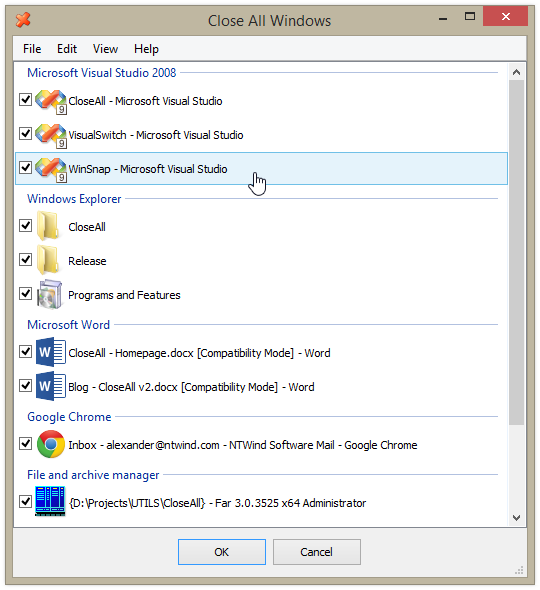
What can be easier than a task list with check boxes and OK button? Just select apps you want to close and click OK. It’s CloseAll v2.0:
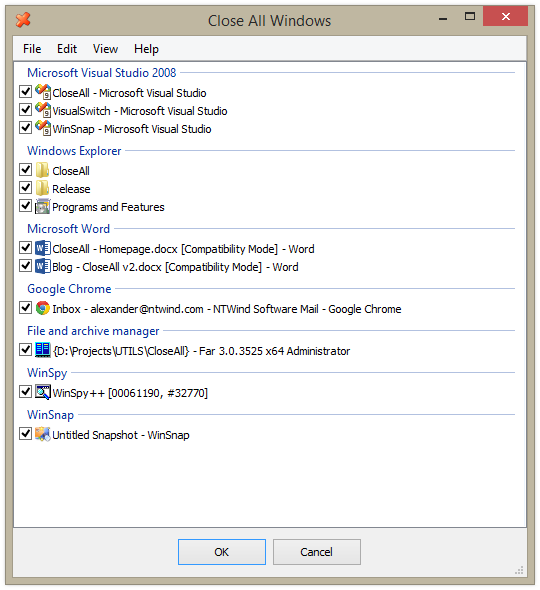
From the main menu, you can enable “Small Icon” view:
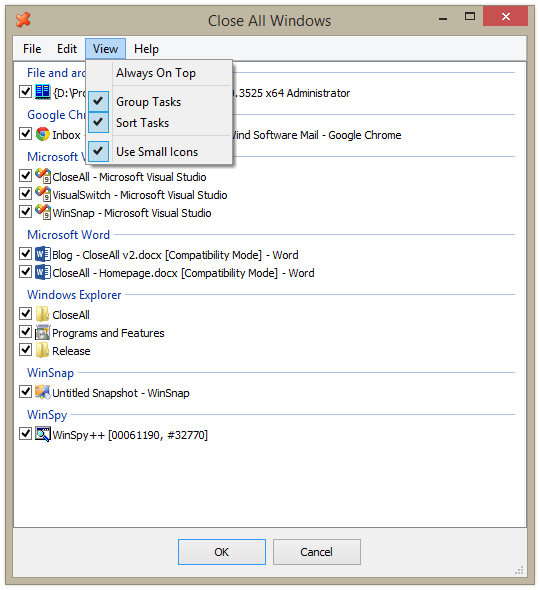
Enable/disable sorting and grouping of tasks:
I don’t think that it requires any more explanation:
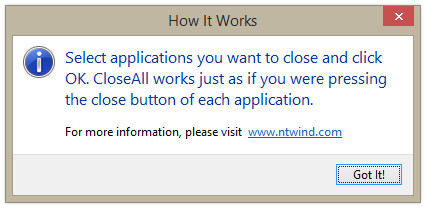
NOTE: In order to display information about UAC elevated processes on Windows Vista and above, CloseAll requires to be installed in the system %ProgramFiles% directory. Installer is provided, native 64-bit version of CloseAll is included in the download package.
Try it to see if it can save your time! It’s FREE.
Changelog for CloseAll v2.0 (March 15, 2014):
- New fully redesigned user interface
- Added installer and uninstaller for your convenience
- Full support for Windows 8, 7, Vista and XP
Download CloseAll (32-bit and 64-bit)
Posted by Alexander Avdonin on 15-Mar-14 12:05
WindowSpace v2.5.9 – Support for Per-Monitor DPI
This maintenance release of WindowSpace fixes several issues with unusual multi-monitor configurations and taskbar placement. It also adds full support for Windows 8.1 per-monitor DPI settings.
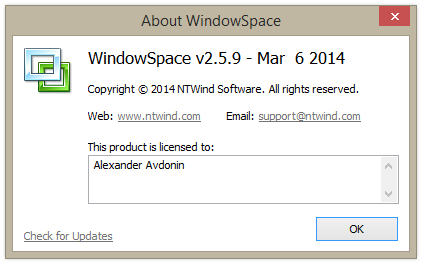
Changelog for WindowSpace v2.5.9 (March 6, 2014):
- Added full support for Windows 8.1 per-monitor DPI settings
- Fixed an issue with snapping when taskbar is placed on top
- Fixed several issues with unusual multi-monitor configurations
Download WindowSpace (32-bit and 64-bit)
Posted by Alexander Avdonin on 06-Mar-14 08:07
WinSnap v4.5.1 – Copy Button is Back as an Option
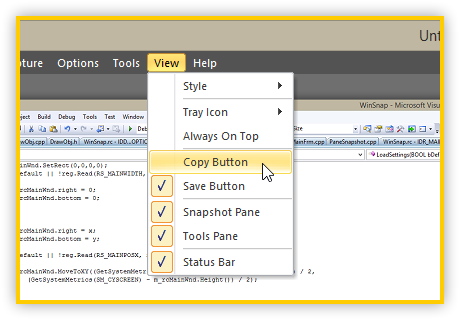
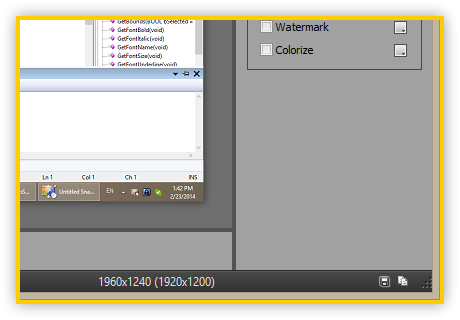
I’m happy to announce that WinSnap v4.5.1 is available for download. This version contains several UI enhancements and bug fixes as well. After releasing version 4.5 last week, I received a lot of emails about the removed Copy button. Now, Copy button is back as an option! You can show or hide it from the View menu:
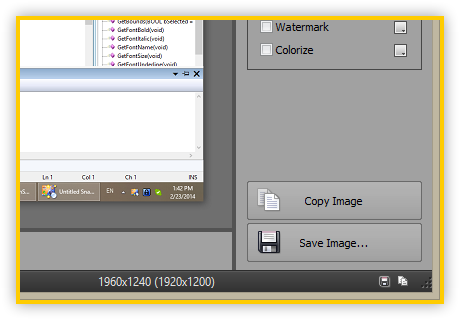
You can show or hide the Save button the same way (as in previous versions, double-click on the Snapshot pane saves the image):
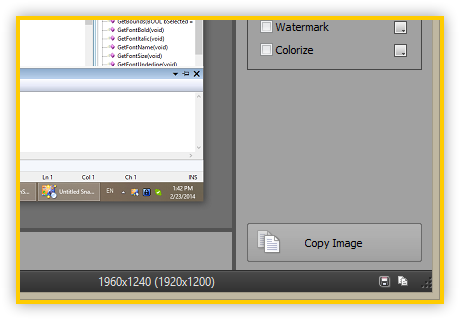
Or hide both buttons if you don’t need them:
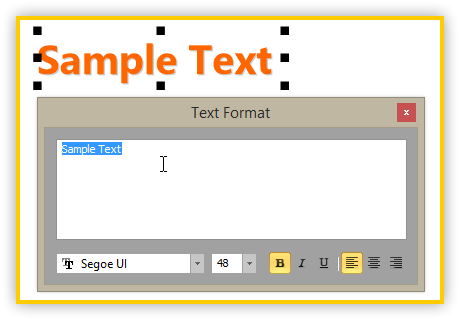
The default font for Text objects is now set to “Segoe UI” on Windows Vista and above. Also, font name, size and style are now correctly restored after restart.
NOTE: WinSnap 4.5 is a free upgrade for all registered customers. If you experience any problems with activation, please send an email to [email protected] with your registration information (name and email).
Changelog for WinSnap v4.5.1 (February 24, 2014):
- Added optional “Copy Image” button to the Snapshot pane
- Added options to show/hide Copy and Save buttons (View menu)
- Added limited support for Windows 8.1 per-monitor DPI settings
- Default font for text objects is now set to “Segoe UI” on Vista and above
- Font name, text size and style are now saved and restored correctly
- Fixed an issue with capture options in the Settings dialog
Download WinSnap (32-bit and 64-bit)
Posted by Alexander Avdonin on 24-Feb-14 10:21
WinSnap 4.5 – New Sexy UI, Presets, Pen Tool and More
After a long delay, the new version of WinSnap is ready to demonstrate you its all-new screen capture and image editing capabilities along with the classy and elegant interface. All of the new enhancements including presets and quick preferences, new drawing tools, improved support for the most recent Windows 8 Aero theme, various tweaks and fixes will facilitate your screen capture software experience further and beyond!
Get to Know the All-New WinSnap
Redesigned and updated user interface comes in 4 different styles (Black, Silver, Blue and System) and significantly improves the overall usability. Modernized editing and capture controls allow easier access to program options and tools, yet still keeping the UI simple and intuitive.
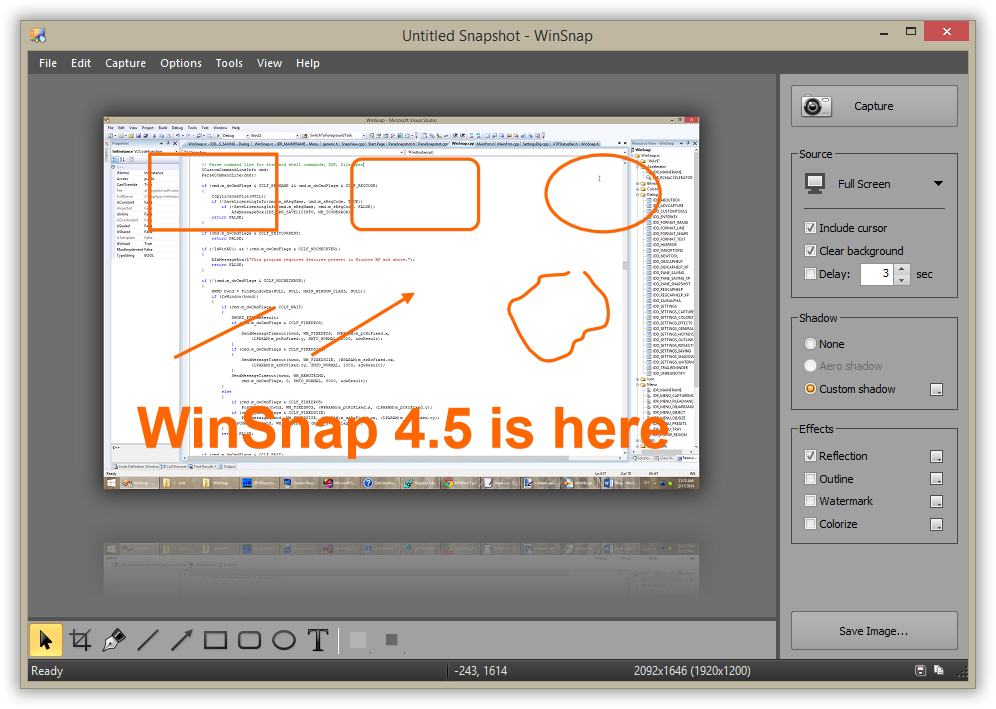
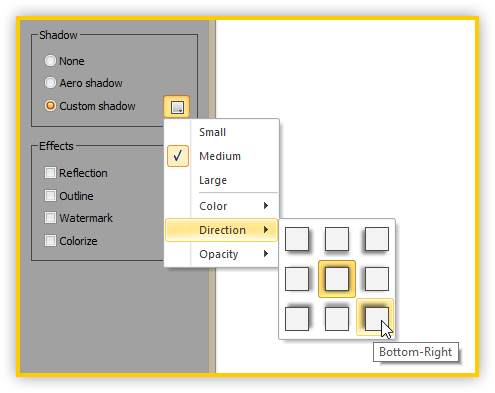
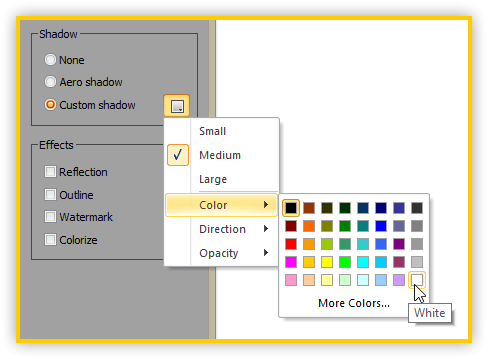
Now you can switch between native and custom shadow effects after capture. WinSnap automatically removes native Aero shadow and adds shadow effect of your choice (color, size, direction, opacity). Also WinSnap 4.5 introduces presets and quick preferences for shadow and other effects.
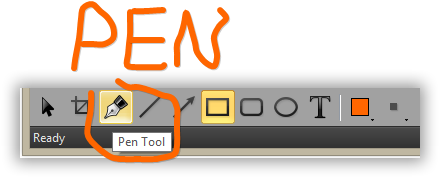
New "Pen" tool draws a smooth spline curve:
Please note that settings are reset to defaults if you install WinSnap 4.5 over a previous version. If you changed the default directory for your screenshots or other preferences, you have to do it again after installing this update.
Changelog for WinSnap v4.5.0 (February 17, 2014):
- New fully redesigned user interface and icons (4 styles, Black default)
- Added presets and quick preferences for shadow and other effects
- Added ability to switch between native and custom shadow effects
- Added "Center" direction for custom shadow effect
- Added "Pen" tool which draws a smooth spline curve
- Added "View" menu to customize UI appearance and style
- Added snapshot size info and current mouse position
- Improved support for Windows 8 Aero theme
- Fixed initial capture when running from Windows 8 Start Menu
- Settings are reset to defaults if you install 4.5 over a previous version
- Many other minor fixes, tweaks and enhancements
Download WinSnap (32-bit and 64-bit)
Posted by Alexander Avdonin on 17-Feb-14 08:40
Sticky Previews v1.6 - Added Full Support for Windows 8
New version of Sticky Previews is available for download. It adds full support for Windows 8 and contains some minor performance improvements.
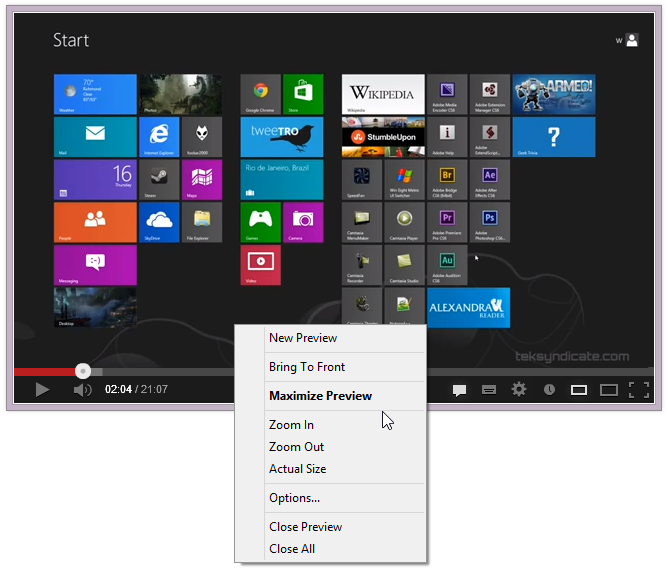
Changelog for Sticky Previews v1.6:
- Fixed bugs and added full support for Windows 8
- Some other minor improvements
Download Sticky Previews (32-bit and 64-bit)
Posted by Alexander Avdonin on 05-Feb-13 10:59
WinSnap v4.0.5 - Updated User Interface and Icons
New version of WinSnap was released today. It contains updated drawing tool icons and several other UI improvements.
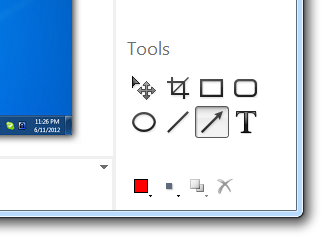
Changelog for WinSnap v4.0.5 (June 11, 2012):
- New line tool and updated tool icons/cursors
- Better compatibility with Windows 8 Release Preview
- Fixed issue with incorrect cursor position and Aero theme
- Fixed issue with File->New command in Windows Explorer
- Some other improvements and bug fixes
Download WinSnap v4.0.5 (32-bit and 64-bit)
Posted by Alexander Avdonin on 11-Jun-12 19:39
WindowSpace v2.5.7 - Support for Windows 8 Release Preview
New version of WindowSpace is available for download now. It's a maintenance release which adds support for Windows 8 Release Preview:
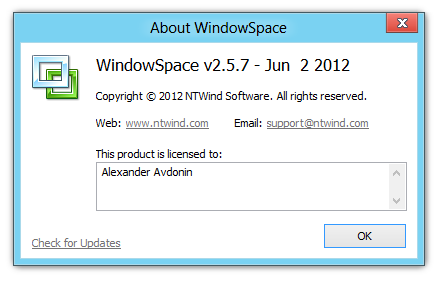
Changelog for WindowSpace v2.5.7:
- Test support for Windows 8 Release Preview
- Improvements and optimization on the installer
- Some minor improvements and bug fixes
Download WindowSpace (32-bit and 64-bit)
Posted by Alexander Avdonin on 02-Jun-12 09:17
VistaSwitcher v1.1.5 – Maintenance Release
New version of VistaSwitcher has been released today:
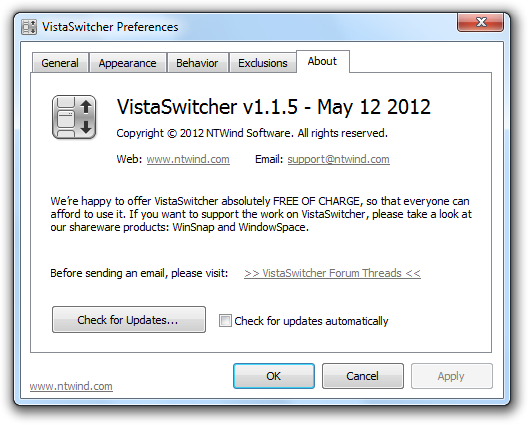
Changelog for VistaSwitcher v1.1.5:
- New language files: Persian, Arabic, Hungarian, Ukrainian, Vietnamese, Slovenian
- Unified installer for 32-bit and 64-bit versions of Windows
- Virus false positive solved by making a new exe
- Fixed an issue with the main right-click menu
- Some other minor improvements and bug fixes
Download VistaSwitcher v1.1.5 (32-bit and 64-bit)
Posted by Alexander Avdonin on 12-May-12 19:03
WinSnap v4.0.4 - Copy with Transparency
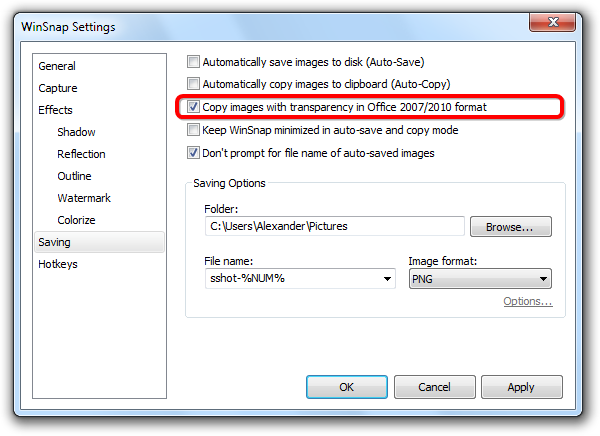
It took too long to make this release, but it's finally available for download. Version 4.0.4 contains several improvements and stability enhancements. Here are the main changes:
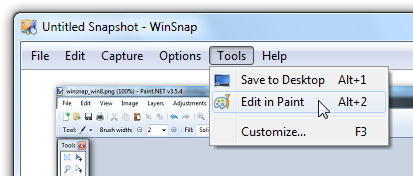
Tool menu icons:
Right-click menu:
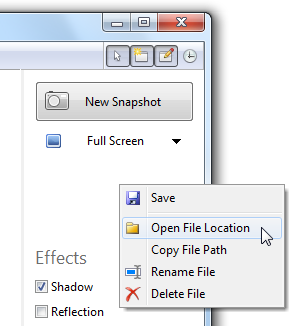
Support for Windows 8 Consumer Preview:
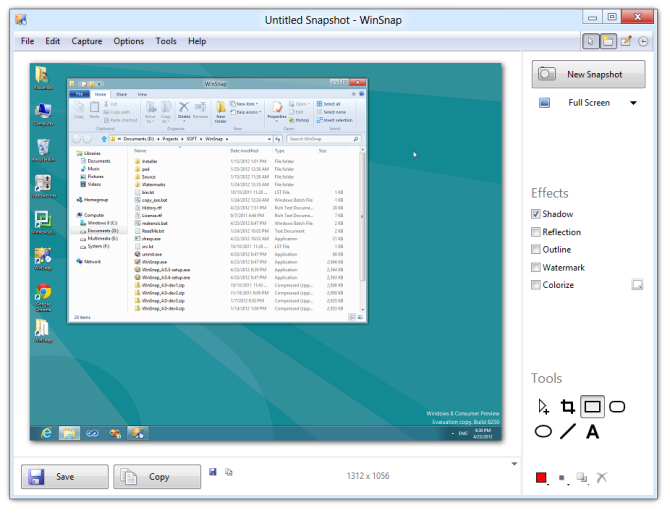
Changelog for WinSnap v4.0.4 (May 8, 2012):
- Support for Windows 8 Consumer Preview
- Added "Copy images with transparency" option
- Added application and folder icons in Tools menu
- Right-click on empty area opens Advanced File menu
- Changed default window size for different resolutions
- Fixed control and window sizes in high DPI mode
- Removed "LICENSED TO" from the titlebar in the registered version
- Several other minor improvements and bug fixes
Download WinSnap v4.0.4 (32-bit and 64-bit)
Posted by Alexander Avdonin on 08-May-12 20:19
WinSnap v4.0.3 - Minor Improvements and Bugfixes
This is mainly a bugfix release, changelog:
- Keyboard shortcuts to move/resize objects (arrow keys, ctrl, shift)
- Line color/thickness, drawing tool are now restored after restart
- Adjusted line thickness for region selection on low screen resolutions
- Auto-Copy puts screenshot to clipboard when effects are changed
- Fixed issues when pressing PrintScrn in region selection mode
- Fixed dwmapi.dll error on Windows XP 64-Bit Edition
Download WinSnap v4.0.3 (32-bit and 64-bit)
Posted by Alexander Avdonin on 12-Feb-12 15:59
Showing 281 - 290 of 385 Articles | Page 29 of 39
Home • News