NTWind News
This is a news blog about software published on NTWind website. You can subscribe to the NTWind News by email or RSS to stay up-to-date with our products and services.
WinSnap v5.1.4 - New Filename Variables
This version of WinSnap adds new filename variables to customize date and time (%YYYY% - year, %MM% - month, %DD% - day, %hh% - hour, %mm% - minutes, %ss% - seconds).

Changelog for WinSnap v5.1.4 (September 23, 2019):
- Updated languages: Italian, Slovenian
- New filename variables: %YYYY%, %MM%, %DD%, %hh%, %mm%, %ss%
- Some other minor improvements and bug fixes
Download WinSnap (32-bit and 64-bit)
Posted by Alexander Avdonin on 23-Sep-19 06:25
Hidden Start v4.7 - Manage Startup Items
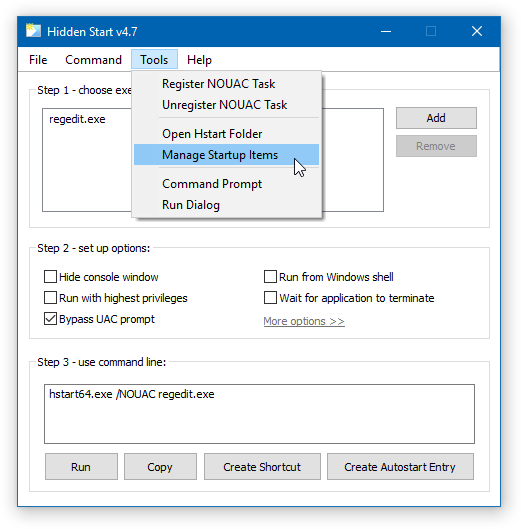
Hstart GUI Tool allows you to create autostart entries in Windows Registry. The updated version of Hstart adds "Manage Startup Items" command under the Tools menu to quickly edit or remove existing autostart entries and contains several stability improvements.
Updated Help message:
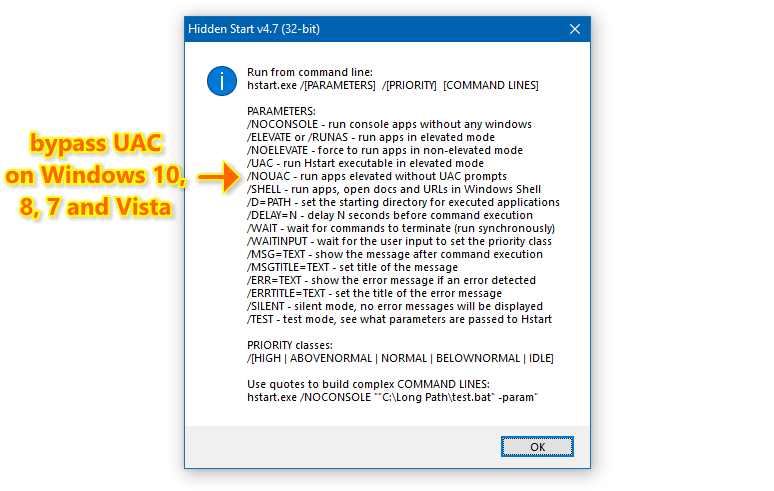
Changelog for Hidden Start v4.7 (September 14, 2019):
- Added "Manage Startup Items" command under the Tools menu
- Fixed the title bar height of GUI Tool main window
- Some other minor improvements and bug fixes
Download Hidden Start (32-bit and 64-bit)
Posted by Alexander Avdonin on 14-Sep-19 07:34
Visual Subst v2.7 - Renamed Options and More
Some options were renamed to illuminate the confusion and describe what they do in a better way.
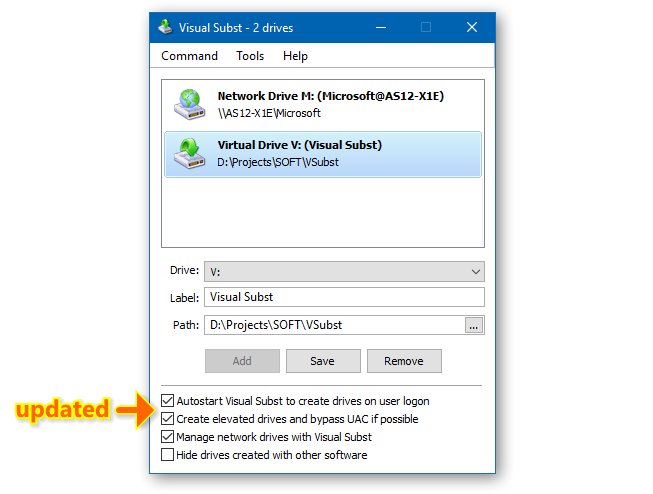
Changelog for Visual Subst v2.7 (August 14, 2019):
- Renamed "autostart" and "create elevated drives" options
- "Create elevated drives" option is disabled by default for standard users
- Fixed errors with network drives when "manage network drives" is disabled
- Some other minor bug fixes and improvements
Download Visual Subst (32-bit and 64-bit)
Posted by Alexander Avdonin on 14-Aug-19 12:48
Sticky Previews v2.0 - Stability and Performance Improvements
Changelog for Sticky Previews v2.0 (August 12, 2019):
- Larger font sizes for high-DPI displays (settings and preview selection)
- Added preview information message box for debug purposes
- Fixed an issue with previews of maximized windows with invisible borders
- Fixed a compatibility issue with DisplayFusion monitor fading
- Some other minor bug fixes and improvements
Download Sticky Previews (32-bit and 64-bit)
Posted by Alexander Avdonin on 12-Aug-19 09:52
Visual Subst v2.6 - New Option and Bug Fixes
The updated version of Visual Subst adds option to hide drives created with other software and contains a number of stability and performance improvements.
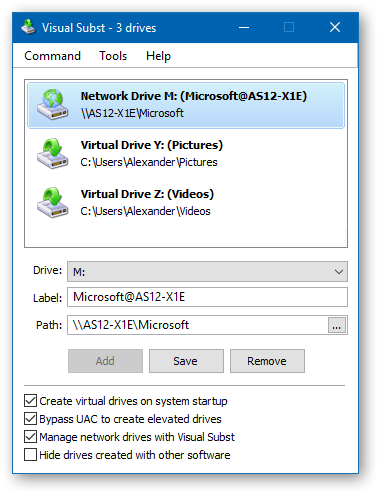
Changelog for Visual Subst v2.5 (July 29, 2019):
- Added option "Hide drives created with other software"
- Fixed an issue with creating elevated network drives
- Some other minor bug fixes and improvements
Changelog for Visual Subst v2.6 (August 1, 2019):
- Visual Subst now expands paths to full UNC paths before mapping
- Fixed an issue with updating path edit when changing settings
- Some other minor bug fixes and improvements
Download Visual Subst (32-bit and 64-bit)
Posted by Alexander Avdonin on 01-Aug-19 07:20
WinSnap v5.1.3 - Maintenance Release
Changelog for WinSnap v5.1.3 (July 30, 2019):
- Updated languages: Korean, Portuguese (Brazilian), Slovenian
- Some other minor improvements and bug fixes
Download WinSnap (32-bit and 64-bit)
Posted by Alexander Avdonin on 30-Jul-19 10:56
Close All Windows v4.1 - Minor UI Improvements
Just polishing the source code and the user interface:
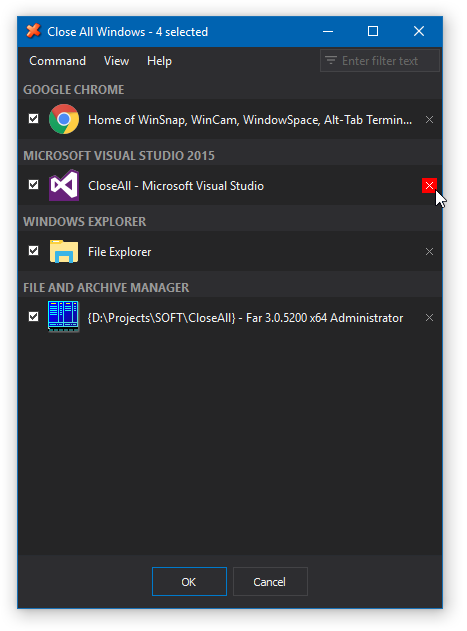
You can purchase CloseAll with a 20% discount until the end of July.
Changelog for CloseAll v4.1 (July 30, 2019):
- Added little X button to clear filter text
- Larger individual close buttons
- Fixed description of UWP applications
- Some other minor improvements and bugfixes
Download CloseAll (32-bit and 64-bit)
Posted by Alexander Avdonin on 30-Jul-19 07:28
Visual Subst v2.4 - Manage Network Drives
Now you can create, edit and remove network drives with Visual Subst. This is an experimental feature, so you have to enable the corresponding option on the bottom of the main dialog to start using it.
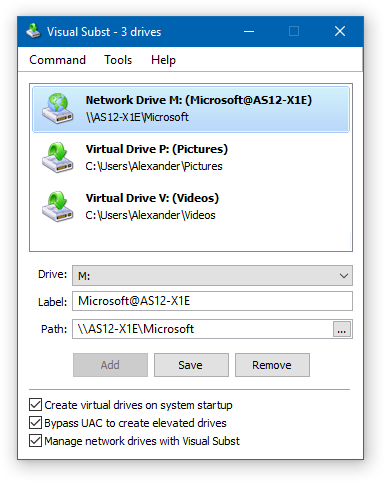
The second new option allows you to disable creation of elevated drives if you don't need them.
Changelog for Visual Subst v2.4 (July 28, 2019):
- Added ability to manage network drives with Visual Subst
- Added option "Bypass UAC to create elevated drives"
- Added "Remove All" command to remove all drives at once
- Main window position is restored now after restart
- Fixed title of error messages and dialog boxes
- Fixed an issue with removing drives from command line
- Some other minor bug fixes and improvements
Download Visual Subst (32-bit and 64-bit)
Posted by Alexander Avdonin on 28-Jul-19 17:32
Visual Subst v2.3 - Minor UI Enhancements
Just polishing the user interface and adding some minor enhancements:
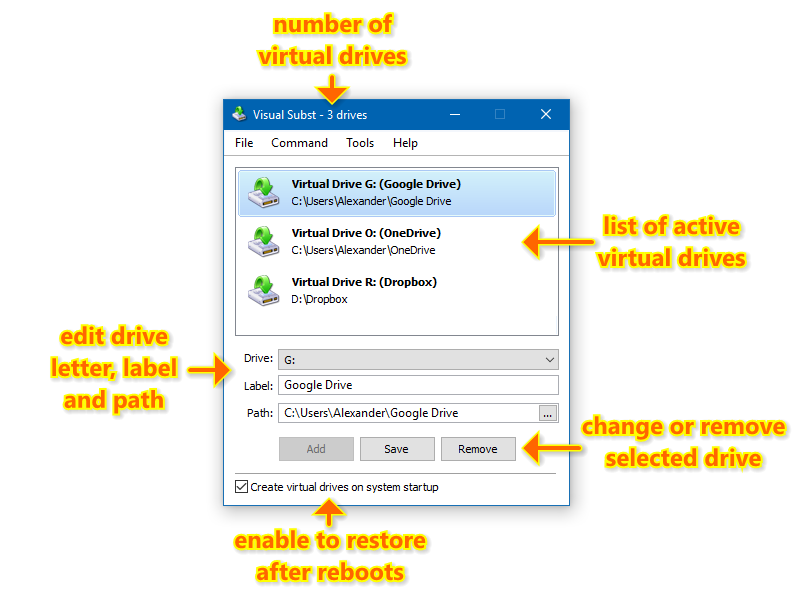
New tutorial: How to Map Google Drive, OneDrive or Dropbox as a Virtual Drive
Changelog for Visual Subst v2.3 (July 12, 2019):
- Number of virtual drives is shown in window title now
- Fixed size and arrangement of some controls and dialogs
Download Visual Subst (32-bit and 64-bit)
Posted by Alexander Avdonin on 12-Jul-19 21:16
Close All Windows v4.0 - All New, Completely Redesigned
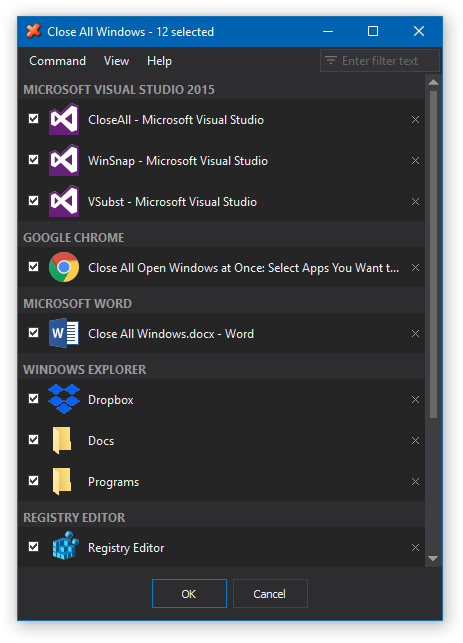
CloseAll is a small enhancement utility for Windows that flashes a ‘close’ signal to all running applications and then ceases. What can be easier than a task list with check boxes and OK button? You can select multiple apps by clicking them in the list and then click the OK button to close selected apps or use individual close buttons to close apps one by one.
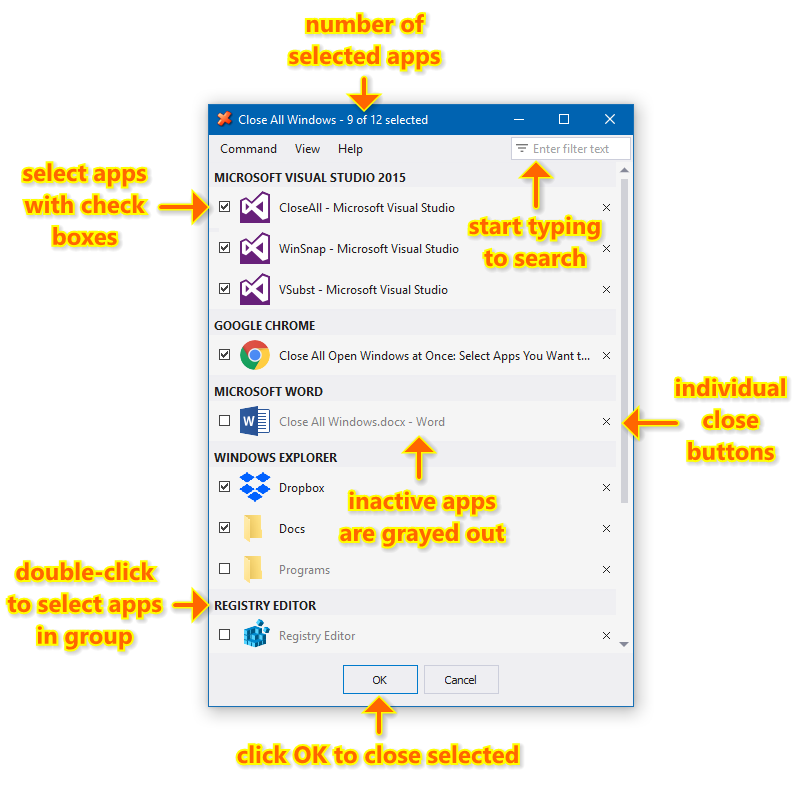
New dark theme is default now:
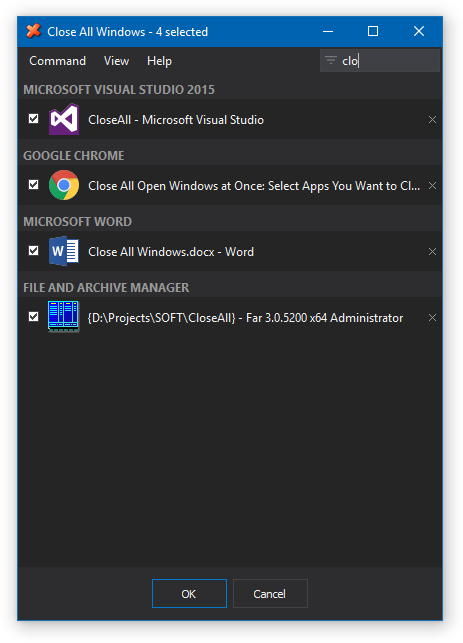
Start typing to search for apps quickly:
Changelog for CloseAll v4.0 (July 10, 2019):
- New fully redesigned user interface
- New dark window theme is default now
- Added filter text to quickly search for apps
- Individual close buttons for every app in the list
- Number of selected apps is displayed in the title
- Unselected apps are grayed out in the list
- Removed confusing "terminate all" feature
- Many other changes and improvements
Download CloseAll (32-bit and 64-bit)
Posted by Alexander Avdonin on 10-Jul-19 16:21
Showing 221 - 230 of 385 Articles | Page 23 of 39
Home • News