NTWind News
This is a news blog about software published on NTWind website. You can subscribe to the NTWind News by email or RSS to stay up-to-date with our products and services.
WinSnap v6.3.4 - Maintenance Release
Changelog for WinSnap v6.3.4 (September 28, 2026):
- Fixed restoring object size and negative region position
- Fixed character set for option button symbols
- Updated Danish translation (by Peter H. S. Madsen)
- Some other minor improvements and bug fixes
Download WinSnap (32-bit and 64-bit)
Posted by Alexander Avdonin on 28-Sep-26 08:12
Webcam Remote v1.0.1 - Control Camera on PC & Mac
Webcam Remote is a private Wi-Fi webcam viewer, remote camera shutter, and video recorder for Mac and Windows computers. Use an Android phone or tablet, iPhone, iPad, or another computer to control a paired Mac or PC camera on the same local network. View a live webcam feed. Take remote photos and record videos. Switch between a built-in camera and USB webcam.

Pair your devices, approve the webcam permissions you want, and keep control close at hand. Use it only where you have authorization and consent. Webcam Remote is for visible, attended camera control - not hidden monitoring or background surveillance.
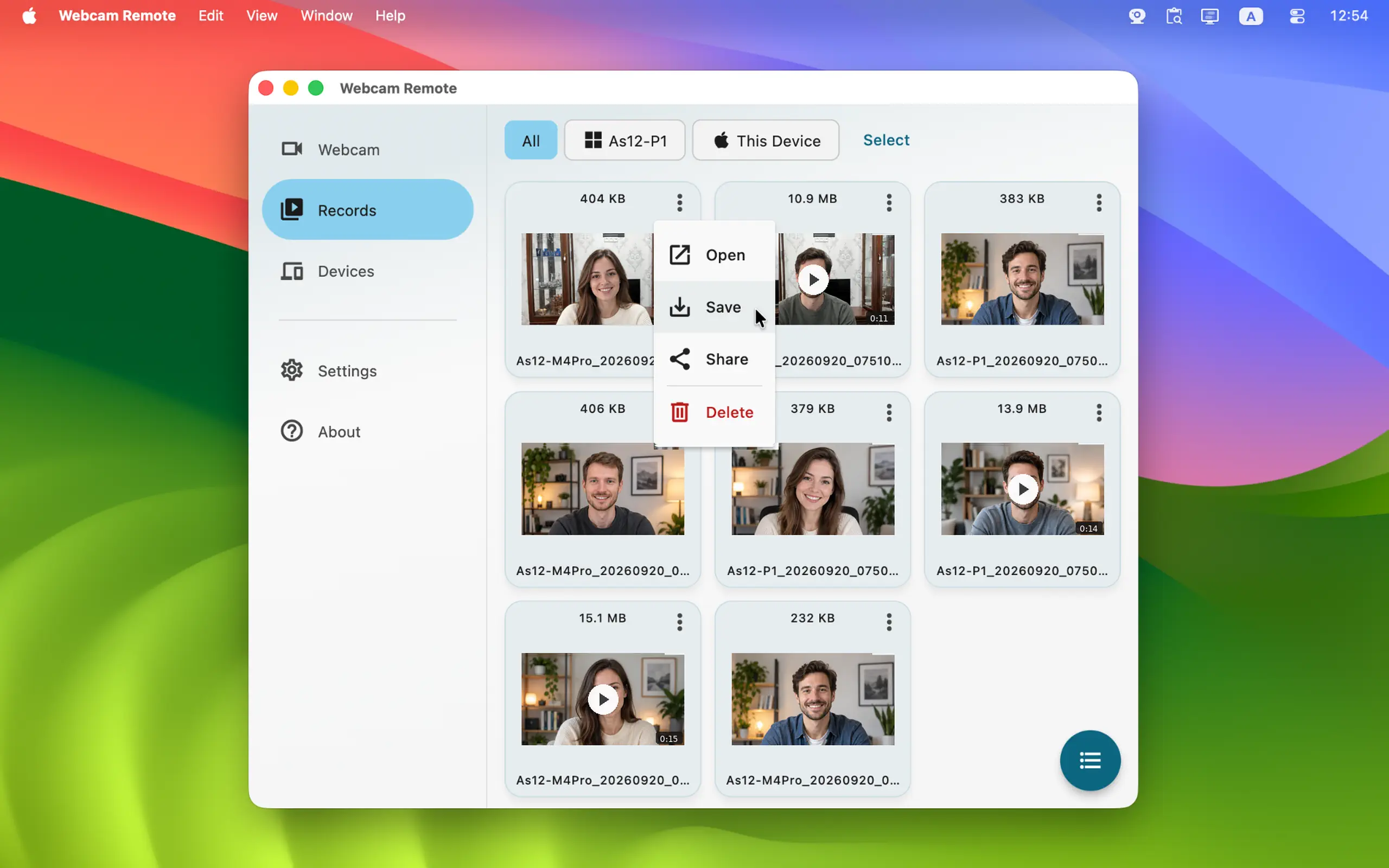
To start using Webcam Remote, install it on two or more devices - PC, Mac, phone or tablet. (Note: The iOS version is currently under Apple review and will be available as soon as it's approved.)
Webcam Remote for Windows, Mac, iOS and Android →
Posted by Alexander Avdonin on 26-Sep-26 12:43
Phollet v1.0.6 - Performance and Stability Improvements
Changelog for Phollet v1.0.6 (September 22, 2026):
- Android: Updated to target SDK 36 per Google requirements
- Updated third-party plugins to the latest versions
- Various performance and stability improvements
Also, Files Remote is now available in Apple Store for iOS:

Posted by Alexander Avdonin on 22-Sep-26 05:59
WinSnap v6.3.3 - Customizable Arrow and Line Styles
WinSnap v6.3.3 is now available, introducing customizable arrow and line styles alongside much-requested curved arrows for cleaner, more dynamic annotations.

You can now quickly tweak any arrow’s appearance by simply double-clicking it to open the Properties dialog.
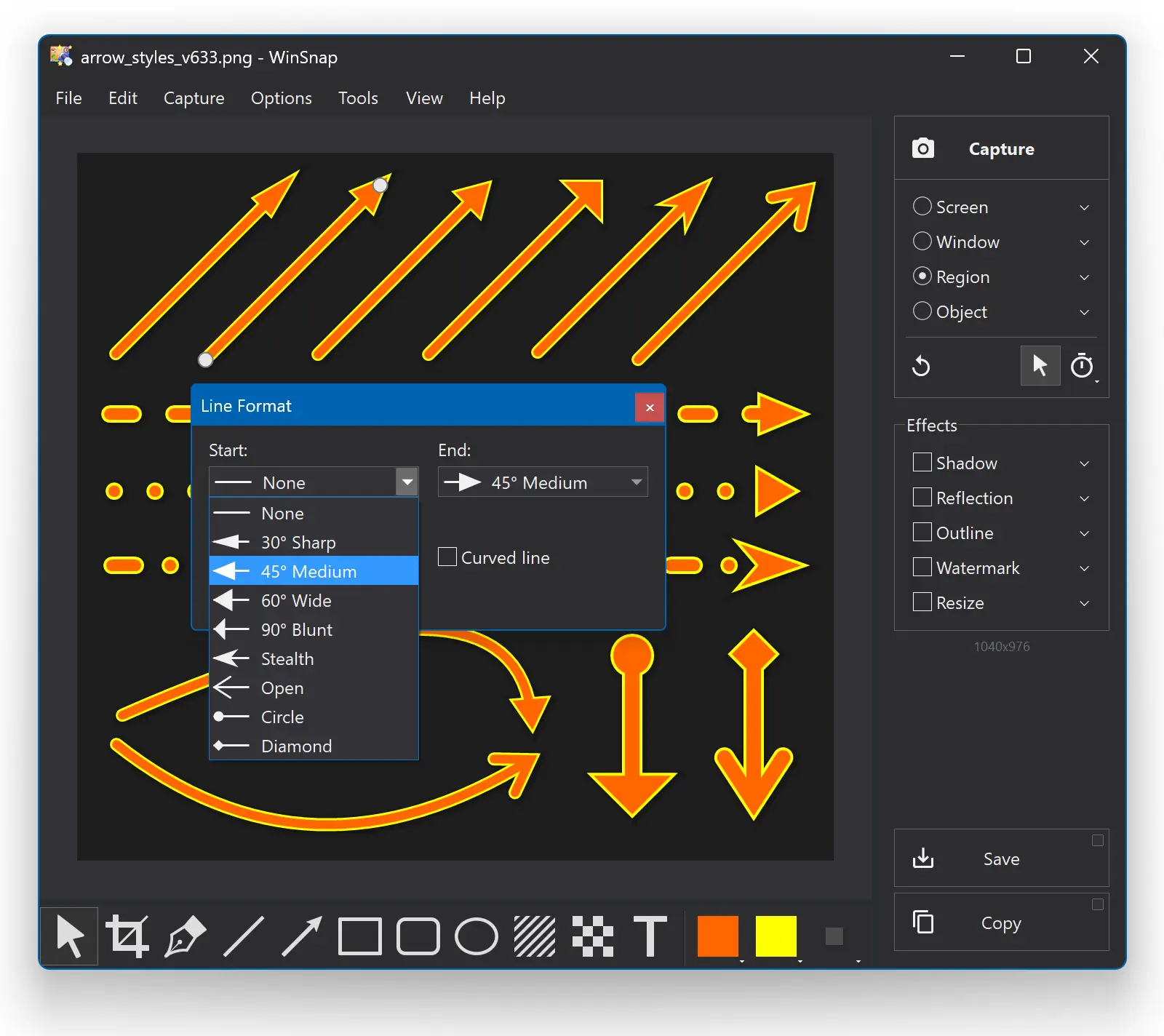
Changelog for WinSnap v6.3.3 (September 21, 2026):
- Added configurable arrow styles (start/end cap, line style)
- New properties dialog for Arrow and Line drawing tools
- New default arrow style - 45 degrees medium
- Updated Danish translation (by Peter H. S. Madsen)
- Some other minor improvements and bug fixes
Download WinSnap (32-bit and 64-bit)
Posted by Alexander Avdonin on 21-Sep-26 11:06
Files Remote v1.0.1 - Browse Shared Folders on PC & Mac
I'm pleased to announce Files Remote, a new app that expands upon the file transfer capabilities of Upload Remote. Files Remote turns a nearby Mac or Windows computer into a private folder source for your phone, tablet, or another computer. Pick the exact folders to share, approve a trusted device, and open them over your local Wi-Fi.

Read-only access keeps a paired device focused on browsing and downloading. Read & Write access adds uploads, new folders, renaming, and deletion. You can change or revoke that permission on the host at any time. Transfers move directly between paired devices through encrypted local connections - no accounts to create, no cloud uploads, and no subscriptions.
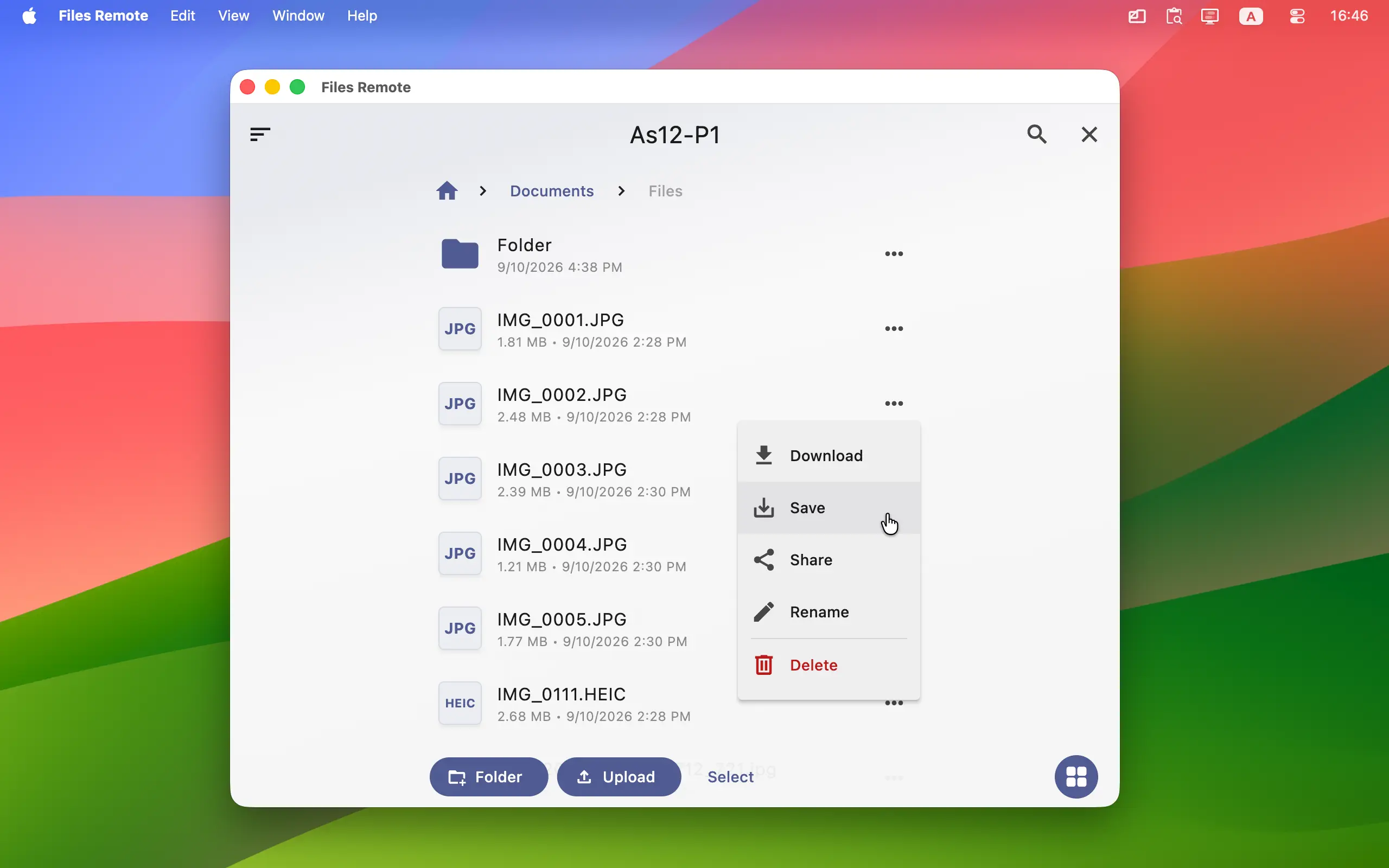
To start using Files Remote, install it on a Mac or Windows computer that holds the files and on the phone, tablet, Mac, or Windows computer you want to browse from. (Note: The iOS version is currently under Apple review and will be available as soon as it's approved.)
Files Remote for Windows, Mac, iOS and Android →
Posted by Alexander Avdonin on 17-Sep-26 12:05
WinCam v4.2 - Recorded Region Size Adjustments
Changelog for WinCam v4.2 (September 16, 2026):
- Recorded region size is adjusted to even numbers now
- Fixed infinite "Unsupported region size" error message
- Added Vietnamese translation (by Vũ Anh Vũ)
- Some other minor improvements and bug fixes
Download WinCam (32-bit and 64-bit)
Posted by Alexander Avdonin on 16-Sep-26 08:13
WinSnap v6.3.2 - Undo-Redo Menus and Shortcuts
WinSnap finally adds undo-redo history for annotations, effects and crops:
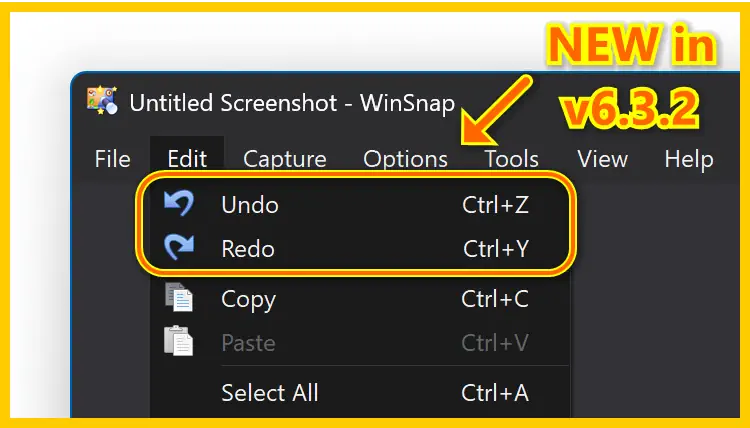
Changelog for WinSnap v6.3.2 (September 14, 2026):
- Added Undo/Redo menu items and keyboard shortcuts
- Improved pen tool smoothing algorithm
- Fixed option button symbols on Windows 7
- Added Vietnamese translation (by Vũ Anh Vũ)
- Some other minor improvements and bug fixes
Download WinSnap (32-bit and 64-bit)
Posted by Alexander Avdonin on 14-Sep-26 10:23
PromptSense v1.0.3 - Updated Target SDK for Android
Changelog for PromptSense v1.0.3 (September 10, 2026):
- Windows: Double-signed with the new OV certificate
- Android: Updated to target SDK 36 per Google requirements
- Updated Flutter plugins to the latest versions
- Some other improvements and bug fixes
PromptSense for Windows, Mac, iOS and Android →
Posted by Alexander Avdonin on 10-Sep-26 09:06
Clipaste v1.0.5 - Double-Signed Executables on Windows
Changelog for Clipaste v1.0.5 (September 9, 2026):
- Windows: Double-signed with the new OV certificate
- Updated Flutter plugins to the latest versions
- Some other improvements and bug fixes
Clipaste for Windows and Mac →
Posted by Alexander Avdonin on 09-Sep-26 19:14
Gallery Remote v1.0.2 - Fixed Exit Lag on Windows
Changelog for Gallery Remote v1.0.2 (September 8, 2026):
- Improved connectivity between devices using different ports
- Windows and macOS: Asynchronous store operations on app exit
- Updated third-party Flutter plugins to their latest versions
- Some other minor improvements and bug fixes
Gallery Remote for Windows, Mac, iOS and Android
Posted by Alexander Avdonin on 08-Sep-26 19:10
Showing 1 - 10 of 384 Articles | Page 1 of 39
Home • News