What's New in Media Remote
Below is the list of the latest news and blog posts on Media Remote. You can subscribe to the NTWind News by email or RSS to stay up-to-date with our products and services.
Media | Power Remote v1.0.3 - Improved Connectivity
Changelog for Media Remote v1.0.3 (September 7, 2026):
- Improved connectivity between devices using different ports
- Updated third-party Flutter plugins to their latest versions
- Updated Italian translation (by Roberto Boriotti)
- Some other minor improvements and bug fixes
Changelog for Power Remote v1.0.3 (September 7, 2026):
- Improved connectivity between devices using different ports
- Updated third-party Flutter plugins to their latest versions
- Updated Italian translation (by Roberto Boriotti)
- Some other minor improvements and bug fixes
Posted by Alexander Avdonin on 07-Sep-26 05:21
Media Remote v1.0.2 - Changed Default Port and Fixes
Changelog for Media Remote v1.0.2 (August 21, 2026):
- Changed default port to 41286 for better connectivity
- Smoother Welcome flow animation at startup
- Improved device selection logic on History tab
- Fixed widget borders and alignment for RTL
- Fixed translations to use respectful form of 'you'
- iOS: Bumped iOS version to 15.0 per App Store requirements
- Android: Updated target SDK to 36 per Google requirements
- Updated third-party Flutter plugins to the latest versions
- Some other minor improvements and bug fixes
Media Remote for Windows, Mac, iOS and Android
Posted by Alexander Avdonin on 21-Aug-26 18:04
Media Remote v1.0.1 - Control Playback with Your Phone
Media Remote is a local-network remote control for any video and audio playing on your computer. Use your phone or tablet to send media commands to a paired PC or Mac. Supported actions include Play, Pause, Next, Previous, Volume Up, Volume Down, Mute, Full Screen, Open URL, and Open File.
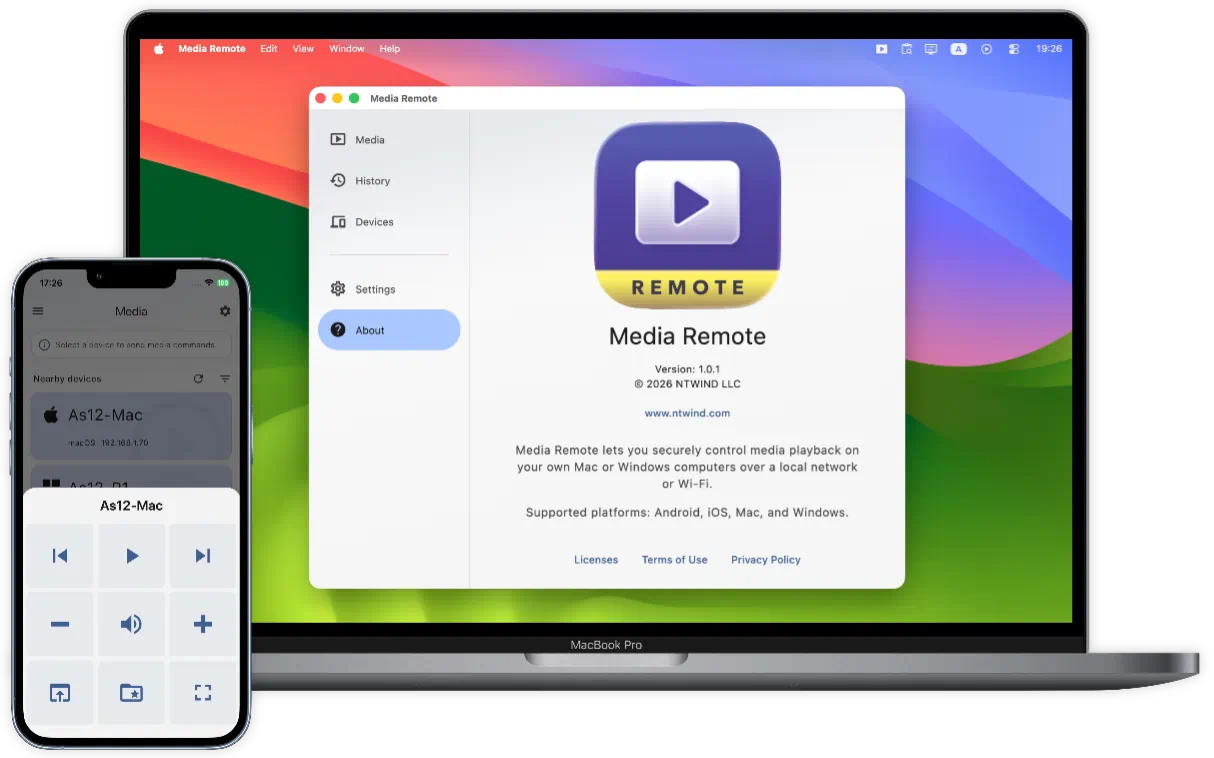
Found a YouTube link on your phone? Open it on the computer connected to the big screen. Want to play a file from your media folder? Choose it from your remote device and start it on the computer.
To start using Media Remote, install it on two or more devices. Media receiver features are available on Mac and Windows computers only. Use Android, iPhone or iPad as the remote.
Media Remote for Windows, Mac, iOS and Android →
Posted by Alexander Avdonin on 27-Jun-26 14:30
Home • Remote Tools • Media Remote • What's New