Smarter Productivity Apps for Windows, Mac and Mobile Devices
Capture and record your screen, organize prompts and clipboard content, control computers remotely, create virtual drives, and make everyday desktop work easier.
Remote Tools for Computers, Phones and Tablets
A growing family of focused apps for controlling and exchanging content between paired devices on the same local network. Choose and install only the tools you need.
Clipboard Remote
Copy text and images on one device and paste them on another without sending clipboard content through a cloud service.
Screenshot Remote
Capture screenshots on a paired Windows PC or Mac from your phone, tablet, or another computer.
Upload Remote
Send files directly between desktop and mobile devices and keep incoming items organized in a local inbox.
Media Remote
Control media playback on a paired computer and open YouTube links, videos, and other media from your phone.
Power Remote
Wake, sleep, restart, shut down, lock, keep awake for a time interval, or turn off the display on a paired Windows PC or Mac.
Gallery Remote
Present and control photo slideshows on nearby phones, tablets, PCs, and Macs without using the cloud.
PromptSense - Your Personal AI Prompt Library
PromptSense is a new cross-platform prompt library for people who use AI tools in their daily work. It helps users save, organize, search, and reuse their best prompts instead of rewriting the same instructions across apps and devices. It supports ChatGPT, Claude, Gemini, Perplexity, and more.
PromptSense for Windows, Mac, iOS and Android →
Clipaste - Private, Searchable Clipboard for PC & Mac
Clipaste saves everything you copy in any app and lets you find it instantly. Search as you type, filter by app, pin favorites, drag to other apps and paste previous items fast. It works for text, images and files.
Clipaste for Windows and Mac →
Phollet - Mobile Wallet for Important Photos & Notes
Phollet (or Photo Wallet) redefines how you manage your essential photos and notes. Quickly create a separate, private gallery on your iOS or Android device and leave the clutter behind. With its focus on speed and simplicity, your most-used content is always just a tap away!
Visual Subst - Mount Folders as Virtual Drives
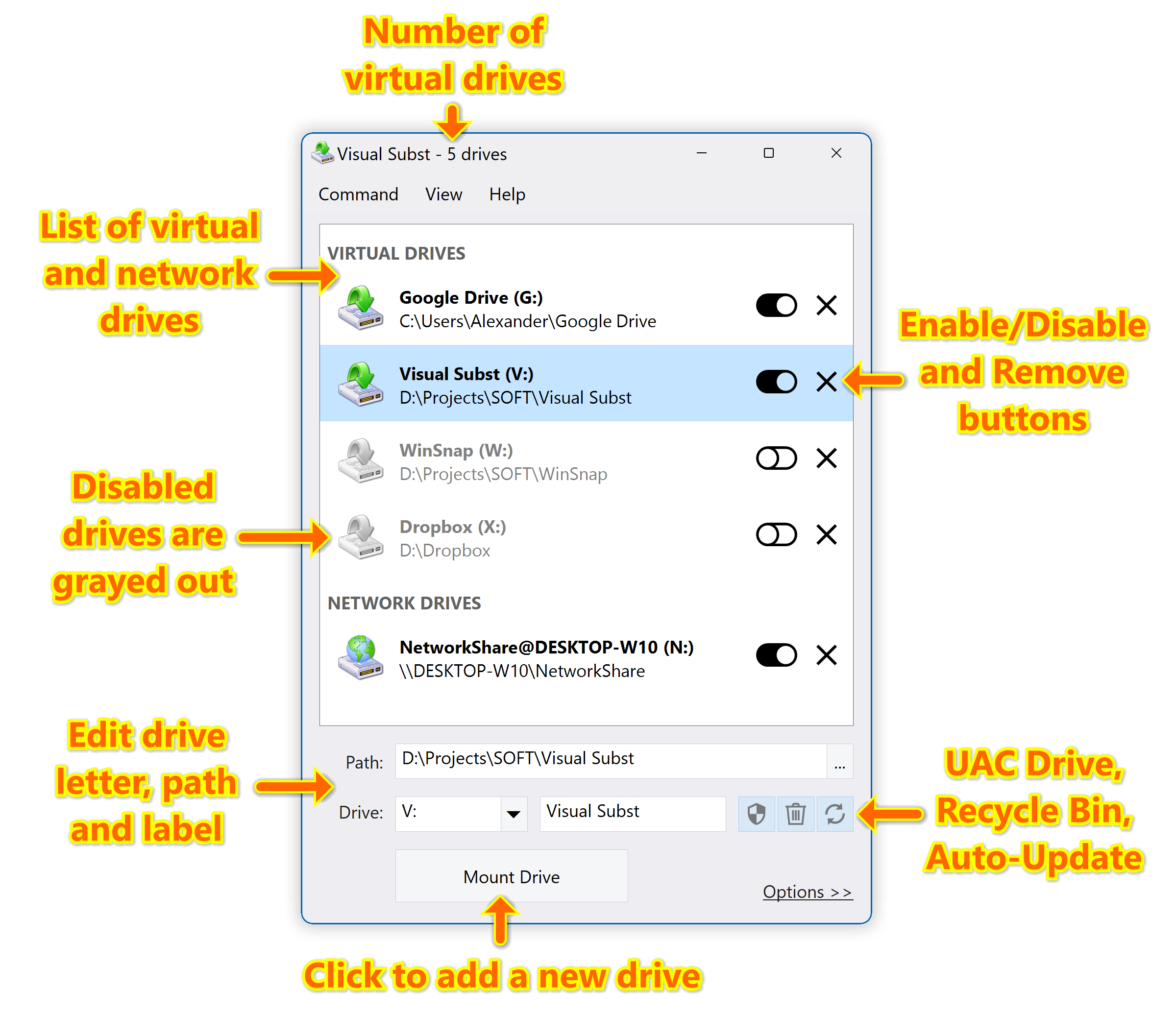
Visual Subst solves four main issues with the built-in 'SUBST' and ‘NET USE’ commands: it adds editable drive labels, creates UAC drives for elevated applications, manages Recycle Bin for deleted items and restores virtual drives after reboots. Manage virtual drives in a much more convenient way!
Learn more about Visual Subst →
WinSnap - Create Superior Screenshots
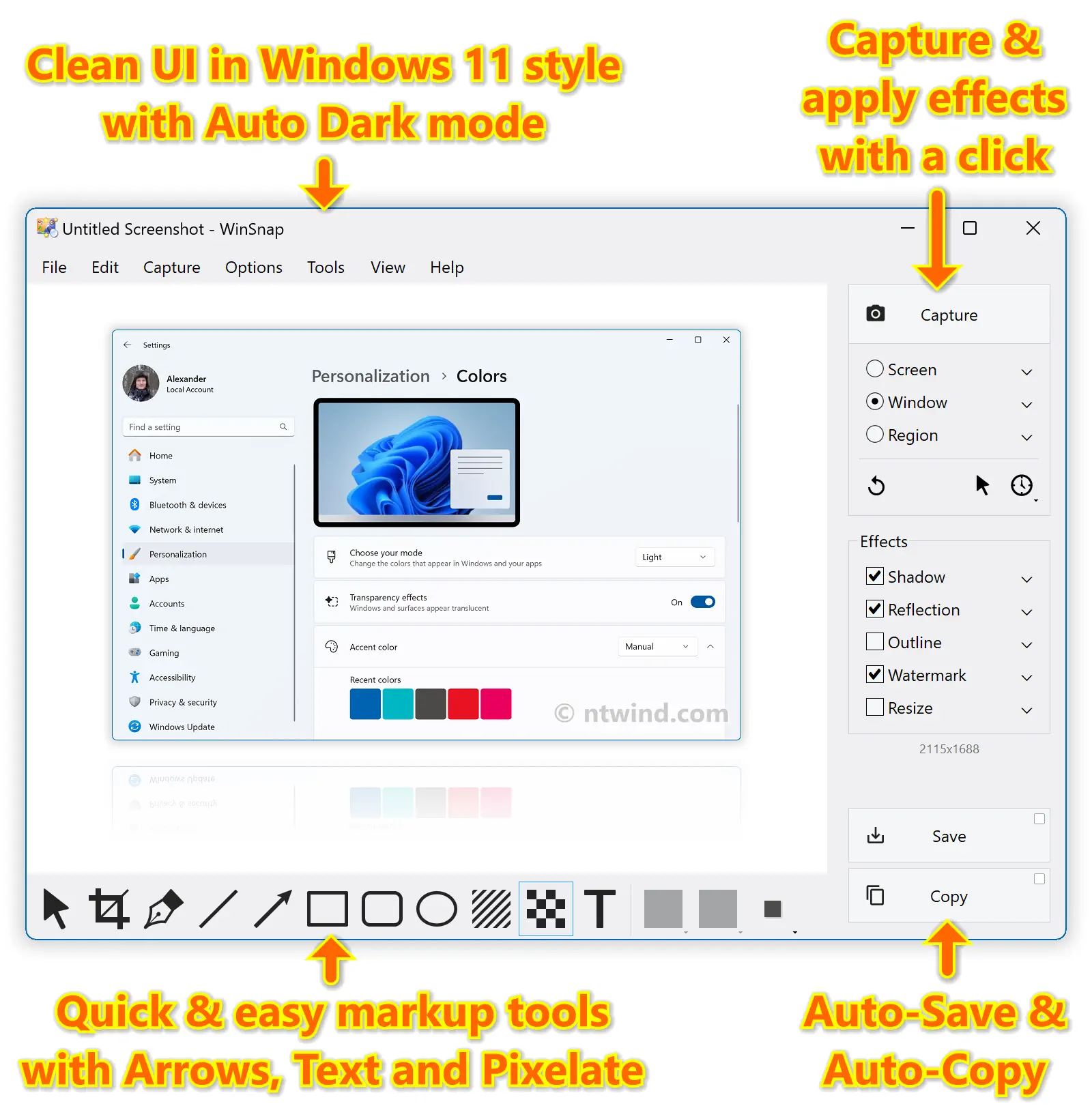
WinSnap easily captures windows of non-rectangular form with transparent backgrounds including Aero Glass and instantly enhances screenshots with professional-looking shadows, reflections, highlights, outlines, watermarks, color effects and annotations.
WinCam - Lightning-Fast Screen Recording
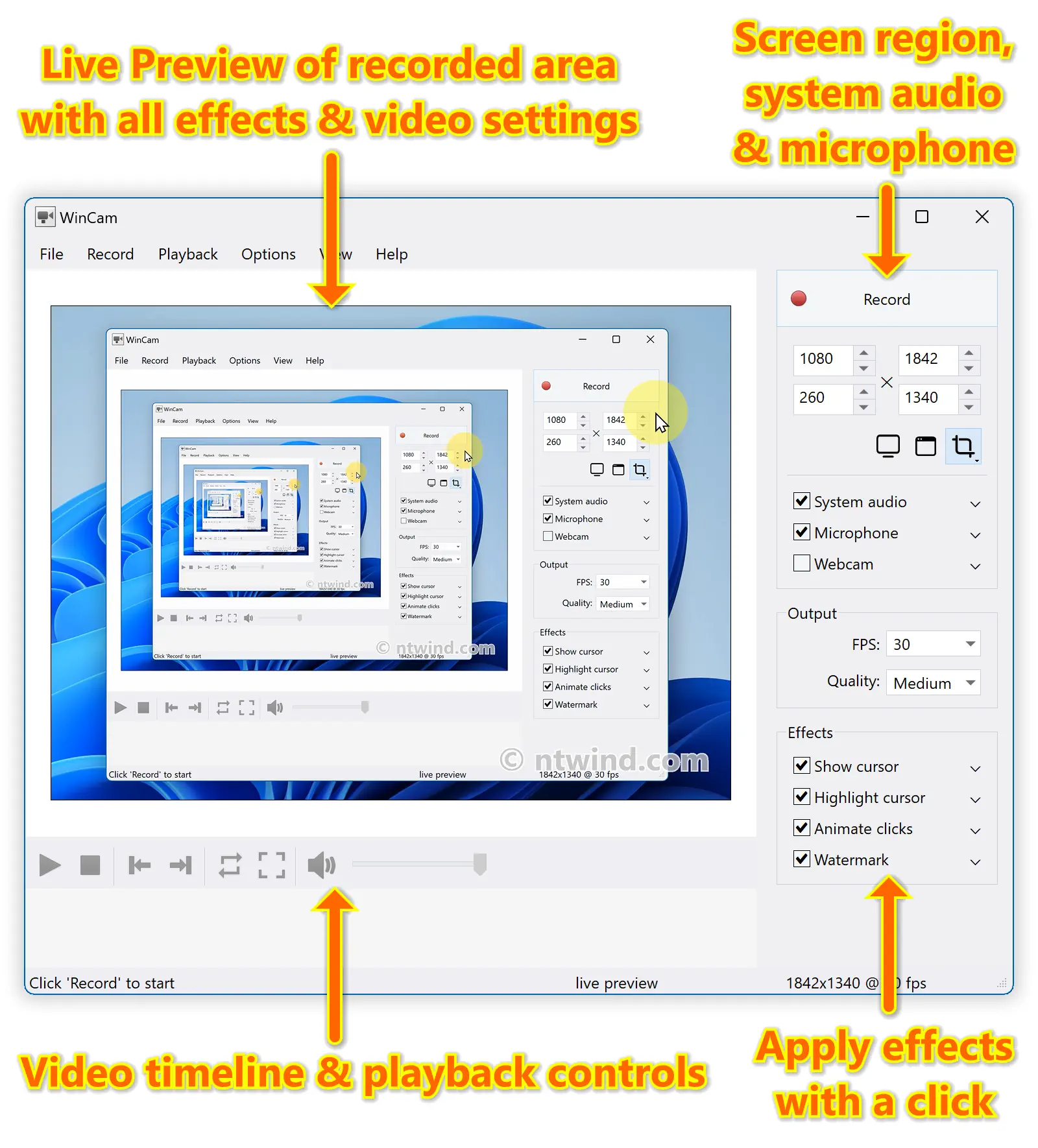
WinCam is a powerful and extremely easy-to-use screen recorder with live previews, post-processing effects and video editing capabilities. It can deal with a given application, a region or the entire screen – and record everything that goes on in there.
Alt-Tab Terminator - Modern Task Switcher with Search
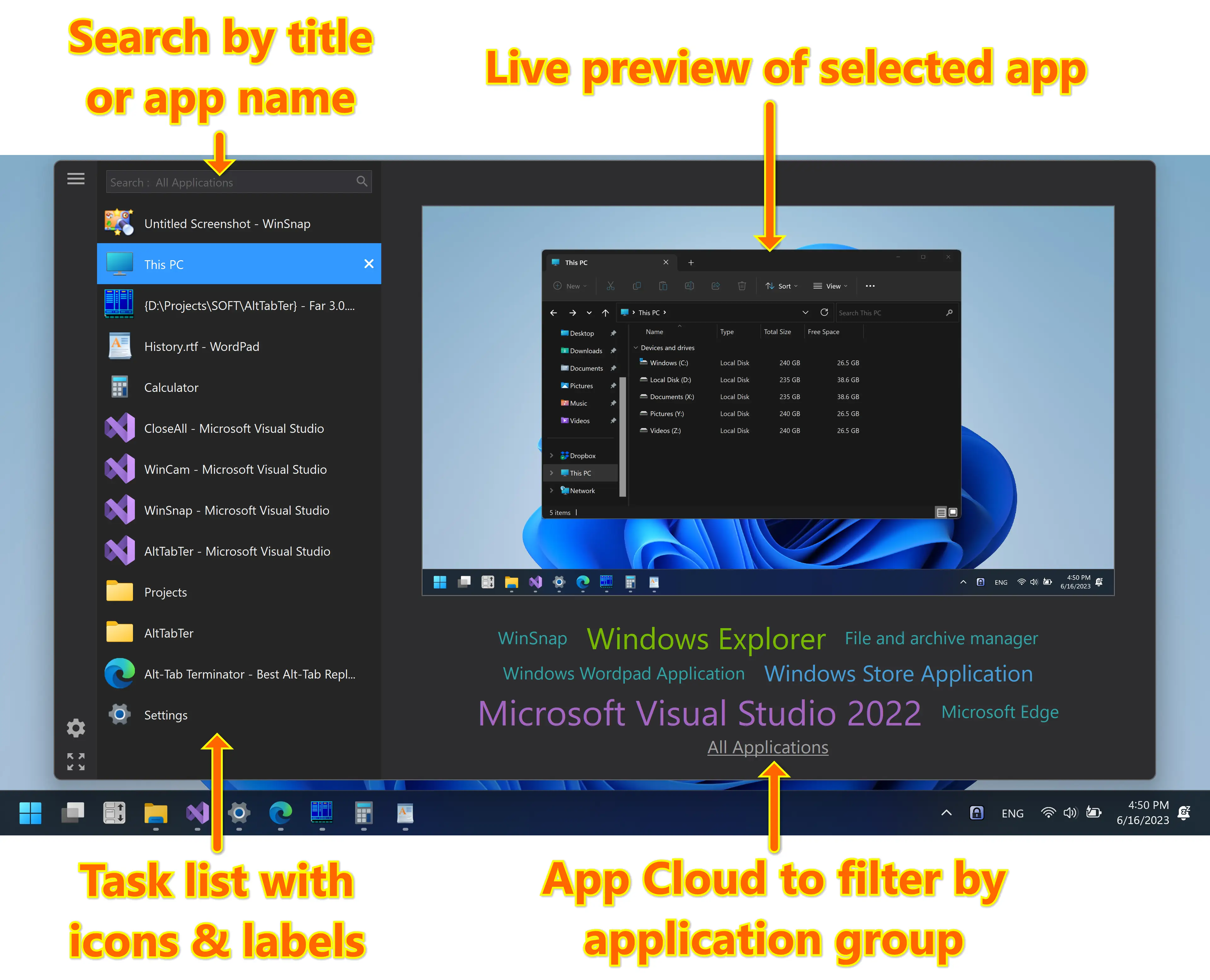
Alt-Tab Terminator replaces the default task switcher with a nice box that shows a list of all running tasks, live preview and app cloud. It allows you to search through the task list as you type and quickly navigate using the mouse and keyboard shortcuts. It's available in FREE and paid PRO versions.
Learn more about Alt-Tab Terminator →
CloseAll - Close All Windows at Once
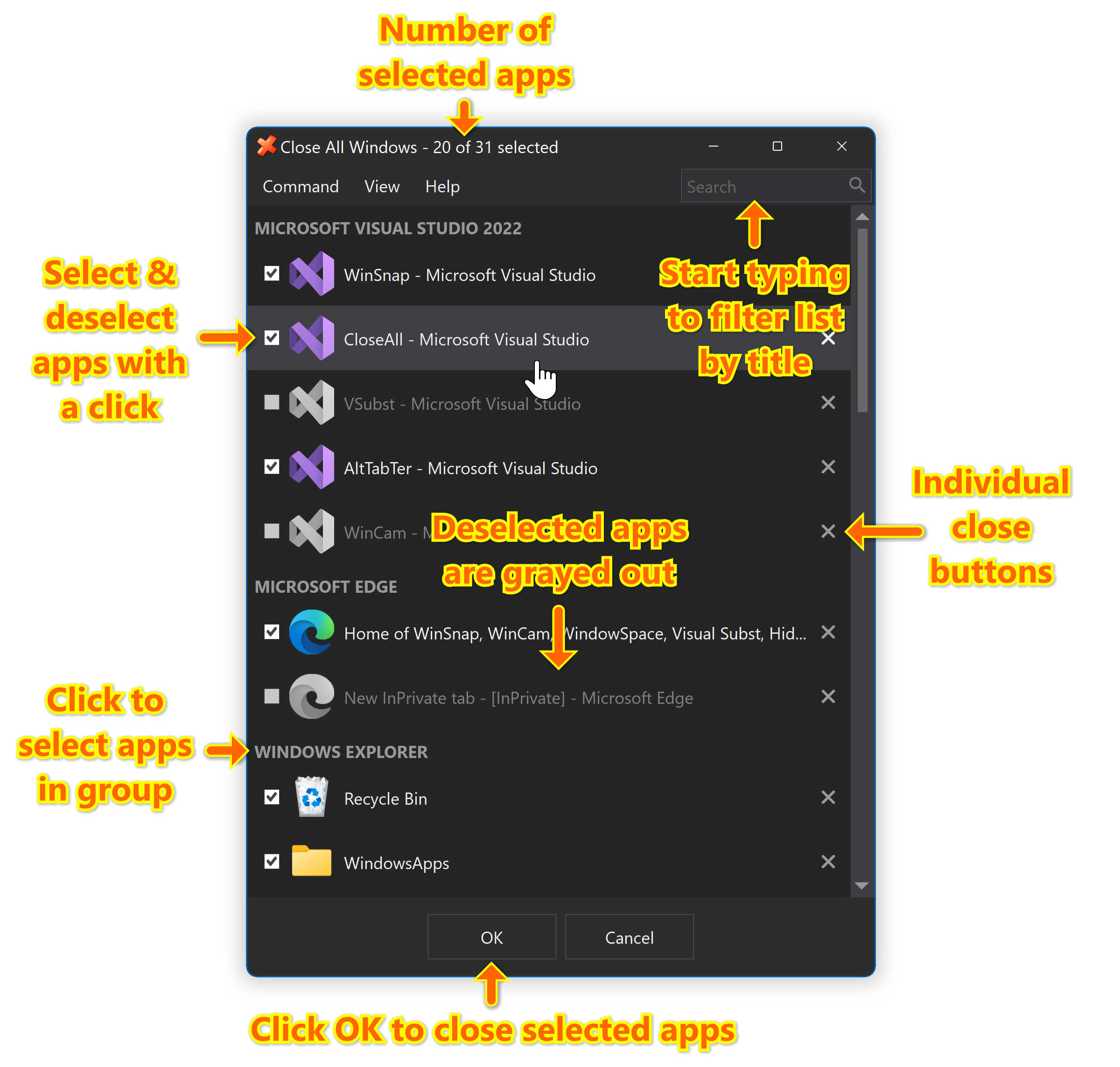
CloseAll allows you to close all running applications with just a single click. It doesn’t use any system resources and unloads right after completing its task. CloseAll simply flashes a ‘close’ signal to all open windows on the desktop and then ceases.
Home