NTWind News
This is a news blog about software published on NTWind website. You can subscribe to the NTWind News by email or RSS to stay up-to-date with our products and services.
Close All Windows v6.0 - Caching for App Icons
Changelog for CloseAll v6.0 (July 23, 2026):
- Added caching for app icons and UWP logos
- Optimized window and process enumeration algorithms
- Added 10+ new translations and refined existing
- Translated missing strings in the installer
- Various performance and stability improvements
Download CloseAll (32-bit and 64-bit)
Posted by Alexander Avdonin on 23-Jul-26 20:11
Clipaste v1.0.4 - Maintenance Release
Changelog for Clipaste v1.0.4 (July 21, 2026):
- Fixed an issue with favorite clipboard items
- Fixed an issue with error icons for file thumbnails
- Updated Flutter plugins to the latest versions
- Some other improvements and bug fixes
Clipaste for Windows and Mac →
Posted by Alexander Avdonin on 21-Jul-26 15:37
Screenshot Remote v2.0.1 - Major UI Update
Continuing the design and usability standards established by other remote apps, I'm pleased to announce the release of Screenshot Remote v2.0. Under the hood, this version also delivers refined translations across 22 languages, alongside critical security, stability and performance improvements.
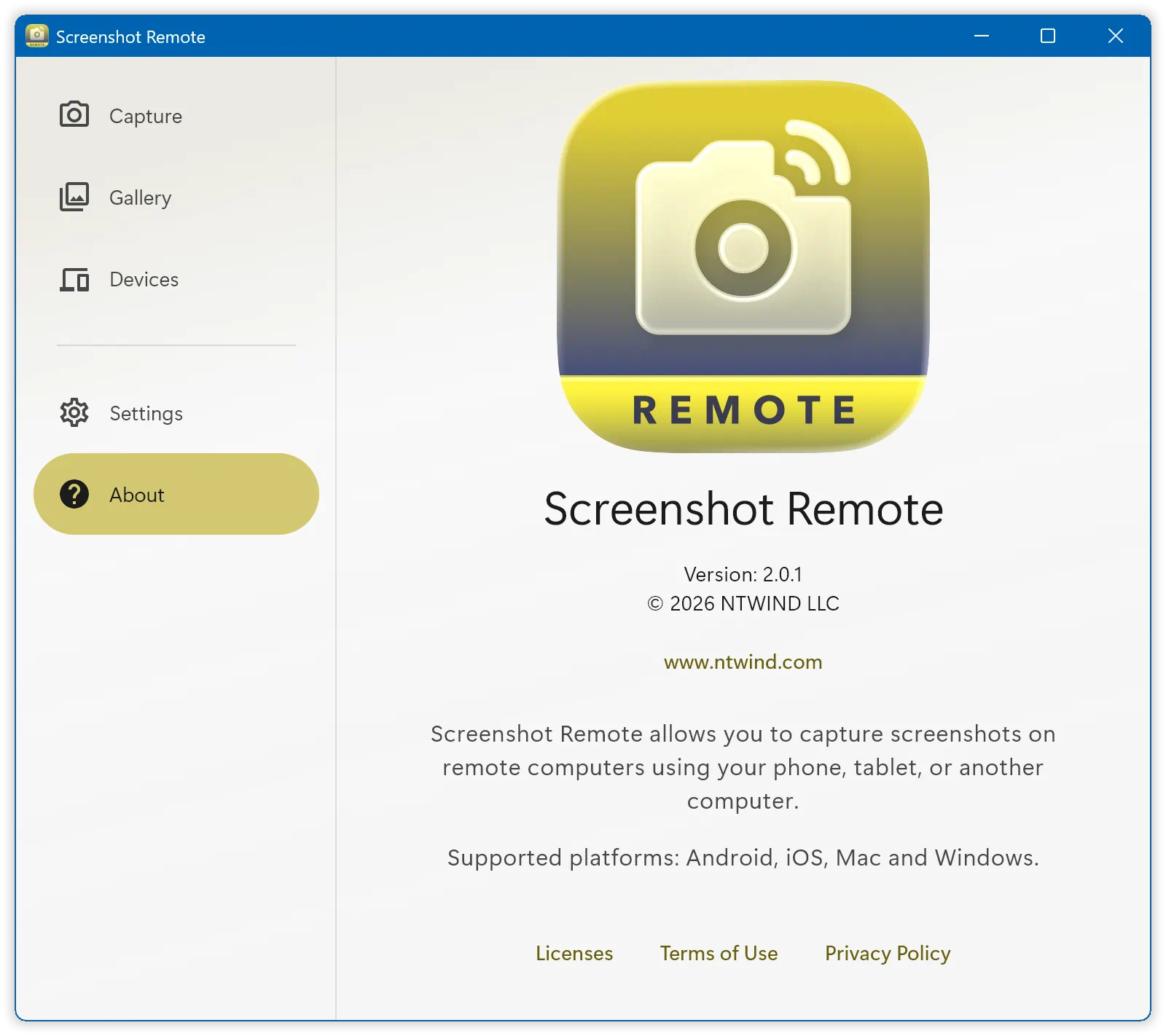
Changelog for Screenshot Remote v2.0.1 (July 14, 2026):
- New redesigned UI for desktops and mobiles
- Welcome page is displayed on the first run now
- Updated and refined translations to 22 languages
- Fixed pluralization issues for non-English locales
- Android & iOS: More convenient landscape layout
- Updated icons, logos and installer graphics
- Fixed an issue with device placeholder animation
- Many other stability and security improvements
Screenshot Remote for Windows, Mac, iOS and Android →
Posted by Alexander Avdonin on 15-Jul-26 16:04
Clipboard Remote v2.0.1 - New Responsive Design
Clipboard Remote v2.0 introduces a completely redesigned, responsive UI for desktop and mobile, featuring an enhanced landscape layout for iOS and Android and a new compact clipboard preview for text and images. File support is coming soon too!
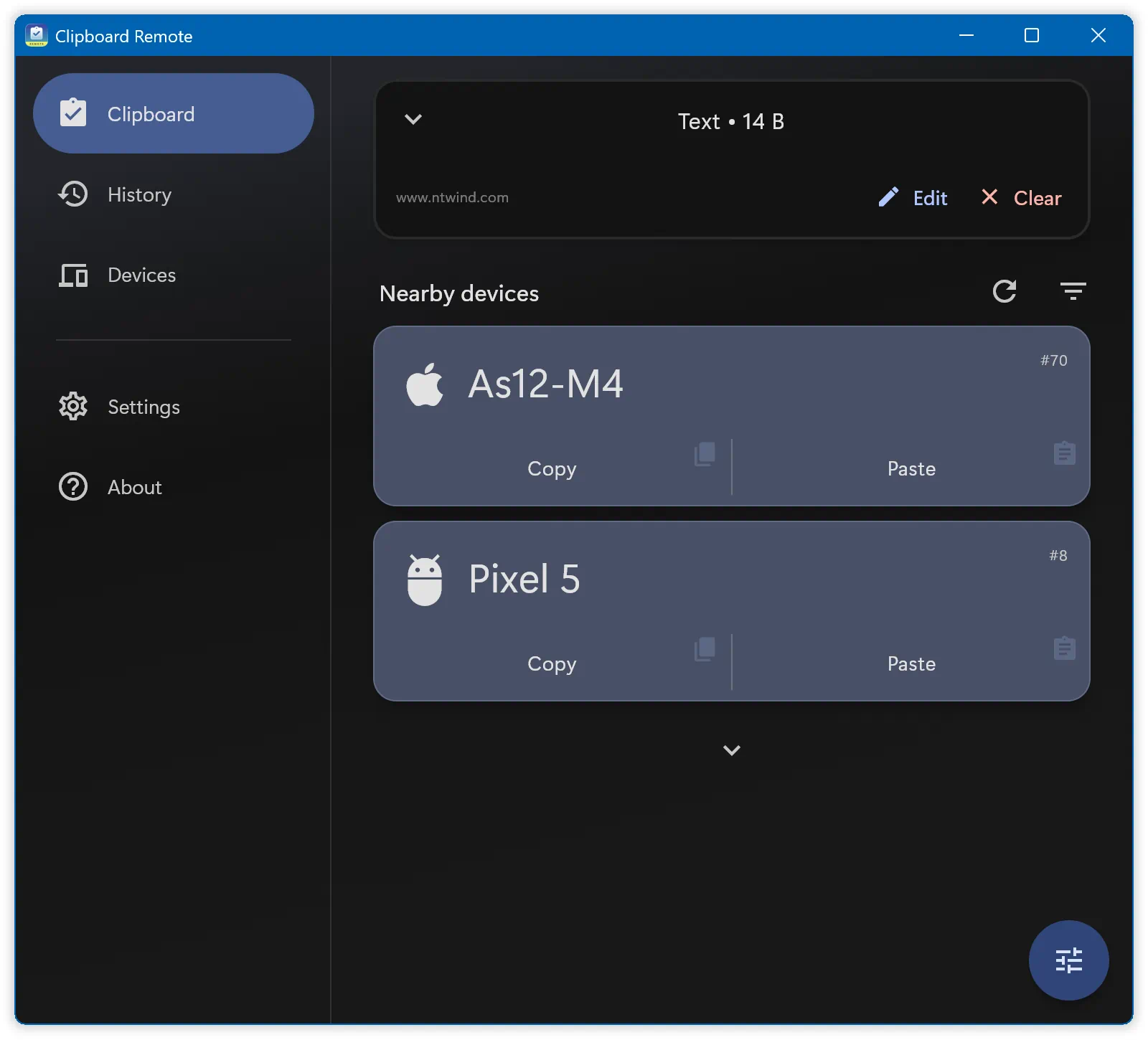
Changelog for Clipboard Remote v2.0.1 (July 9, 2026):
- New redesigned UI for desktops and mobiles
- New compact clipboard preview for text and images
- Welcome page is displayed on the first run now
- Updated and refined translations to 22 languages
- Fixed pluralization issues for non-English locales
- Android & iOS: More convenient landscape layout
- Updated icons, logos and installer graphics
- Many other stability and security improvements
Clipboard Remote for Windows, Mac, iOS and Android →
Posted by Alexander Avdonin on 09-Jul-26 16:35
WinSnap v6.2.4 - Capture Delay on Icon Button
A new version of WinSnap is available for download. When the capture delay is enabled, the duration is displayed directly on the icon button now, offering a small but practical enhancement for your convenience.
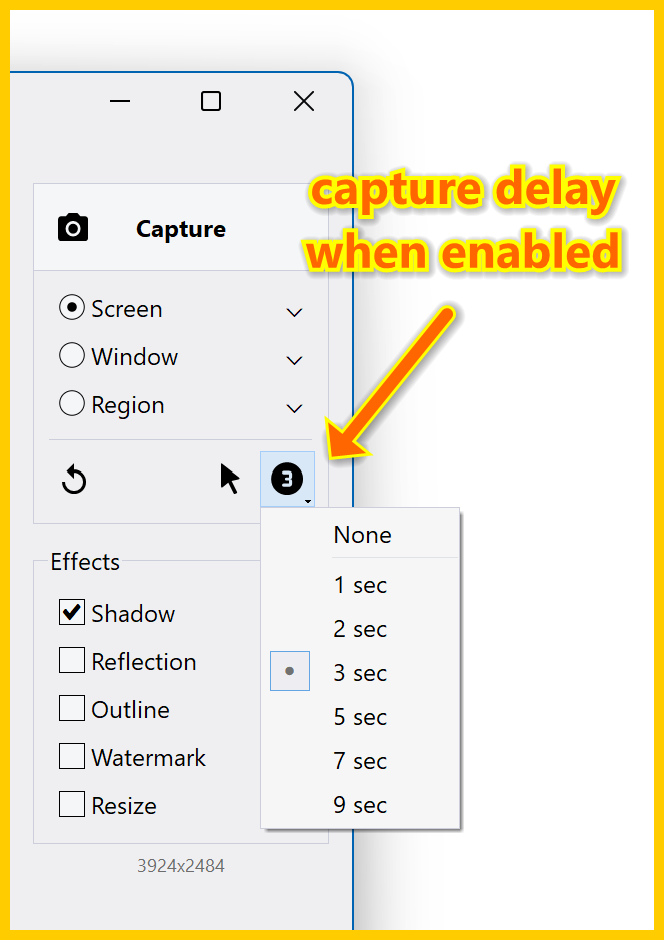
Changelog for WinSnap v6.2.4 (July 8, 2026):
- Vector icons for Capture, Save and Copy buttons
- Delay button shows the number of seconds now
- Updated the timer icon to match the style of other icons
- Some other minor improvements and bug fixes
Download WinSnap (32-bit and 64-bit)
Posted by Alexander Avdonin on 08-Jul-26 16:00
WinCam v4.0 - Webcam Pan/Zoom & Faster Encoding
The new major version of WinCam delivers significant speed and efficiency improvements, reducing capture and encoding CPU usage by 50%. Additionally, this update introduces enhanced webcam quality and pan/zoom controls, semi-transparent text watermarks, and updated localization across 22 languages.
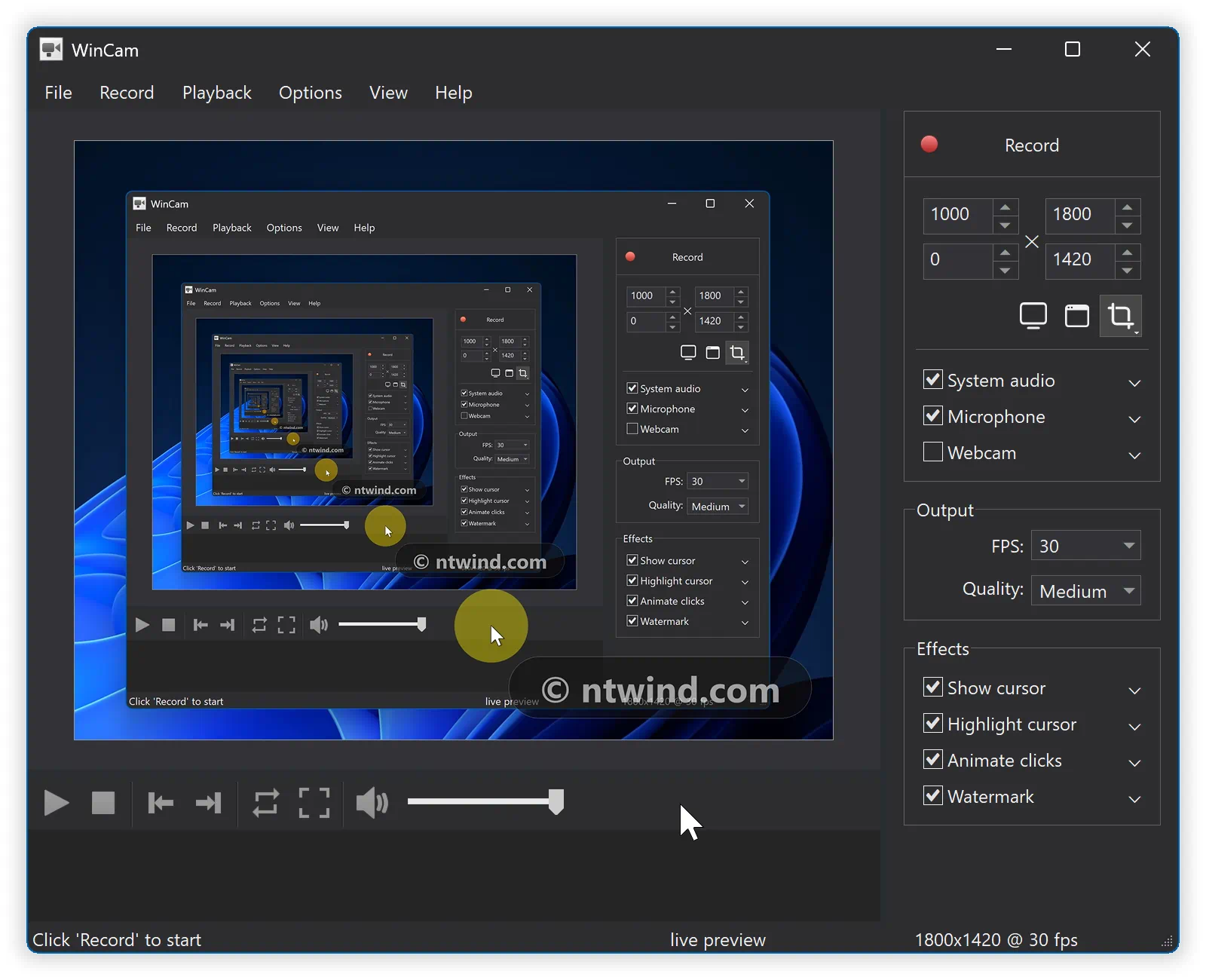
Changelog for WinCam v4.0 (July 7, 2026):
- Added quality and pan/zoom support for webcam
- Optimized capture and encoding CPU usage by 50%
- Text watermark on semi-transparent background
- Refined and verified all included 22 language files
- Translated missing strings in the installer
- Vaious performance and stability improvements
Download WinCam (32-bit and 64-bit)
Posted by Alexander Avdonin on 07-Jul-26 21:30
Upload Remote v2.0.1 - New Redesigned UI
Upload Remote v2.0 features a completely redesigned, responsive UI for desktop and mobile similar to recently released Power Remote and Media Remote. Download now and check out the new compact file selector and improved landscape layout.
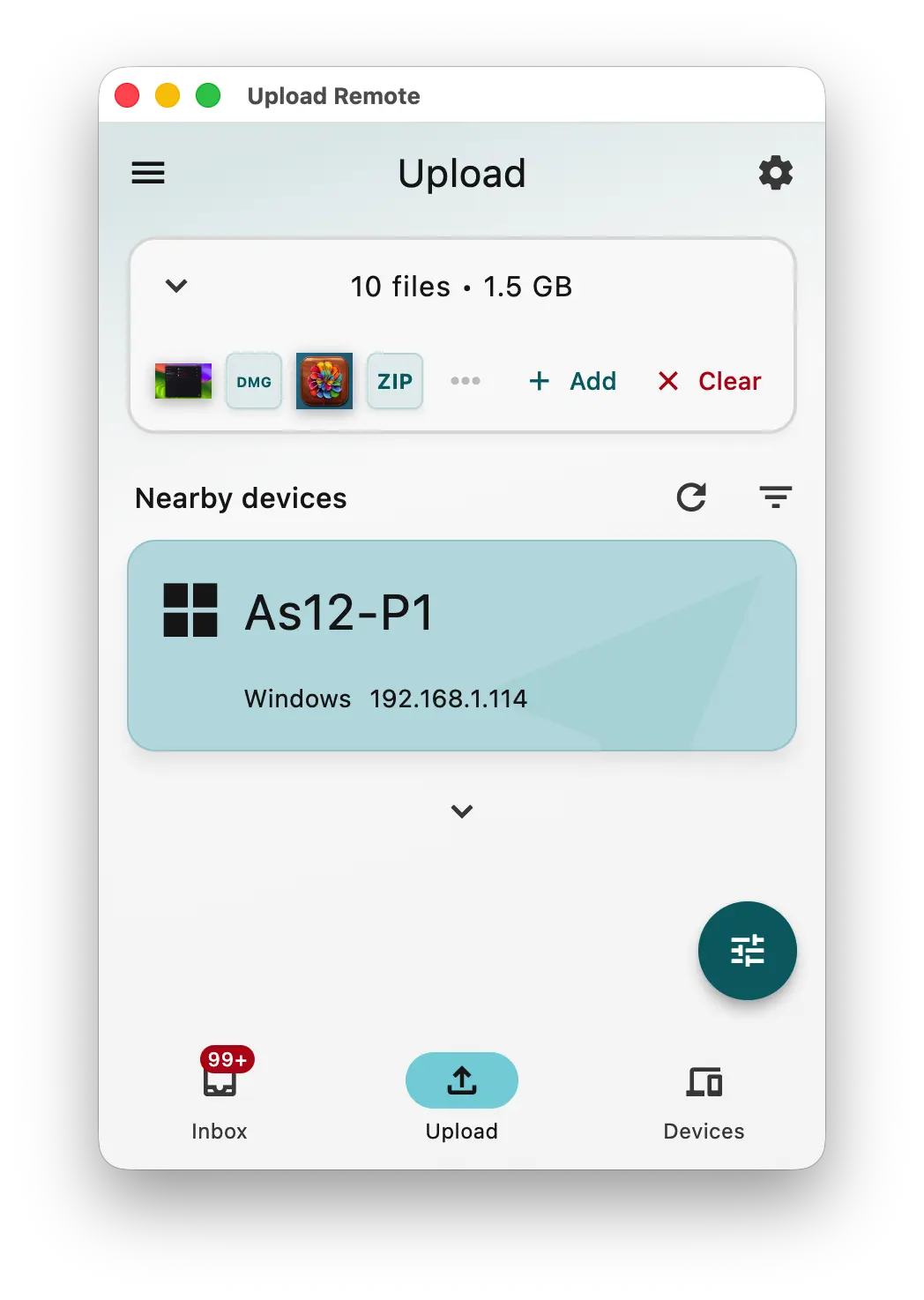
Changelog for Upload Remote v2.0.1 (July 6, 2026):
- New redesigned UI for desktops and mobiles
- New compact file selector on Upload tab
- Welcome page is displayed on the first run now
- Updated and refined translations to 22 languages
- Android & iOS: More convenient landscape layout
- Updated icons, logos and installer graphics
- Many other stability and security improvements
Upload Remote for Windows, Mac, iOS and Android →
Posted by Alexander Avdonin on 05-Jul-26 23:00
Visual Subst v6.0 - Customize Virtual Drive Icons
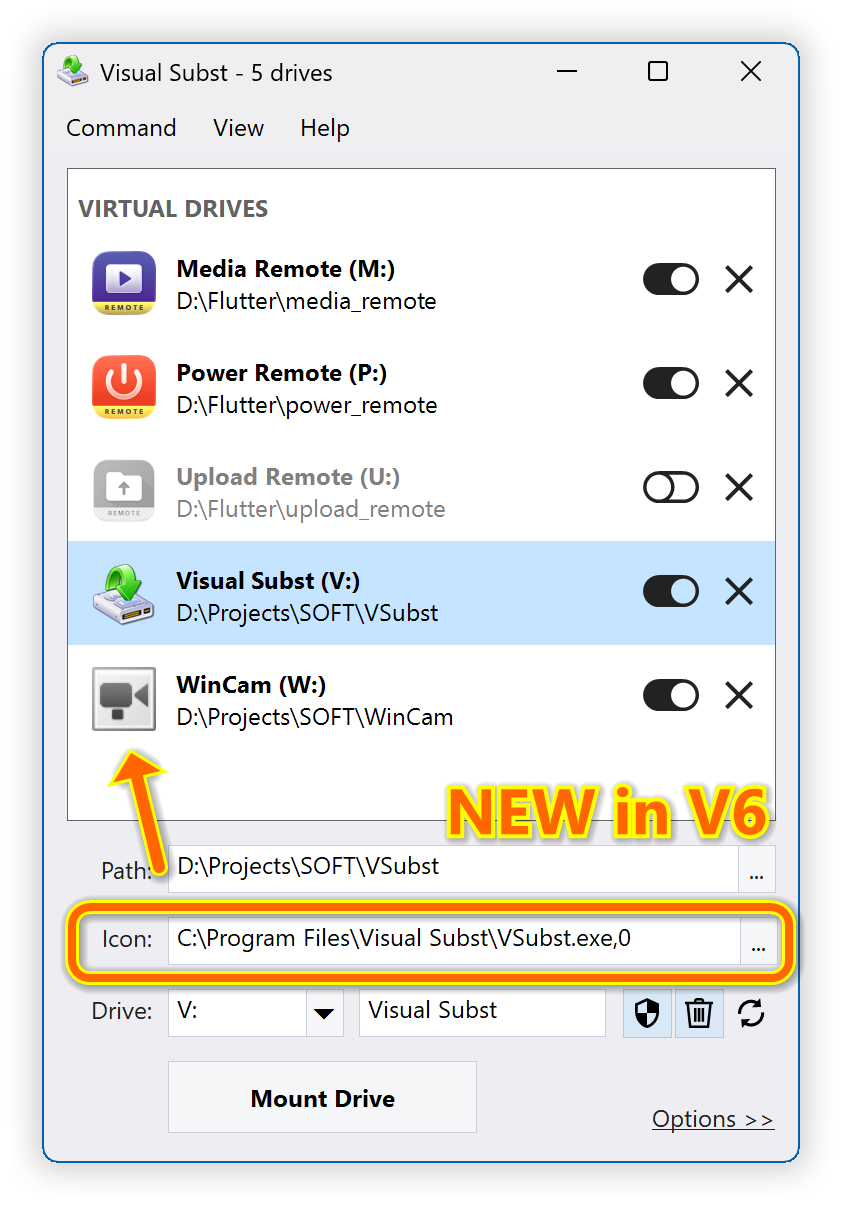
Visual Subst turns 20 this year, and this new major release celebrates the milestone. I spent time polishing the code that handles network drives, which now works asynchronously and much faster. The main feature in v6.0 though is the ability to customize icons for both virtual and network drives. As a use case, I often create virtual drives for the projects I'm working on:
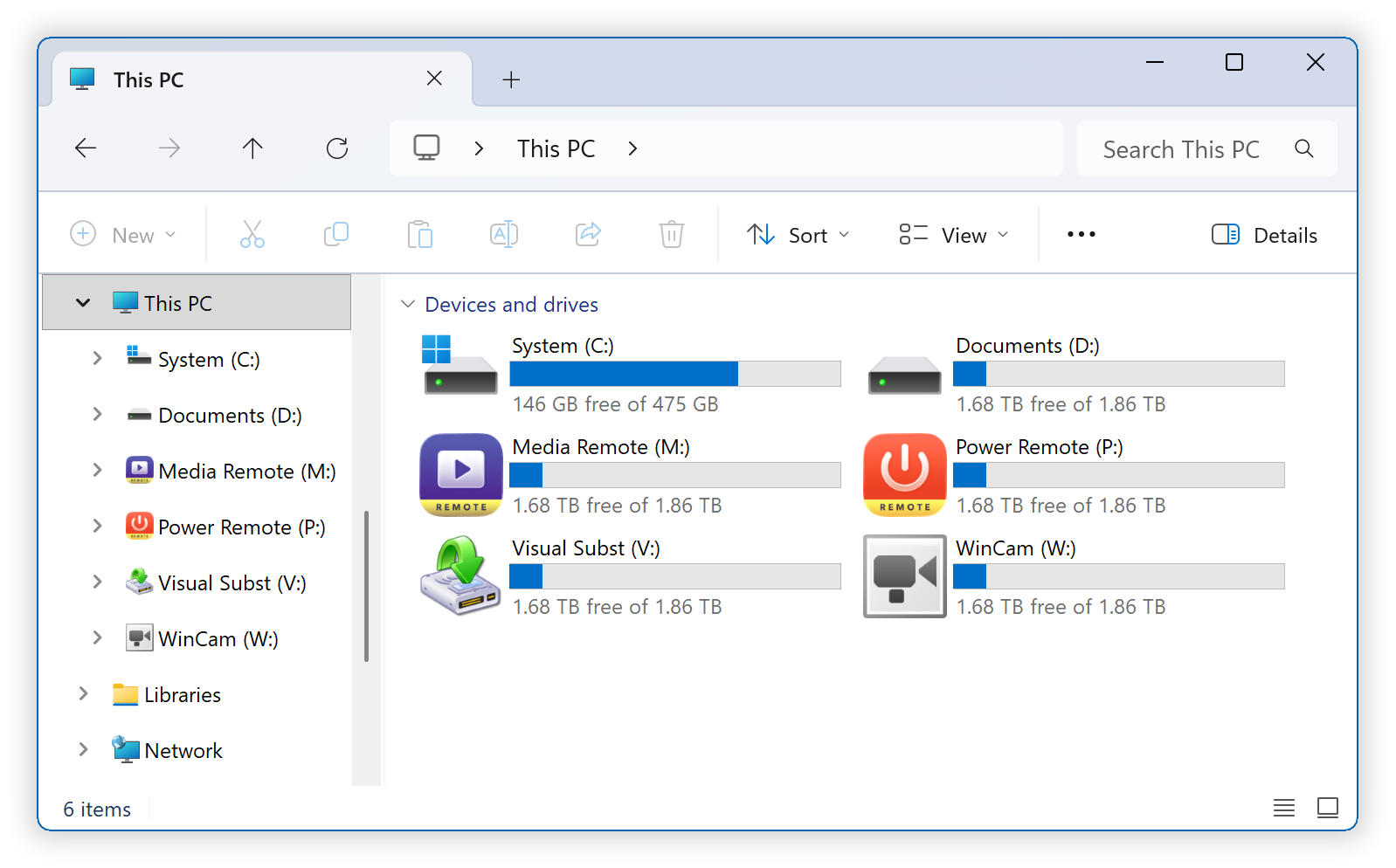
Custom drive icons are shown in Windows Explorer and other apps:
Changelog for Visual Subst v6.0 (July 1, 2026):
- Added custom icons for virtual and network drives
- Implemented asynchronous processing for network drives
- Renamed Auto-Update to Auto-Restore (useful for network drives)
- Added confirmation dialogs for drives with Auto-Restore
- Polished the UI and renamed some options for clarity
- Updated 32 language files with the new strings
- Various other performance and stability improvements
Download Visual Subst (32-bit and 64-bit)
Posted by Alexander Avdonin on 01-Jul-26 11:28
Media Remote v1.0.1 - Control Playback with Your Phone
Media Remote is a local-network remote control for any video and audio playing on your computer. Use your phone or tablet to send media commands to a paired PC or Mac. Supported actions include Play, Pause, Next, Previous, Volume Up, Volume Down, Mute, Full Screen, Open URL, and Open File.
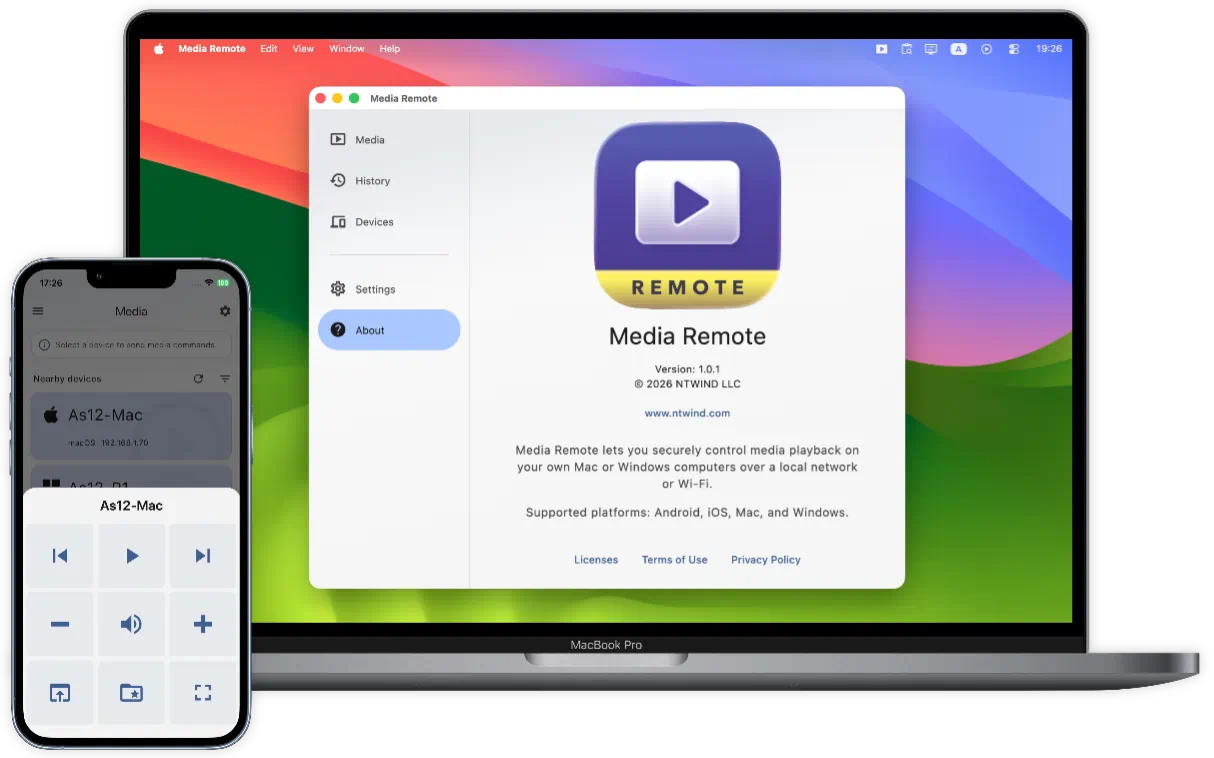
Found a YouTube link on your phone? Open it on the computer connected to the big screen. Want to play a file from your media folder? Choose it from your remote device and start it on the computer.
To start using Media Remote, install it on two or more devices. Media receiver features are available on Mac and Windows computers only. Use Android, iPhone or iPad as the remote.
Media Remote for Windows, Mac, iOS and Android →
Posted by Alexander Avdonin on 27-Jun-26 14:30
Power Remote v1.0.1 - Wake, Sleep, Lock your PC or Mac
Turn your phone, tablet, Mac, or Windows computer into a secure power console for the devices you own. Power Remote helps you control supported power actions across your trusted LAN or Wi-Fi network with explicit pairing and local encrypted communication.
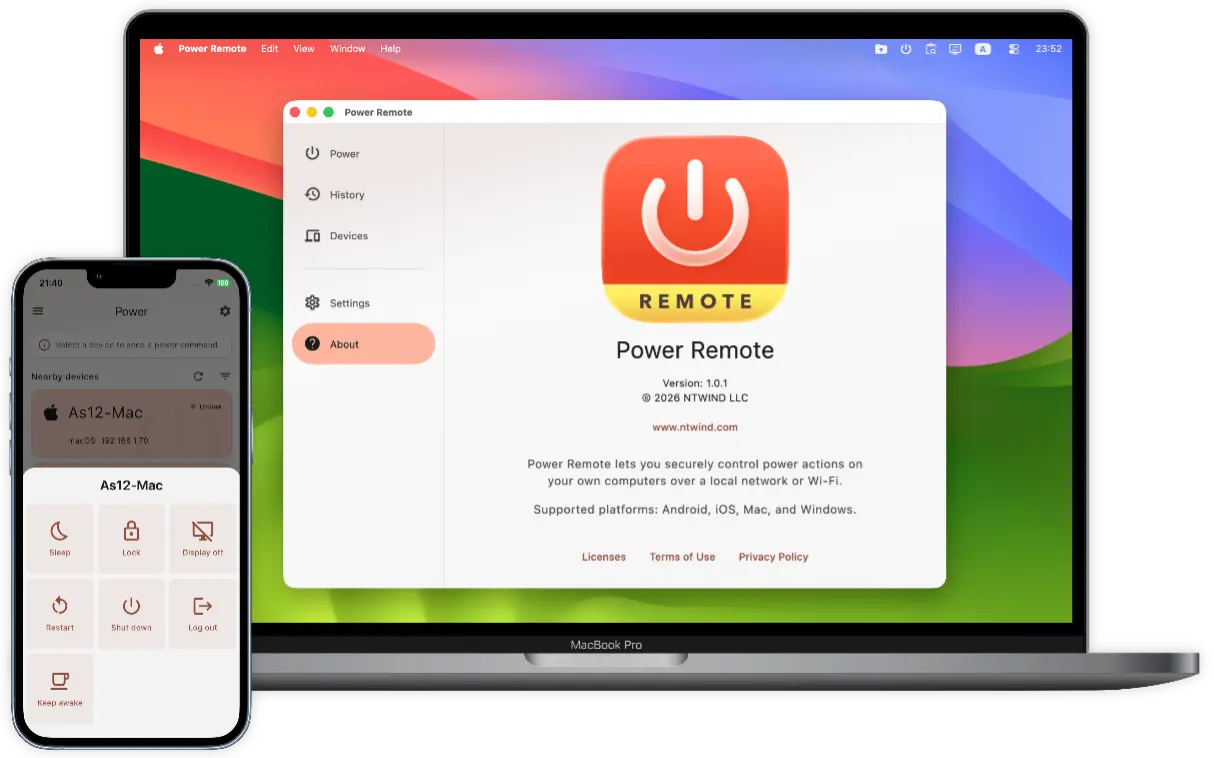
Instead of walking across the room to press a button, use Power Remote to send the command you need: Sleep, Wake, Lock, Restart, Shut Down, Log Out, Display Off, or Keep awake. Wake-on-LAN can wake sleeping computers when the target device and network are configured for WoL. Keep awake includes a timer, so you can prevent sleep for a meeting, transfer, render, download, or remote session, then let the device return to normal automatically.
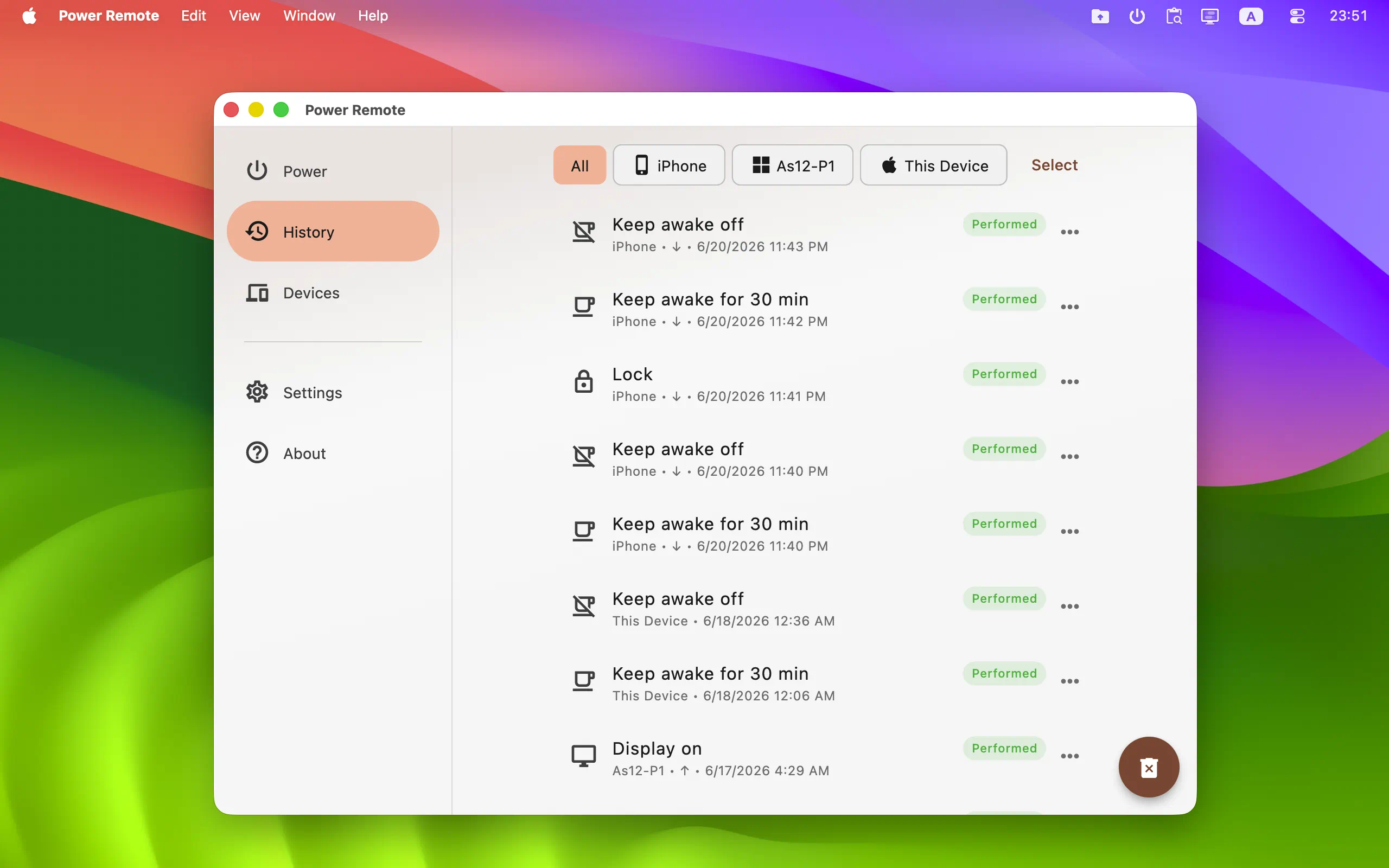
To start using Power Remote, install it on two or more devices - PC, Mac, iPhone, iPad, Android phone or tablet. Only Mac and Windows computers can receive power commands.
Power Remote for Windows, Mac, iOS and Android →
Posted by Alexander Avdonin on 25-Jun-26 15:18
Showing 31 - 40 of 385 Articles | Page 4 of 39
Home • News