Hello, and Welcome!
Our mission is to empower users with high-quality and easy-to-use tools that simplify complex tasks and enhance their everyday computer experience. On this website, you’ll find the following products:
Clipaste - Private, Searchable Clipboard for PC & Mac
Clipaste saves everything you copy in any app and lets you find it instantly. Search as you type, filter by app, pin favorites, drag to other apps and paste previous items fast. It works for text, images and files.
Clipaste for Windows and macOS →
Phollet - Mobile Wallet for Important Photos & Notes
Phollet (or Photo Wallet) redefines how you manage your essential photos and notes. Quickly create a separate, private gallery on your iOS or Android device and leave the clutter behind. With its focus on speed and simplicity, your most-used content is always just a tap away!
Upload Remote - Send Files Directly to Any Device
Upload Remote enables fast and secure file transfers over a local network or
Upload Remote for Windows, Mac, iOS and Android →
Clipboard Remote - Copy & Paste between PCs or Mobiles
Clipboard Remote is the simplest way to send URLs between devices or transfer photos from your phone directly to your computer's clipboard for immediate use. It provides smooth, secure clipboard sharing between PCs, Macs and mobile devices.
Clipboard Remote for Windows, Mac, iOS and Android →
Screenshot Remote - Screen Capture over Wi-Fi or LAN
Screenshot Remote is a cross-platform application available for Android, iOS, Mac and Windows which allows you to capture screenshots on remote computers using your phone, tablet or another computer.
Screenshot Remote for Windows, Mac, iOS and Android →
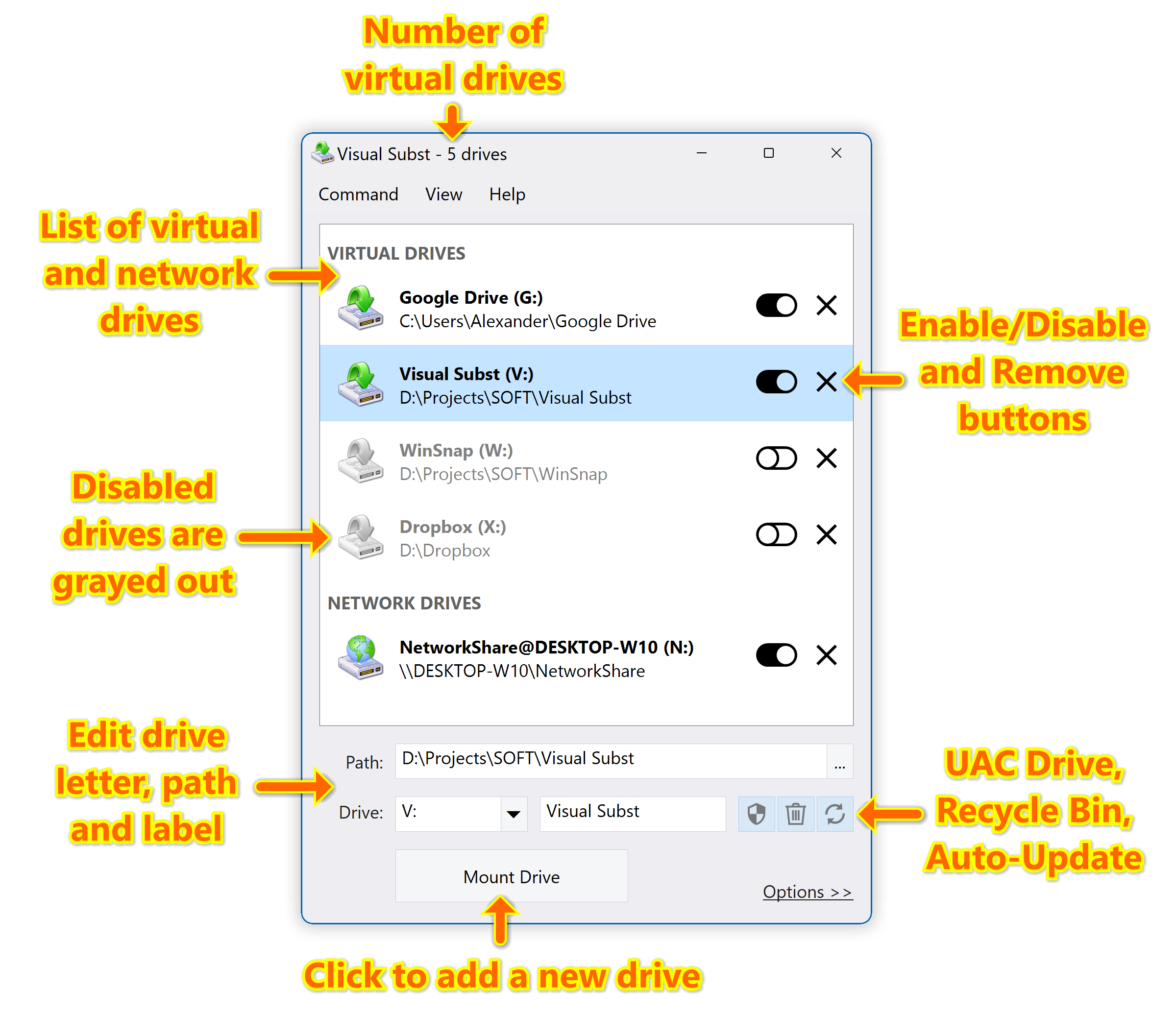
Visual Subst - Mount Folders as Virtual Drives
Visual Subst solves four main issues with the built-in 'SUBST' and ‘NET USE’ commands: it adds editable drive labels, creates UAC drives for elevated applications, manages Recycle Bin for deleted items and restores virtual drives after reboots. Manage virtual drives in a much more convenient way!
Learn more about Visual Subst →
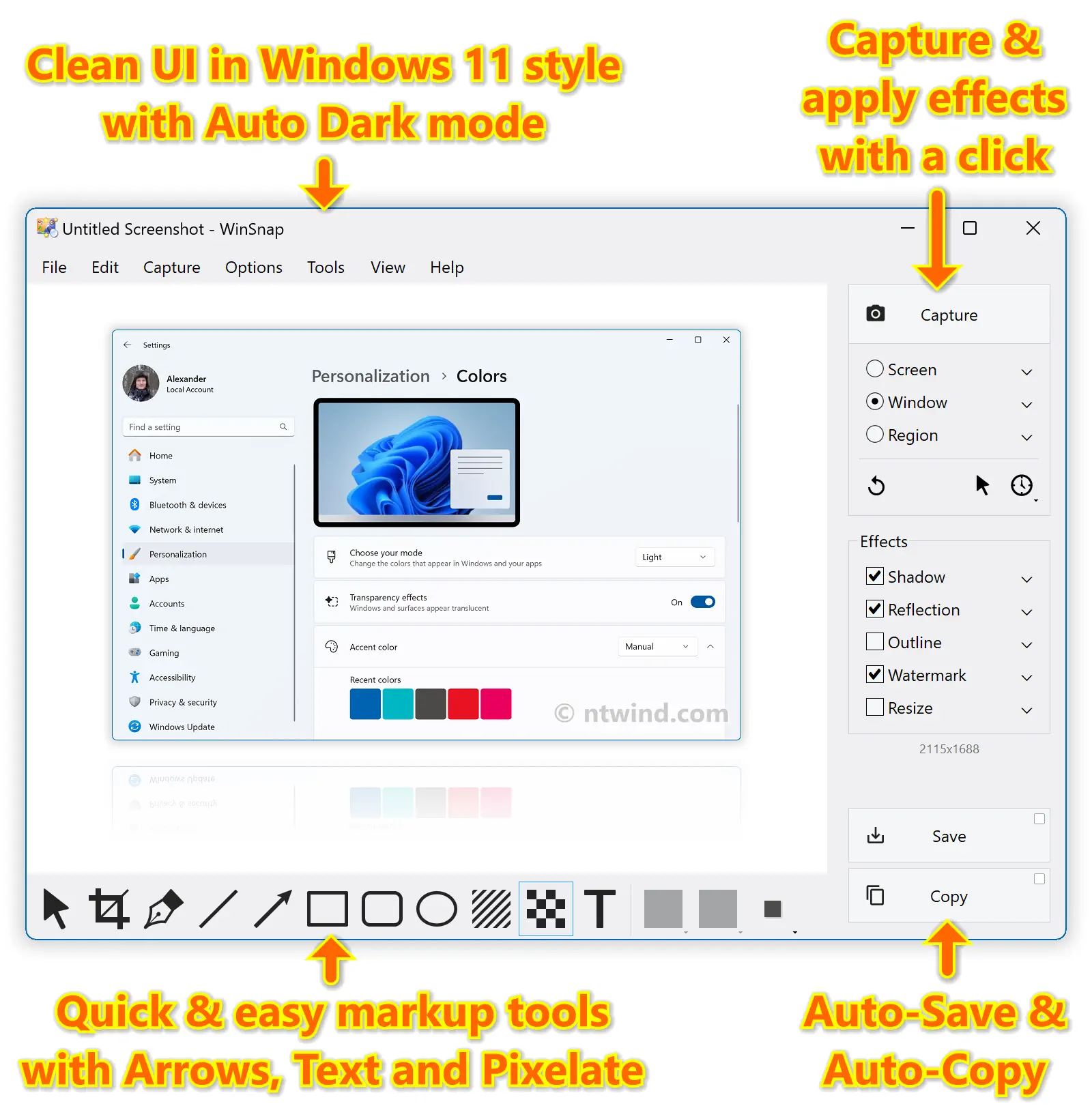
WinSnap - Create Superior Screenshots
WinSnap easily captures windows of non-rectangular form with transparent backgrounds including Aero Glass and instantly enhances screenshots with professional-looking shadows, reflections, highlights, outlines, watermarks, color effects and annotations.
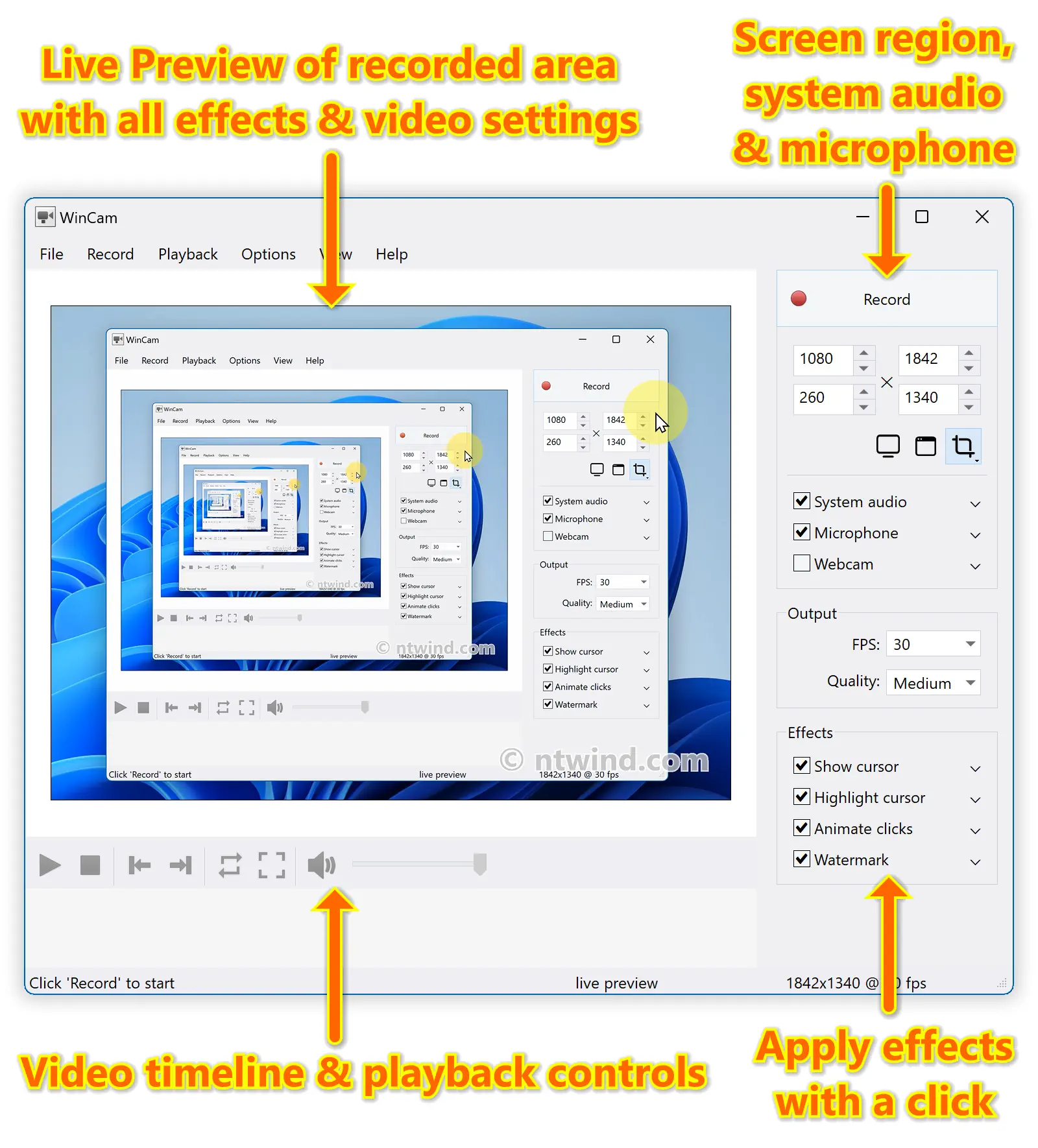
WinCam - Lightning-Fast Screen Recording
WinCam is a powerful and extremely easy-to-use screen recorder with live previews, post-processing effects and video editing capabilities. It can deal with a given application, a region or the entire screen – and record everything that goes on in there.
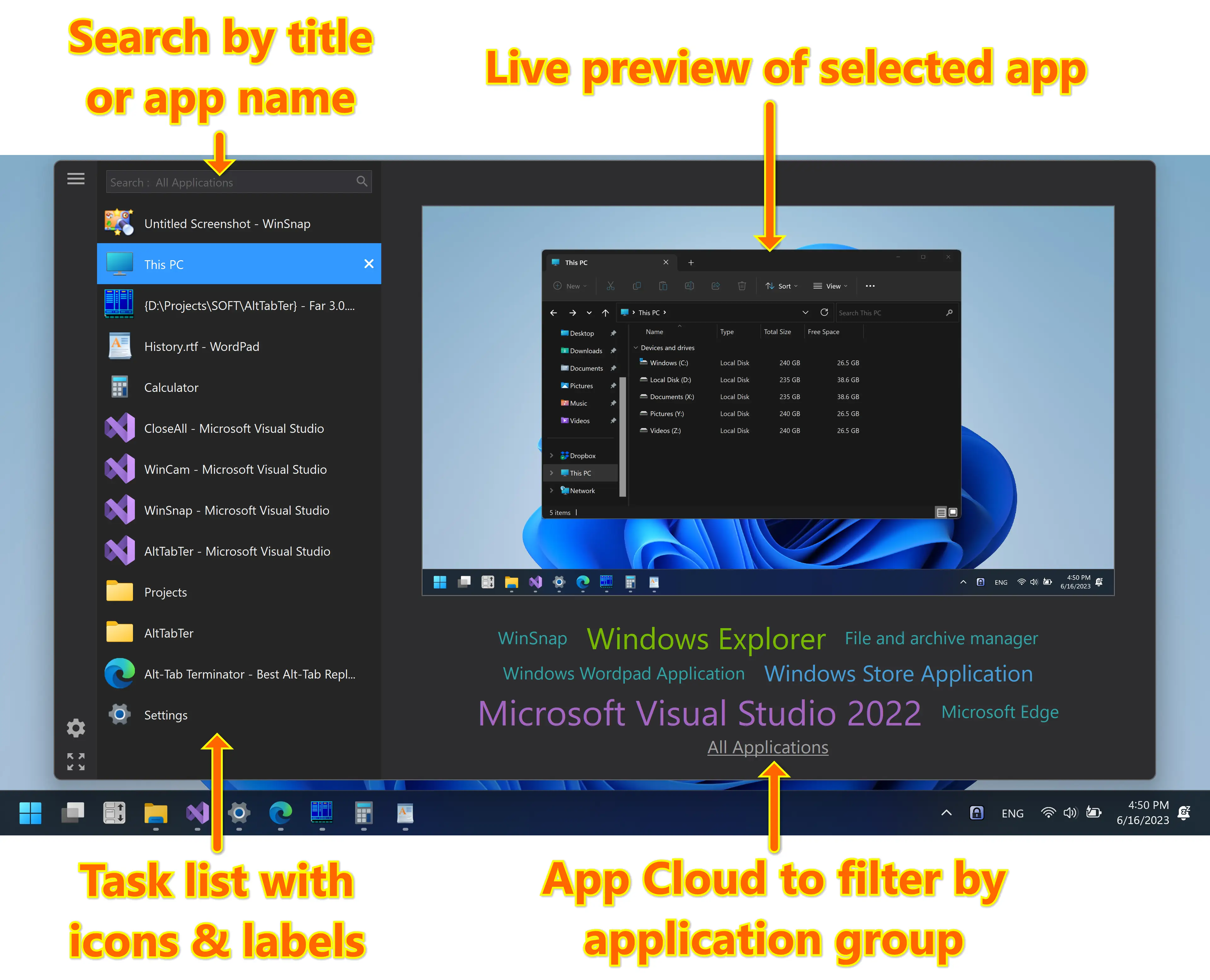
Alt-Tab Terminator - Modern Task Switcher with Search
Alt-Tab Terminator replaces the default task switcher with a nice box that shows a list of all running tasks, live preview and app cloud. It allows you to search through the task list as you type and quickly navigate using the mouse and keyboard shortcuts. It's available in FREE and paid PRO versions.
Learn more about Alt-Tab Terminator →
CloseAll - Close All Windows at Once
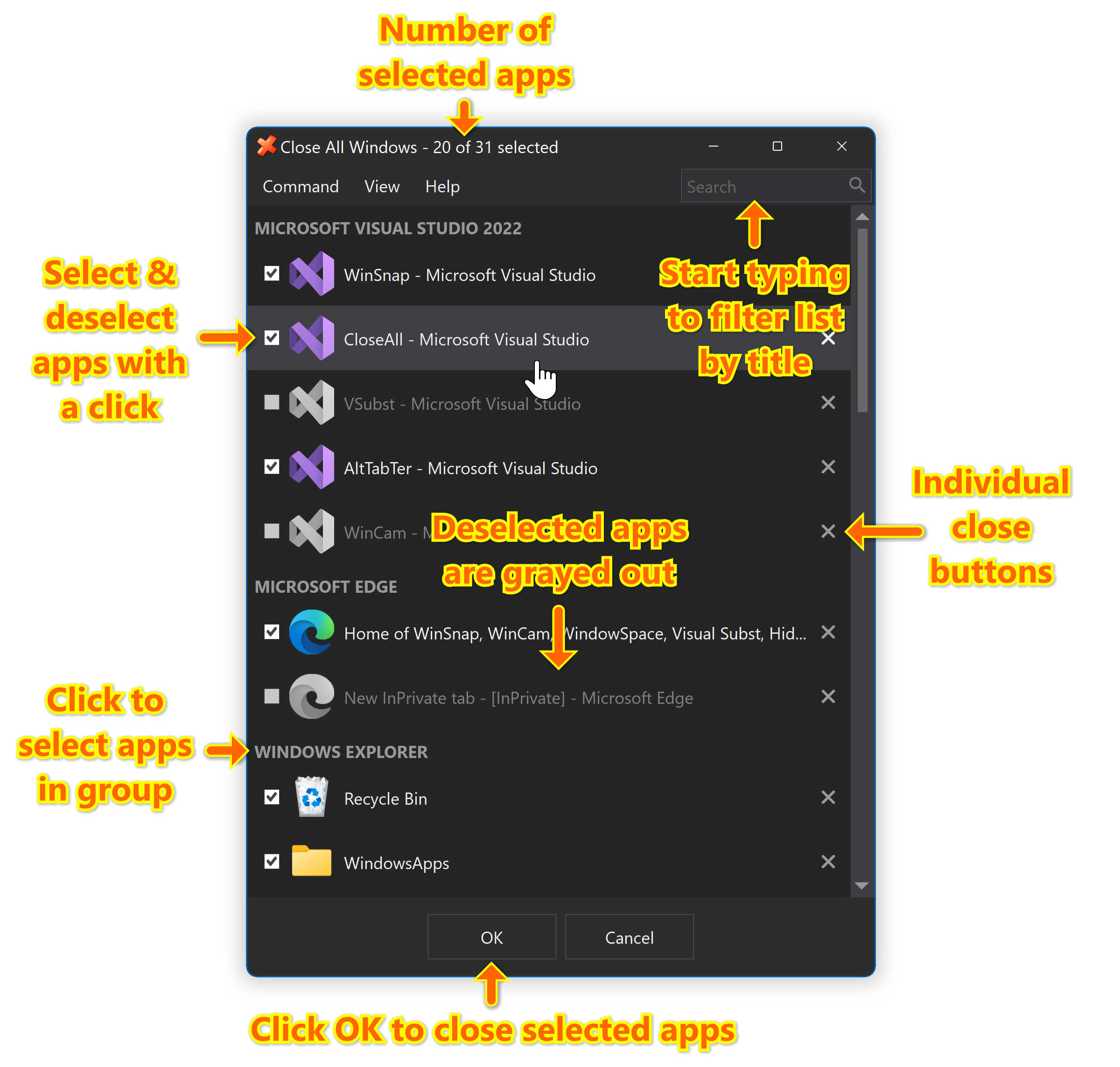
CloseAll allows you to close all running applications with just a single click. It doesn’t use any system resources and unloads right after completing its task. CloseAll simply flashes a ‘close’ signal to all open windows on the desktop and then ceases.
Home