History of WinSnap

Below is a brief list of new features, bug fixes and improvements included in the latest versions of WinSnap. A more descriptive list with screenshots and product information is published in the news blog.

See the What's New Page or subscribe to our RSS Feed for more details on updates.

Version 4.0.6 (April 9, 2013)

  • Fixed bug with copying/pasting of lines and arrows
  • Fixed issues with Object capture on Windows 8
  • Several other minor improvements and bug fixes

Version 4.0.5 (June 11, 2012)

  • New line tool and updated tool icons/cursors
  • Better compatibility with Windows 8 Release Preview
  • Fixed issue with incorrect cursor position and Aero theme
  • Fixed issue with File->New command in Windows Explorer
  • Some other improvements and bug fixes

Version 4.0.4 (May 8, 2012)

  • Support for Windows 8 Consumer Preview
  • Added "Copy images with transparency" option
  • Added application and folder icons in Tools menu
  • Right-click on empty area opens Advanced File menu
  • Changed default window size for different resolutions
  • Fixed control and window sizes in high DPI mode
  • Removed "LICENSED TO" from the titlebar in the registered version
  • Several other minor improvements and bug fixes

Version 4.0.3 (February 12, 2012)

  • Keyboard shortcuts to move/resize objects (arrow keys, ctrl, shift)
  • Line color/thickness, drawing tool are now restored after restart
  • Adjusted line thickness for region selection on low screen resolutions
  • Auto-Copy puts screenshot to clipboard when effects are changed
  • Fixed issues when pressing PrintScrn in region selection mode
  • Fixed dwmapi.dll error on Windows XP 64-Bit Edition

Version 4.0.2 (January 27, 2012)

  • Fixed showing/restoring the main window after capture
  • Fixed sharpness of printed images and print resolution
  • Fixed restoring of auto-save and auto-copy options at startup
  • Fixed issue with watermark position on the bottom-left
  • Fixed issue with 1px outline when shadow is disabled
  • Fixed closing of tray menu on losing focus and ESC
  • Fixed background color of copied to clipboard images
  • Fixed non-default format selection in Save dialog
  • Many minor improvements and bug fixes

Version 4.0.1 (January 24, 2012)

  • New major version of WinSnap with reworked UI
  • Built-in image editor: arrows, rectangles, text annotations
  • Capture native Aero shadows in Window and Application modes
  • In-place color effects: grayscale, darken, lighten, sepia, invert
  • Copy/paste images with transparency to Office 2010 and other apps
  • Advanced file commands: open location, copy path, delete, rename
  • Close to tray, minimize to tray, always on top commands
  • Improved region selection: larger magnifier, crossing lines
  • No support for Windows 2000, minimum - XP, recommended - Win7
  • Tons of other improvements and fixes

Version 3.5.7 (October 2, 2011)

  • Updated languages: German, Slovenian
  • Added test support of Windows 8 Developer Preview
  • Fixed issue with clearing Tools menu preferences after restart
  • Fixed issue with "dwmapi.dll not found" error on Windows 2000/XP

Version 3.5.6 (September 7, 2011)

  • New languages: Georgian (35+ languages now!)
  • Updated languages: Danish, Dutch, Hungarian, Italian, Russian, Persian
  • Improved language selection in WinSnap installer

Version 3.5.5 (March 1, 2011)

  • Updated languages: Chinese, Danish, Turkish, Ukrainian
  • Unified installer for 32-bit and 64-bit editions of WinSnap
  • "Check for Updates" was greatly improved (2 mouse clicks now)
  • Shorter screen capture delay on Windows 7 and Vista
  • Fixed close button bug in Image Options dialog
  • Several other minor improvements and bug fixes

Version 3.5.4 (November 24, 2010)

  • New languages: Polish, Slovenian, Hebrew (34+ languages now!)
  • Updated languages: German, Czech, Chinese, Armenian, Serbian
  • Fixed an issue with tooltips on toolbar buttons when changing language

Version 3.5.3 (October 19, 2010)

  • Added option "Disable global hotkeys for taking screenshots"
  • Revised English language template file (see Translation.txt)
  • Updated Russian translation for version 3.5
  • Some minor improvements and bug fixes

Version 3.5.2 (October 5, 2010)

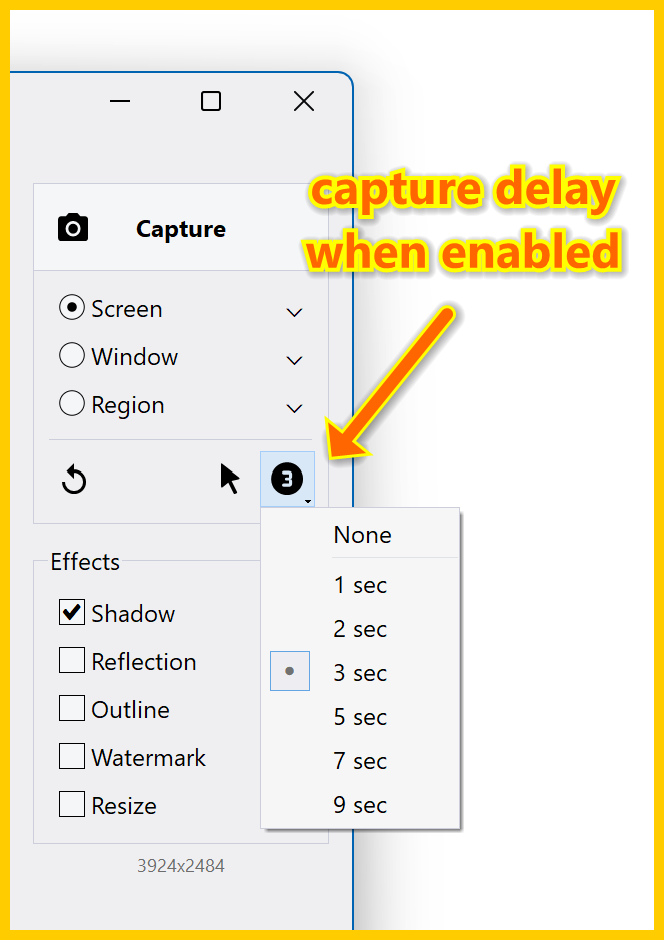
  • Delayed capture feature was greatly improved
  • Added ability to adjust timeout for delayed capture (Settings, Capture tab)
  • Added a countdown timer feature for delayed capture (Settings, Capture tab)
  • Added 256x256 icon for Windows Vista/7 to the EXE resources
  • Some options in the Settings dialog were renamed/rearranged
  • Various stability and performance improvements

Version 3.5.1 Beta (May 6, 2010)

  • New options toolbar for quick access to capture preferences
  • New feature: delayed capture (5 seconds before taking snapshot)
  • Updated trial reminder and enter license key dialogs
  • Added ability to capture popup menus of QT applications (Object mode)
  • Several fixes and improvements on the region selection mode
  • Region selection is now 2 pixels wide
  • Some other minor improvements and bug fixes

Version 3.1.5 (January 4, 2010)

  • New translations: Armenian, Estonian, Persian, Vietnamese (32+ languages)
  • Improved performance of the Region selection mode for multi-monitor systems
  • Added a check of illegal characters in filenames when using %TITLE%, %CLASS%
  • WinSnap now remembers the page orientation correctly when printing images
  • Fixed capturing of maximized windows on XP (Window & Application mode)
  • Fixed height of the menu bar in High-DPI mode on Vista and Windows 7
  • Revised sizes of the Settings dialogs, buttons and controls
  • Various other stability and performance improvements

Version 3.1.4 (November 18, 2009)

  • Improved the behavior of "Window" captures when the Taskbar is active
  • Improved the "Clear Aero background under Vista and Windows 7" feature
  • Fixed an issue with capturing desktop using the "Application" mode

Version 3.1.3 (October 20, 2009)

  • Pressing the number key twice starts a new capture
  • Fixed an issue with the digital signature in the previous version
  • Portable Edition: the trial counter works correctly now
  • Portable Edition: several performance improvements for I/O

Version 3.1.2 (September 23, 2009)

  • Fixed and improved "Clear Aero background under Vista/7" feature
  • Fixed and improved rendering of custom controls on slow computers
  • Fixed an issue with multiple presses of the PrintScreen key in the Region mode
  • Fixed an issue with applying Advanced Capture Settings on the first run
  • Several improvements to the WinSnap setup process
  • Fixed a PCA warning on Windows 7 (caused from time to time)
  • Added compatibility section to the EXE manifest for Windows 7

Version 3.1.1 (August 18, 2009)

  • Added Drag-n-Drop support (drag image and drop onto WinSnap to open it)
  • Added ability to run WinSnap after installation on Vista and Windows 7
  • Several improvements on WinSnap Portable Edition

Version 3.1.0 (July 20, 2009)

  • WinSnap now officially supports the upcoming Windows 7 (32-bit and 64-bit)
  • Windows 7: Added task list (jump list) to the WinSnap icon on the taskbar
  • Added ability to capture complex menus of Office 2007 applications (Object mode)
  • Several improvements to the WinSnap installer (graphics, icons, etc)
  • Fixed an issue with keyboard shortcuts (Esc and other) in the Object mode
  • Some other minor improvements and bug fixes

Version 3.0.9 (June 17, 2009)

  • New translations: Czech, Indonesian (27+ languages now)
  • "Auto-Save" and "Auto-Copy" work when changing effects now
  • New command line switches: /FIXED-SIZE, /FIXED-POS (see forum)
  • Improved compatibility with Windows 2000 (fixed a few issues with icons)
  • Some other minor improvements and bug fixes

Version 3.0.8 (May 12, 2009)

  • New translations: Dutch, Korean, Basque (Euskera)
  • Greatly improved "Clear window background under Vista" feature
  • Capture Explorer windows and dialogs using the Application mode
  • Active monitor is determined by mouse position now (Full Screen)
  • Fixed some minor issues with capturing elevated (UAC) applications
  • Improved compatibility with Windows 7 RC and Beta
  • Portable Edition: increased performance when running from slow USB drives

Version 3.0.7 (April 20, 2009)

  • New translations: Danish, Italian, Hungarian, Slovak, Slovenian, Chinese (Simplified)
  • Added %TITLE% and %CLASS% variables for image file names
  • Move the selection rectangle in Region mode using ALT + Arrow Keys
  • Fixed a few issues with region capture mode when monitor #2 is on the left
  • Fixed a minor issue with keyboard shortcuts when a modal dialog is open
  • Some other minor improvements and bug fixes

Version 3.0.6 (March 19, 2009)

  • New translations: Portuguese, Turkish, Swedish, Finnish, Greek, Bulgarian, Serbian (Latin), Serbian (Cyrillic), Chinese (Traditional)
  • Improved compatibility with high DPI resolutions on XP and Vista
  • Fixed a minor issue in WinSnap U3 Edition

Version 3.0.5 (March 2, 2009)

  • New translations: German, French, Spanish, Japanese, Arabic, Russian
  • Added ability to resize the right pane (New Snapshot button)
  • Hold down CTRL in the Full Screen mode to capture multiple monitors
  • English is the first language in the list now (General page)
  • Fixed an issue with updating the capture mode when using hotkeys
  • Fixed a minor issue with menu accelerator keys
  • Some other minor improvements

Version 3.0.4 (February 23, 2009)

  • WinSnap 3.0 Portable and U3 Editions released
  • Added support of third-party language files and translations
  • Added option "Show prompt dialog before exit if image is not saved"
  • Added a reminder dialog in the unregistered version
  • Fixed F1 and "Help Topics" link in the main menu
  • Some minor enhancements in the user interface
  • Some default settings were changed

Version 3.0.3 beta (February 10, 2009)

  • Added a dialog to configure advanced image format options
  • Support of 256-color images (8bpp, indexed format)
  • New better algorithm to generate 256-color palette
  • JPEG quality option can now be set for each custom tool
  • Added an option to run a command after saving image on disk
  • Added a button to open the image menu with left-click
  • Several other enhancements in the user interface

Version 3.0.2 beta (January 27, 2009)

  • WindowBlinds compatibility mode (advanced capture settings)
  • The advanced capture settings dialog is now part of the capture settings
  • Auto-detect the advanced capture settings for the most popular WB styles
  • Added text watermarks, improved image watermarks
  • Added options: left-click preview area, double-click empty area
  • Some other options were moved or renamed
  • Various stability and performance improvements

Version 3.0.1 beta (December 16, 2008)

  • New clean and simple user interface
  • Reflection image effect (supports transparency)
  • Ability to clear window transparency under Vista
  • "New Snapshot" hotkey (Print Screen, by default)
  • Right-click menu: "Open File Location", "Copy Full Path"
  • Some default options were changed
  • Many other minor improvements

Version 2.1.6 (October 30, 2008)

  • Significant performance improvements on shadow generation algorithm
  • Fixed a minor issue with capturing non-rectangular windows
  • Various other stability and performance improvements

Version 2.1.5 (August 5, 2008)

  • Fixed an issue with capturing WindowBlinds themes on Windows XP
  • Some minor improvements on custom dialog controls under different OS

Version 2.1.4 (June 24, 2008)

  • New: Installer for 64-bit versions of Windows XP/Vista
  • Installers are now multilingual with full Unicode support (www.scratchpaper.com)
  • A better algorithm to determine the window size of non-rectangular windows
  • Object mode: Fixed a minor issue with selection of child windows
  • Object mode: Ability to select window client area without scrollbars and borders
  • WinSnap for U3: Fixed an issue with the latest U3 Launchpad on Vista
  • Included new translations: Hungarian - more than 27 languages now

Version 2.1.3 (May 12, 2008)

  • Updated the default shadow settings for Windows Vista
  • Added ability to capture skinned popup menus of some applications
  • Fixed tray icon size at high DPI (such as 120 DPI on Vista)
  • Some language files were updated

Version 2.1.2 (April 21, 2008)

  • Now WinSnap is available for purchase on CD-ROM
  • Added more profiles for WindowBlinds styles (AdvConfig.exe)
  • Several improvements on the portable version of WinSnap
  • Fixed some minor issues in the installer of the previous version
  • Some other minor improvements and bugfixes

Version 2.1.1 (March 18, 2008)

  • Added quick profiles for popular WindowBlinds styles (AdvConfig.exe)
  • Added "Rounded corners on top" advanced style (AdvConfig.exe)
  • Better support of WindowBlinds styles with per-pixel transparency on XP and Vista
  • Menu capture mode was removed (use the Object mode instead)
  • Several new UI and usability improvements

Version 2.1.0 (February 11, 2008)

  • Full support of WindowBlinds visual styles (see forum for more details)
  • Multi-Region capture mode (hold CTRL to select multiple screen regions)
  • Several other improvements on the Region capture mode
  • Fixed an issue with auto-save filename in external tools
  • Some other minor improvements and bugfixes

Version 2.0.9 (September 10, 2007)

  • WinSnap U3 Edition released (U3 smart drive required)
  • Several speed improvements on the portable version
  • Some language files were updated
  • Small cosmetic changes in UI

Version 2.0.8 (August 7, 2007)

  • WinSnap 64-bit Edition released (for AMD64/EM64T)
  • The update process from previous versions takes only 2 mouse clicks now
  • Several improvements on the registration mechanism
  • Message boxes are properly placed depending on the main window position
  • Fixed a minor issue with capturing maximized windows in the Application mode
  • Some other minor bug fixes and improvements

Version 2.0.7 (May 14, 2007)

  • Usual compatibility improvements with Windows Vista
  • Added ability to capture Firefox popup menus in the Object/Menu mode
  • Fixed a minor issue with capturing transparent cursor
  • Added -EXIT command line option

Version 2.0.6 (May 1, 2007)

  • Included new translations: Latvian, Norwegian (25+ now)
  • Region capture: Improved compatibility with MS Outlook 2007
  • Fixed some issues with modal dialogs on different versions of Windows Vista

Version 2.0.5 (April 3, 2007)

  • Included new translations: Brazilian Portuguese, Bulgarian, Chinese, Czech, Spanish (23+ now)
  • Improved Windows Vista compatibility
  • Some other minor improvements

Version 2.0.4 (March 19, 2007)

  • Included new translations: Arabic, Armenian, Finnish (17+ now)
  • New file auto-naming options (%NUM2%, %NUM3%, etc)
  • Popup menus are now supported in Multi-Object selection mode
  • Updated the help file (included in full version)
  • Some other minor improvements

Version 2.0.3 (March 5, 2007)

  • Included many new tranlations
  • All executables are digitally signed now
  • Improvements on the registration mechanism
  • Fixed bug with underlined letters in the main menu
  • Several cosmetic changes in UI

Version 2.0.2 (February 18, 2007)

  • Portable Edition (to run WinSnap from a USB stick)
  • Restoring main window size and position now work correctly
  • Some issues on multi-monitor setup were fixed
  • Conflict with CursorXP (Multi-Object capture mode) was resolved
  • Unnecessary watermarks in trial mode were removed
  • Some other small bugfixes and improvements

Version 2.0.1 (February 12, 2007)

  • New major update was especially designed for Windows Vista
  • Aero Glass capturing with shadows and transparencies
  • Alpha-channel and PNG/TIFF transparency support
  • New unique Multi-Object capture mode
  • "Client Area" capture mode was superseded by Object mode
  • Configurable external tools menu
  • Region "fixed size" capture mode
  • Region "store position" option
  • New file auto-naming options
  • Quick-Print shortcut key
  • Many other bugfixes and small improvements

Version 1.1.10 (January 31, 2007)

  • New interface languages: Norwegian, Serbian, Portuguese (24+ now)
  • Palette optimization for 8-bit GIF images
  • Issues with auto-save image format were fixed

Version 1.1.9 (January 8, 2007)

  • WinSnap now remembers region form and other parameters in "Region" mode
  • Small issue with menu shadows in "Application" mode was fixed
  • Some small bugfixes and improvements

Version 1.1.8.1 (November 15, 2006)

  • Small fix with a registry entry in portable edition

Version 1.1.8 (November 12, 2006)

  • First portable version (to run from a USB stick)
  • New interface languages were added (20+ now)
  • Bug with invalid auto-save directory was fixed
  • Some issues with region capture were fixed
  • Many small improvements and core optimization

Version 1.1.7 (September 12, 2006)

  • Multilingual installer and uninstaller
  • More that 16 translations were added
  • Added ability to capture mouse cursor in region mode
  • Some issues with check for online updates were fixed
  • Some small bugfixes and improvements

Version 1.1.6 (August 24, 2006)

  • New option to include mouse cursor
  • New option to keep WinSnap minimized in auto-save mode
  • New option to clear image on minimize (to safe memory)
  • Added ability to capture XP Start Menu in 'Menu' mode
  • Escape minimizes the main window
  • New command line parameters were added
  • Minimize/restore animation now depend on system settings
  • Some default program settings were changed
  • Some issues with wide-screens were fixed
  • Many other small bugfixes and improvements
  • Status 'beta' was removed - it is first mature release!

Version 1.1 beta 5 (July 9, 2006)

  • Multilingual user interface
  • Added resizing of the main window
  • Option "Close to tray"
  • Check for on-line upadates now works
  • New capture mode for popup menus
  • Auto-save and auto-copy features now work
  • Simple printing mechanism
  • Some cosmetical changes, design, and more
  • Fixed some bugs with PrintScreen hotkeys
  • Many other small bugfixes and improvements

Version 1.1 beta 4 (January 9, 2006)

  • First public release!!!

Versions 1.0x - 1.1 alpha 3 (since May 28, 2005)

  • Nightly builds for testers only.
h3

Special Offers