Best Alt-Tab Replacement for Windows 11 with Search, Live Previews and App Cloud
Alt-Tab Terminator is an elegant and powerful task management utility for Windows. Once installed, it replaces the default Alt-Tab dialog with a nice box that shows a list of all running tasks, with their names and preview snapshots, and enables the user to search through the list and navigate using the mouse and keyboard. Alt-Tab Terminator is the direct successor to VistaSwitcher and TaskSwitchXP.
AltTabTer_6.8-setup.exe (2 MB)
Updated on 29-Aug-2026, see what's new →
$19.95 or less, lifetime license
Enjoy FREE version, upgrade to PRO for more features!
Following Windows 11 UI guide lines, Alt-Tab Terminator seamlessly integrates into Windows shell and automatically switches between Light, Dark and High-Contrast themes.
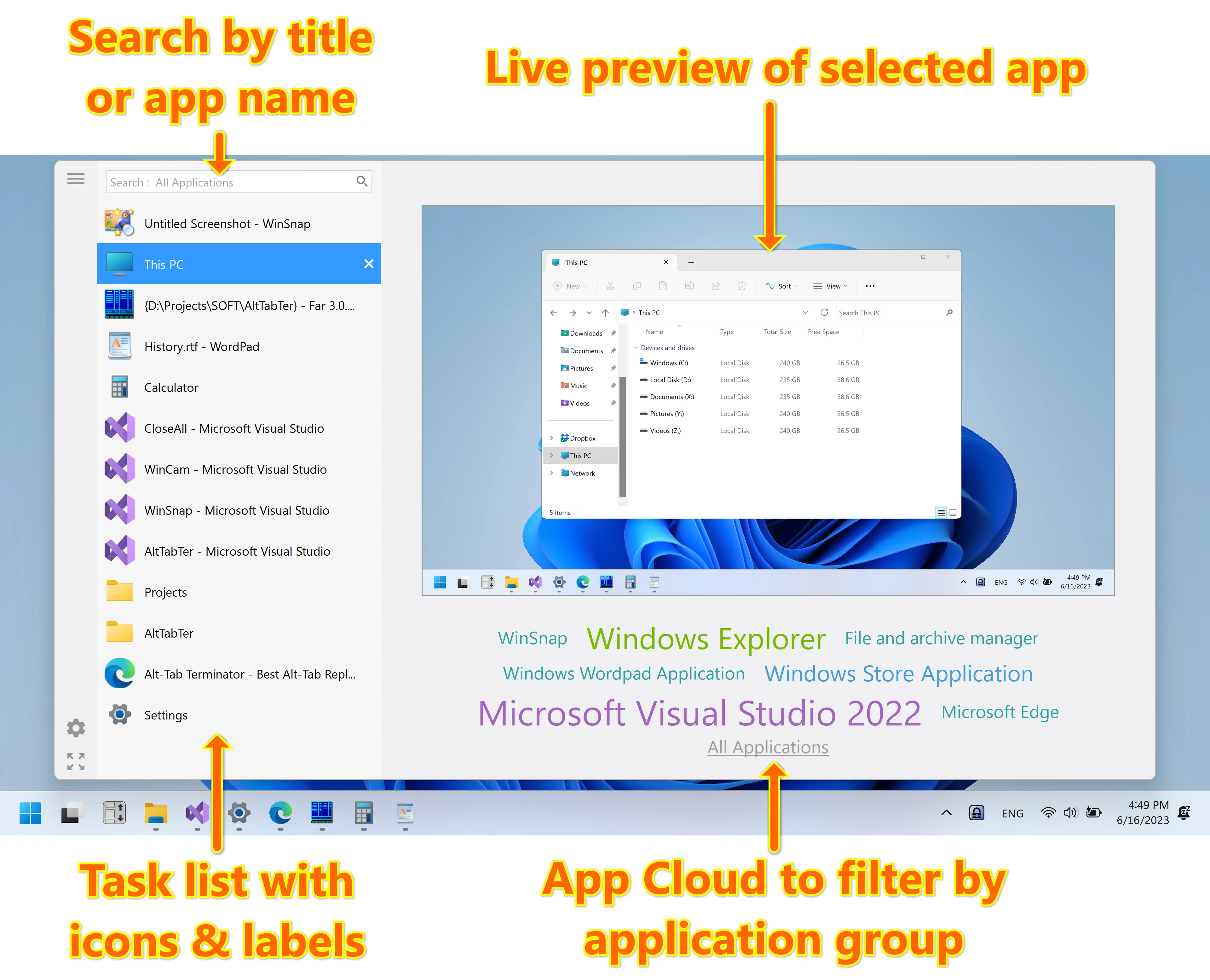
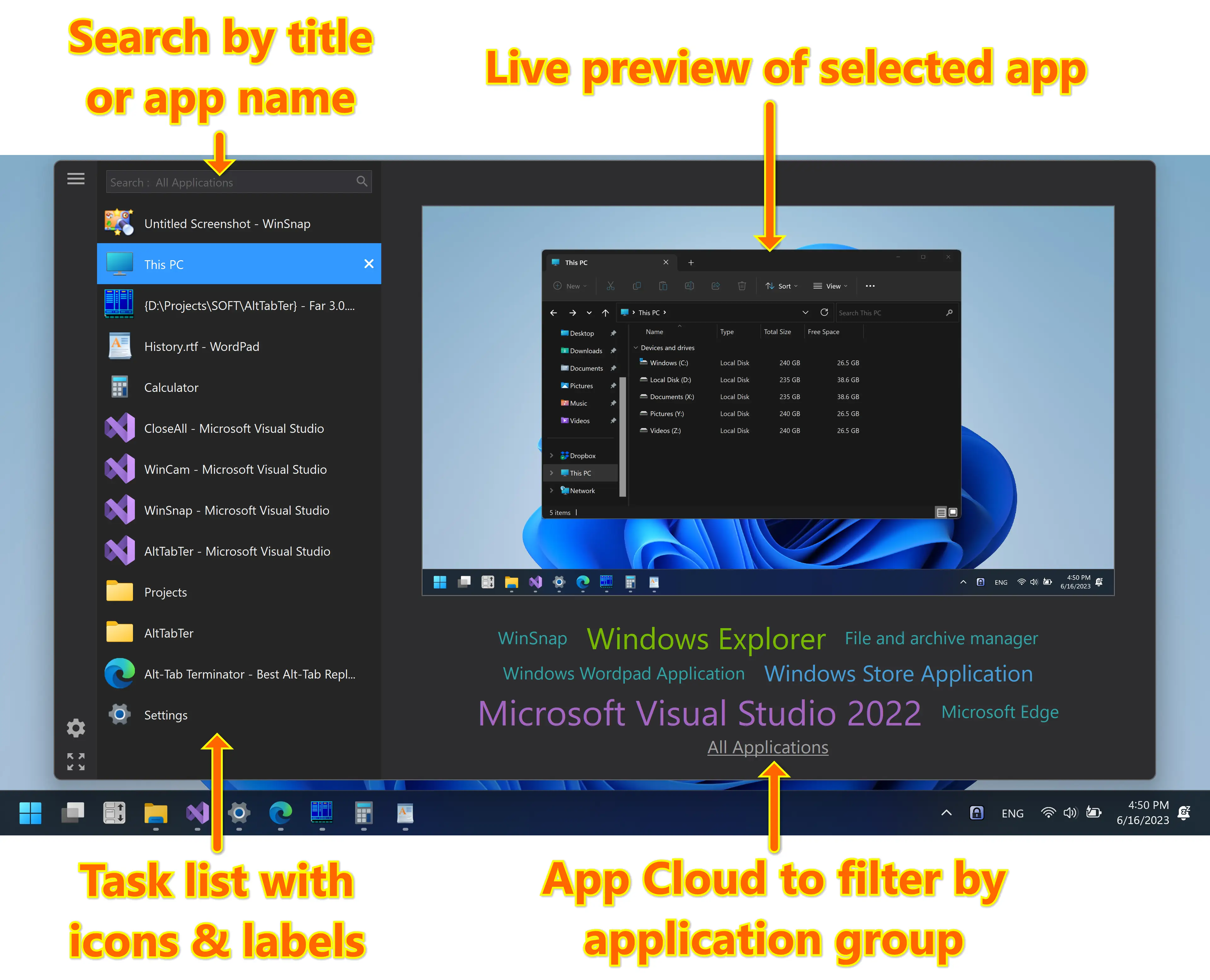
Screenshots created with WinSnap – 20% discount if bought together with Alt-Tab Terminator!
Brand New Alt-Tab with Search
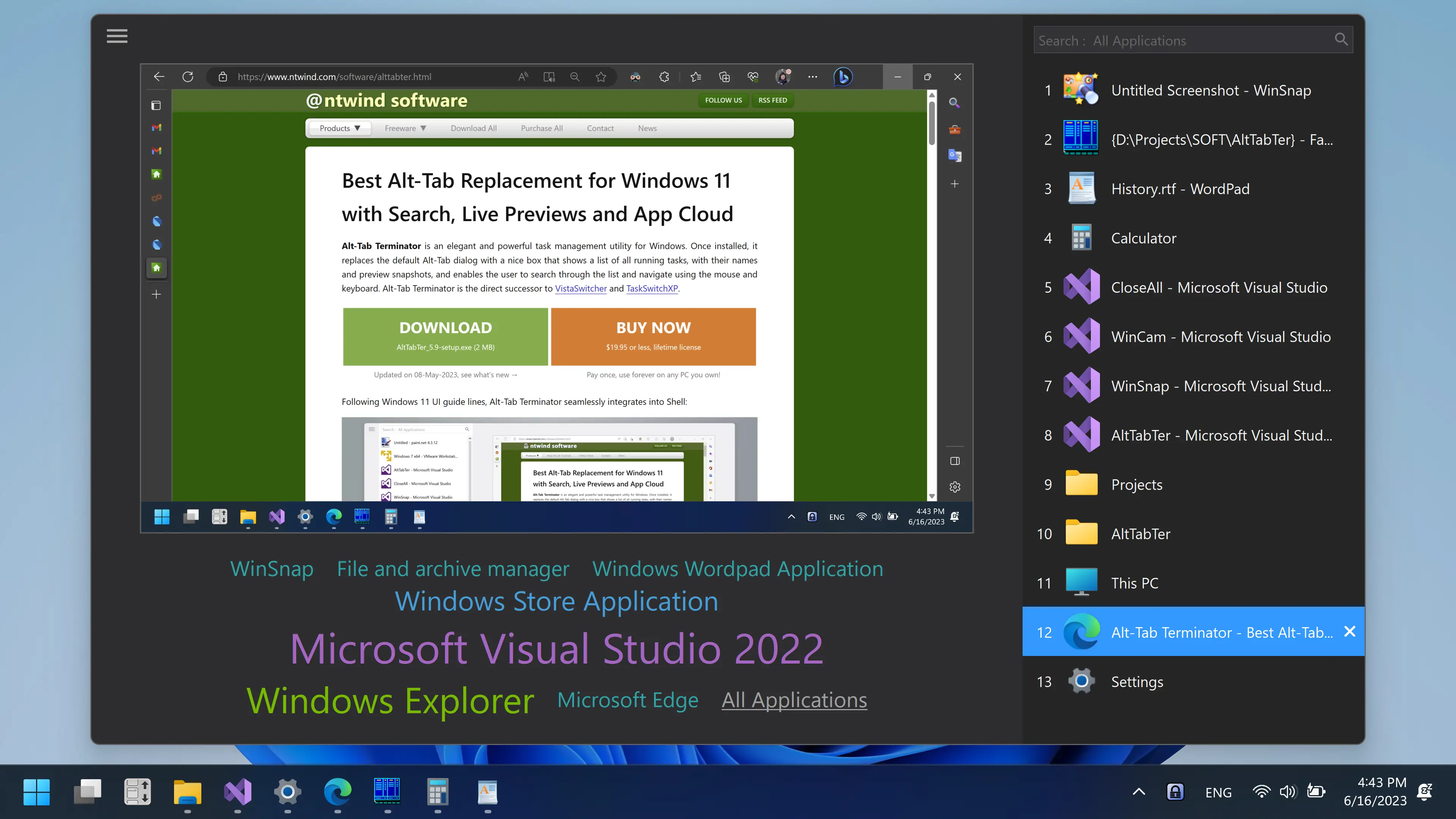
The main advantage of Alt-Tab Terminator is a brand-new switching window. Unlike to the standard Alt-Tab, it shows a live desktop preview of the selected application and an easy-to-read relevant list of tasks with titled icons so you can find the one you need immediately at a glance.
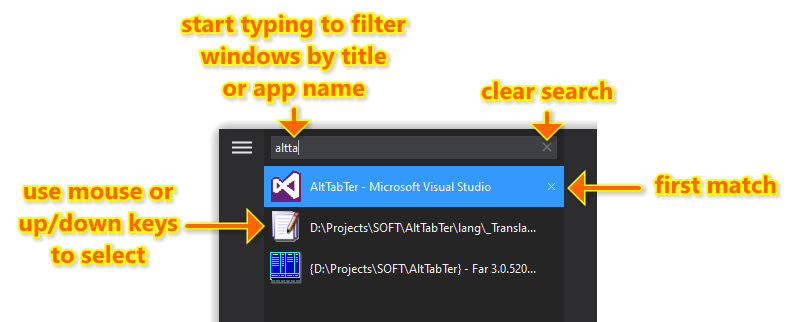
Search by Title: After opening Alt-Tab Terminator, just start typing to quickly filter windows in the task list by the title or application name. Finding the right window has never been easier!
Live Preview: Visualization is the key point. Alt-Tab Terminator shows you the exact live desktop preview of the application you want to switch to, even if it has multiple child windows.
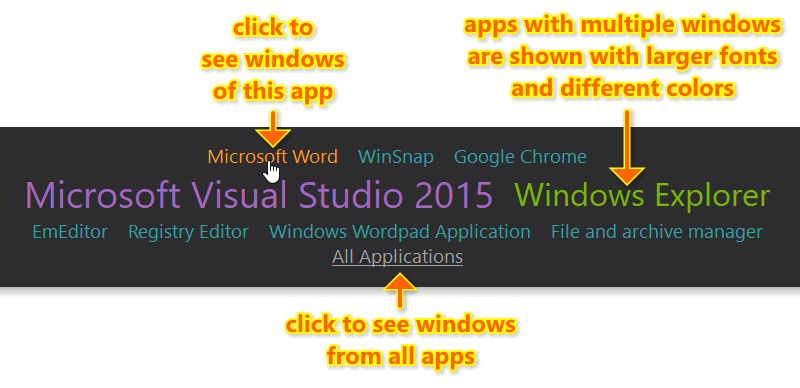
App Cloud: Click the application names below preview to filter windows of the selected application. Press Alt + ` (Backtick – the key above Tab) to switch between windows of the active application.
Clear Large Labels: Multiple window titles are arranged on a vertical task list; a large icon is placed by each one of them. Finding the right window has become much quicker.
Mouse & Keyboard Shortcuts: Navigate through the task list with the keyboard (Tab, Arrow Keys, Home, End, etc.) or the mouse – simply place the mouse pointer over a task or use the mouse wheel.
Full Screen Mode: Press F11 or click the Full Screen button in the bottom-left corner to maximize the switcher window to the whole screen.
Quick & Easy Customization: Press the Menu button in the top-left corner of Alt-Tab Terminator to access the program menu and settings.
Window Management: With Alt-Tab Terminator, you get the full control over opened windows – you can close, minimize, maximize, restore the main window, run a new copy or terminate the application.
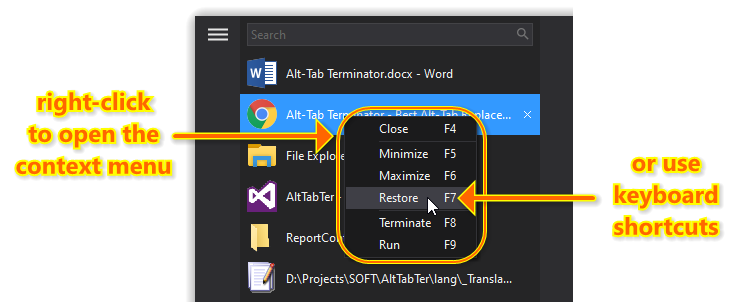
There is a keyboard shortcut to every action. For example, pressing F4 will close the selected window, similar to the default Alt+F4 shortcut – easy to remember and use!
Support for UAC & Elevated Applications: Alt-Tab Terminator works with 32-bit and 64-bit applications, even if you run them with administrative privileges. It also works flawlessly with modern Windows Store apps and high DPI screens.
FREE vs PRO
Great news! The basic version of Alt-Tab Terminator is now completely free. That means you can enjoy all the basic features without any nag screens, ads, or annoying pop-ups. This is especially beneficial for those users who are just starting to use Alt-Tab Terminator.
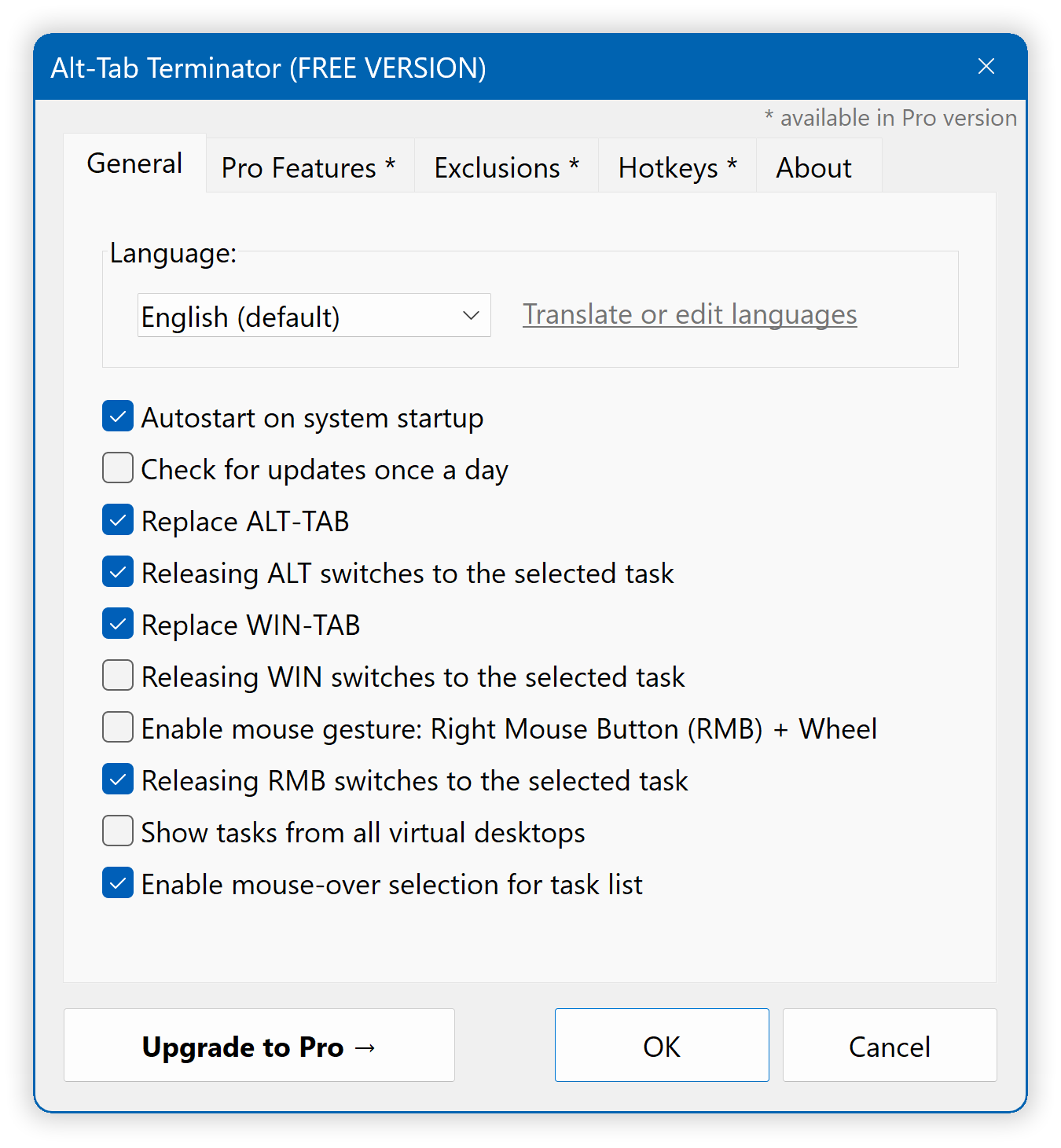
The PRO version offers a range of features that can improve your daily workflow, including multi-monitor support, exclusions, custom hotkeys, and UI customization, making it ideal for power users.
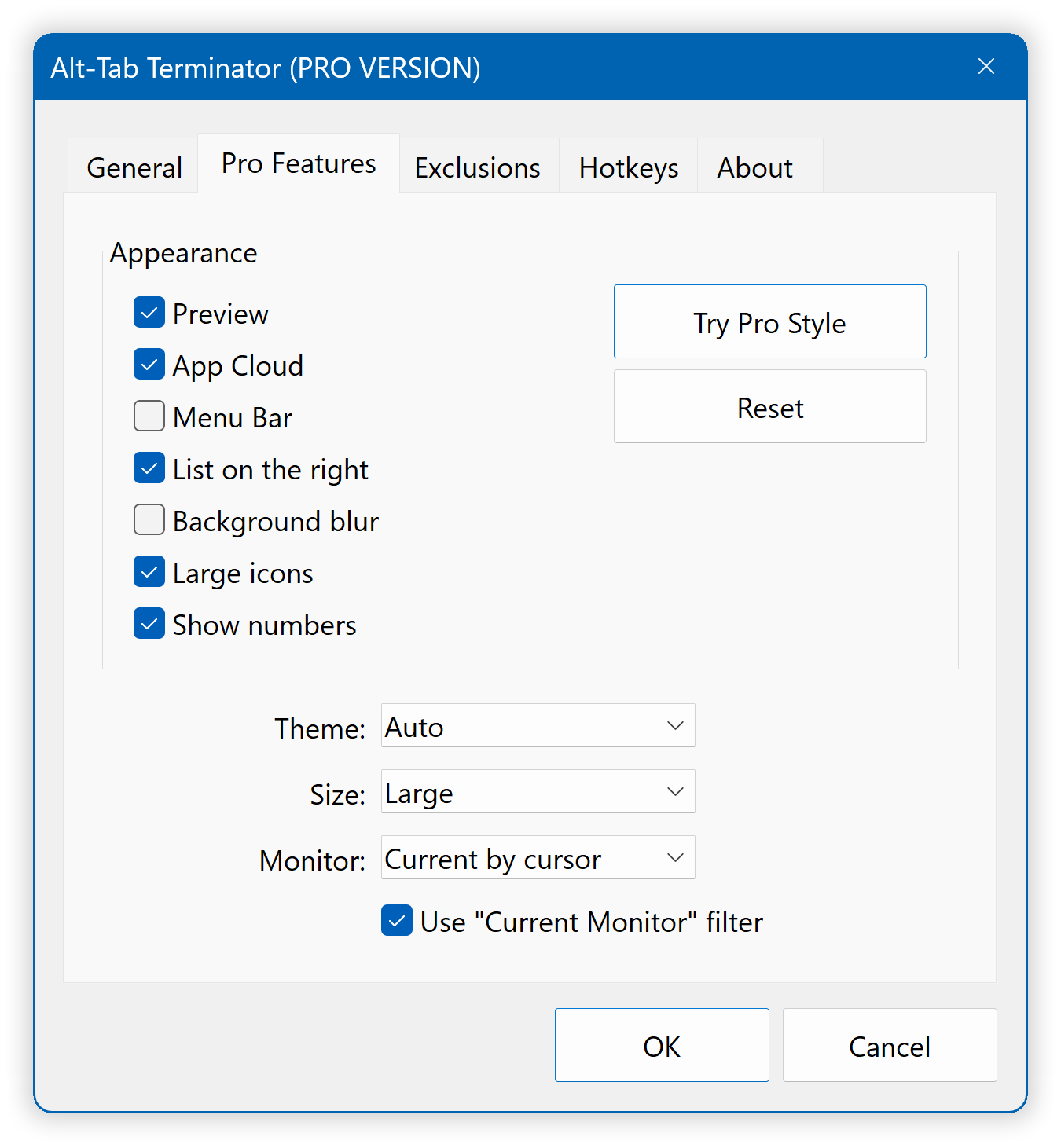
Check out the new PRO style with task numbers and list on the right:
Try Alt-Tab Terminator now and you’ll never turn back to the old Alt-Tab again!
AltTabTer_6.8-setup.exe (2 MB)
Updated on 29-Aug-2026, see what's new →
$19.95 or less, lifetime license
Enjoy FREE version, upgrade to PRO for more features!
Alt-Tab Terminator supports all versions of Windows from Windows 7 to Windows 11. Native 64-bit version is included in the setup package and installed automatically.
|
Never miss when a new version comes out! Subscribe to updates → |

|
Home • Windows • Alt-Tab Terminator