Hidden Start v2.0 released
Hstart v2.0 has been released today. The new major version contains a number of innovative features that enable even easier working methods.
- User-friendly quote processing
Hstart v2.0 uses its own algorithm to parse complex command line arguments. It enumerates all the opening/closing quotation marks and handles embedded quotes in a more user-friendly manner. (Learn more)
- Test mode
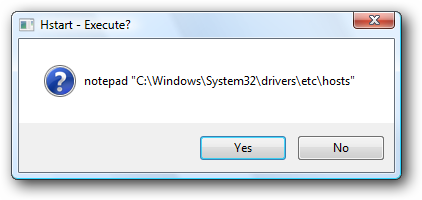
The /TEST command line switch allows you to see what parameters are passed to Hstart and how they are processed:
- Message after command execution
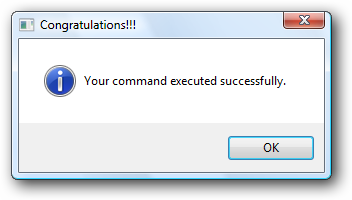
Hstart allows you to run console applications completely hidden, and now there is a simple way to tell the user whether the command is executed correctly or not:
- Run applications from the Windows Shell
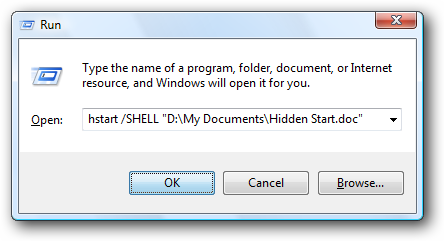
Essentially, the new /SHELL command line switch works in the same way as the Windows Run dialog: the given parameters are passed to the Windows Shell to be handled rather than by calling the application directly. This makes it possible for the Shell to select an appropriate program to run for a given filename.
- UAC privilege elevation under Windows Vista
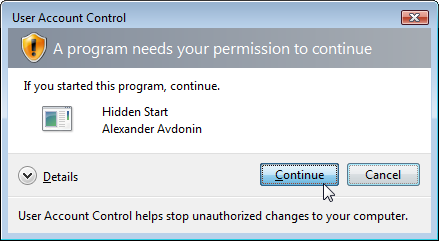
Especially for Windows Vista users, Hstart v2.0 provides two new command line switches: /RUNAS and /UAC.
For more information, please read:
Here are a few real-world examples of using Hstart:
- Example 1: Automate your daily backups
- Example 2: Optimize images with PNGOUT
- Example 3: Code Signing with one click
More examples coming soon... Please visit our support forums to report any bugs and suggest new features.