WinSnap v3.1.0 - Screen Capture For Windows 7
I'm glad to inform you that WinSnap v3.1.0 is available for download now. This version adds support of the new Windows 7 Taskbar features and contains several improvements to the Object capture mode.
- Windows 7 Taskbar (Superbar): There is no quick launch in Windows 7 by default, but you can drag WinSnap shortcut to the taskbar and get advantage of the new Superbar features.
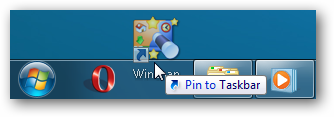
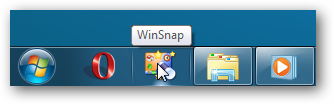
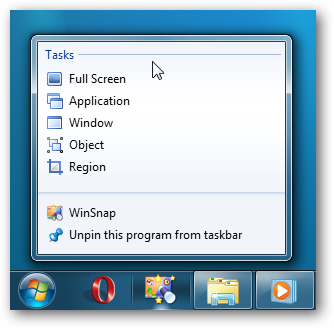
Right-click the taskbar icon and get instant access to the main screen capture tasks:
For more information, see WinSnap - Screen Capture For Windows 7.
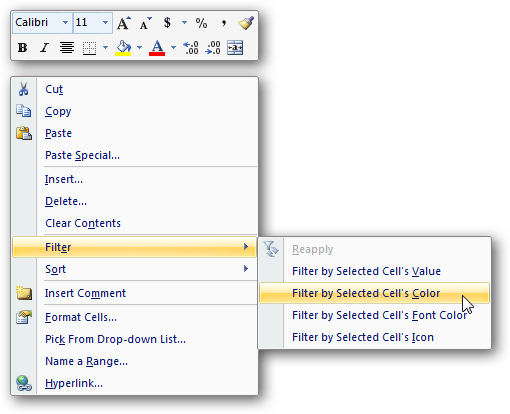
- Object / Multi-Object capture mode: Fixed a few minor issues + added ability to capture fly-out menus of Office 2007 applications (Word, Excel, Powerpoint and other)
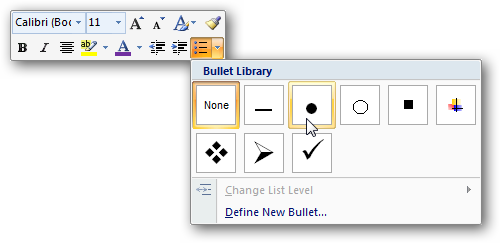
Hold down the CTRL key or use the middle mouse button to select multiple menus and objects:
Changelog for WinSnap v3.1.0:
- WinSnap now officially supports the upcoming Windows 7 (32-bit and 64-bit)
- Windows 7: Added task list (jump list) to the WinSnap icon on the taskbar
- Added ability to capture complex menus of Office 2007 applications (Object mode)
- Several improvements to the WinSnap installer (graphics, icons, etc)
- Fixed an issue with keyboard shortcuts (Esc and other) in the Object mode
- Some other minor improvements and bug fixes
Download WinSnap v3.1.0 (32-bit, 64-bit, portable)